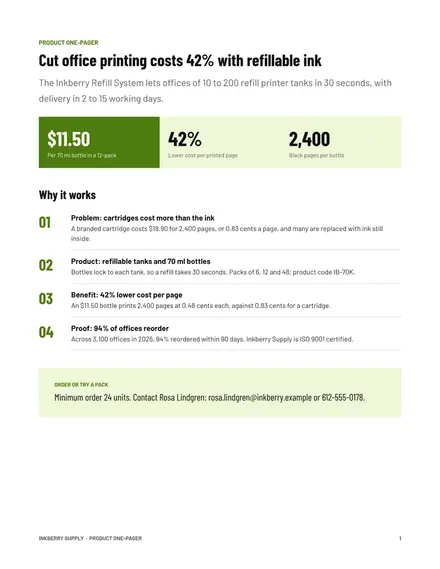
Product One-Pager
Docs + Word2 pages
Free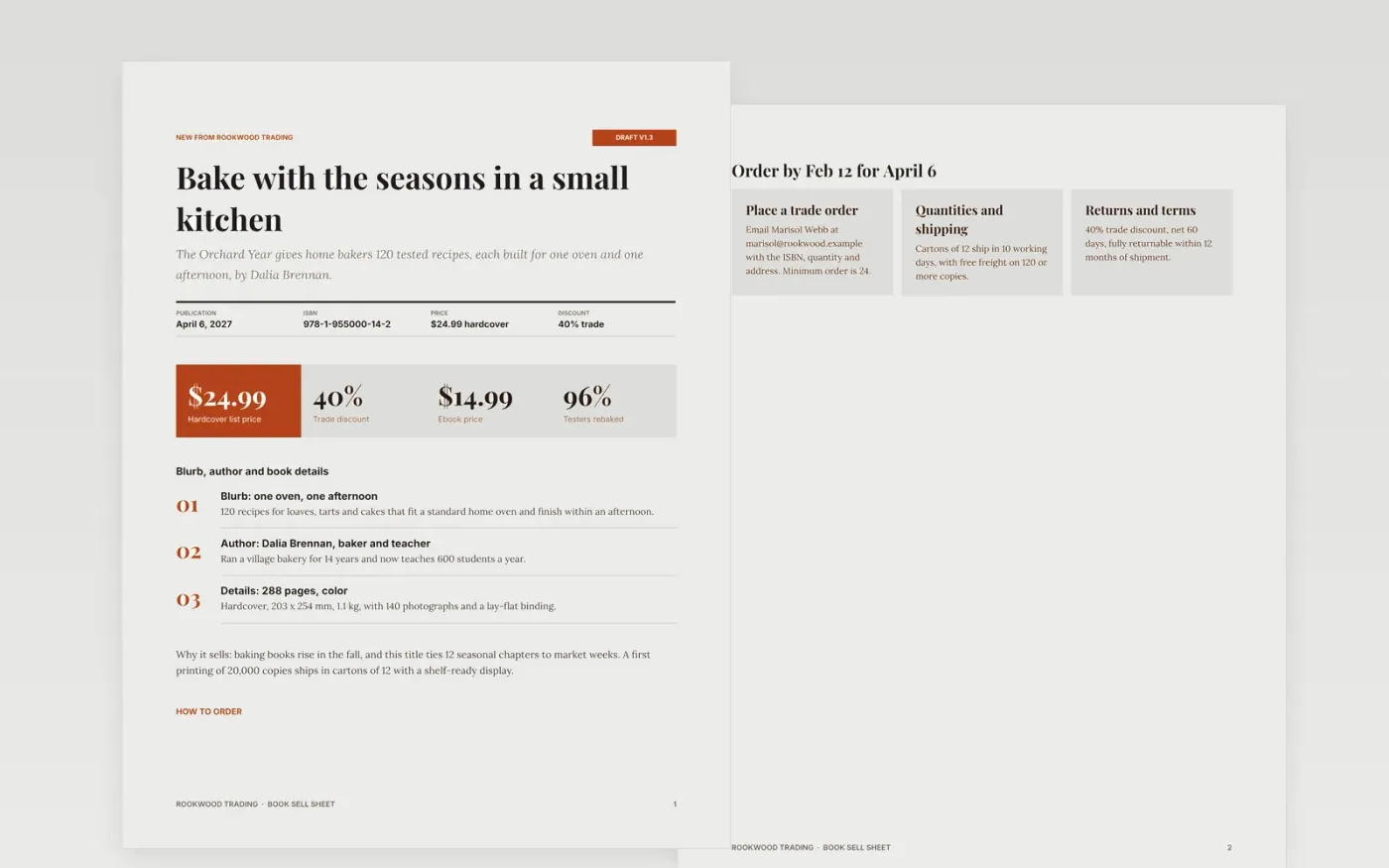
Buyers decide whether to stock a book in seconds, and a sell sheet that hides the ISBN, discount or order terms gets set aside. This three-page template puts the pitch, author, specifications and ordering details where a trade buyer looks first, then closes with a short guide for editing.
The sample presents a fictional baking book from Rookwood Trading, with a 40% trade discount, a 24-copy minimum and cartons of 12. Replace the title, blurb, author bio, ISBN, price, dates and contact with your own, and keep every figure and unit precise.
Click Make a copy in Google Docs, then confirm on the Google page. The copy is saved to your own Google Drive.
Replace the headline with the single outcome your readers buy the book for, then rewrite the blurb and author bio in plain results language.
Enter your own ISBN, price, page count, trim size, weight and publication date, deleting any detail you do not use.
Update the ordering cards with your discount, minimum order, carton size, lead time, returns terms and one named contact.
Delete the Make it yours page, then share the sheet or export it as a PDF for buyers.
Include the title, a short blurb, author bio, ISBN, price, format, page count, publication date, trade discount, order terms and a contact. Buyers look for the ISBN and terms first.
No. Rookwood Trading, the book, the author, the ISBN and every figure are fictional sample content. Replace all of it with the details of your own title.
Keep the pitch to one page so it survives being forwarded. This template adds an ordering page for terms and a guide page you delete before sending.
Docs + Word2 pages
Free
Docs + Word2 pages
Free
Docs + Word2 pages
Free










