
Absence Report
Docs + Word7 pages
Free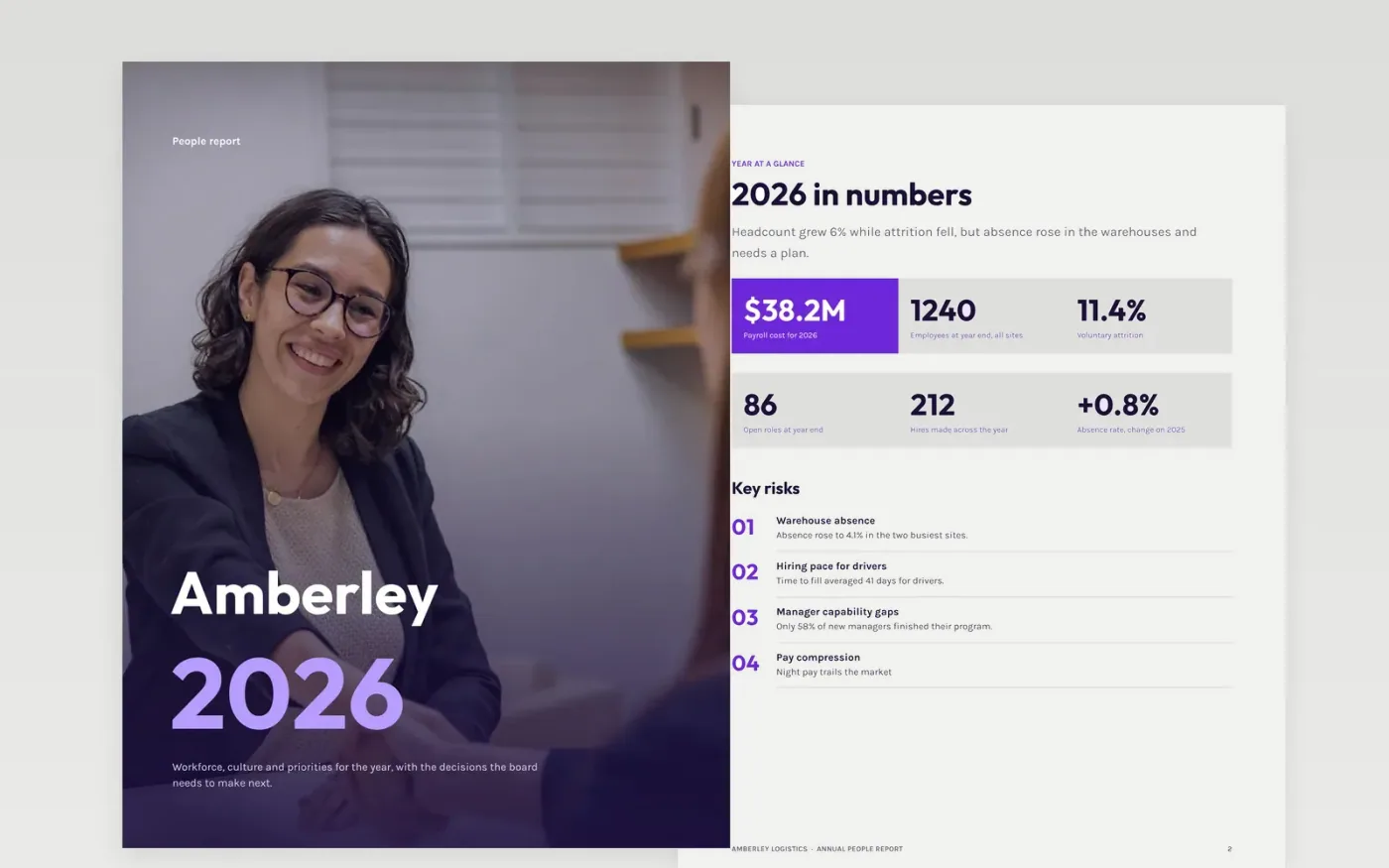
This free Google Docs template gives an HR director a yearly people report that a board can read in one sitting. It opens with a summary of the year in numbers, then covers the workforce, hiring, retention, learning and the priorities for the next year. Each measure has an owner and a data source, so the report can be repeated and compared from one year to the next.
The sample is the 2026 report for Amberley Logistics, a fictional freight and warehousing company, with invented headcount, attrition and absence figures. Replace the headline metrics with your own HRIS data, update the trend charts, rate the risks you want discussed, and end with one decision or request for the board.
Click Make a copy in Google Docs, then confirm on the Google page. The copy is saved to your own Google Drive.
Replace the headline metrics with last month's HRIS figures and write the definitions beneath them.
Update the attrition and absence charts with a twelve-month trend from the same source.
Rate the three risks leaders should discuss, and name an owner and data source for each metric.
Delete the guide page, then share the report with the board or present it from the first page.
Keep individual names to owners and leaders. Report workforce data in groups of at least ten people, so no one can be identified from a small team or site.
No. Amberley Logistics, its people, headcount, attrition, absence and cost figures are fictional sample data. Replace every figure with your own HRIS data before you share the report.
Once a year for the board, with a shorter quarterly dashboard for operating leaders. Repeat the same metrics each year so the trends mean something.
Docs + Word7 pages
Free
Slides + PowerPoint12 slides
Free
Docs + Word7 pages
Free










