
Annual People Report
Docs + Word8 pages
Free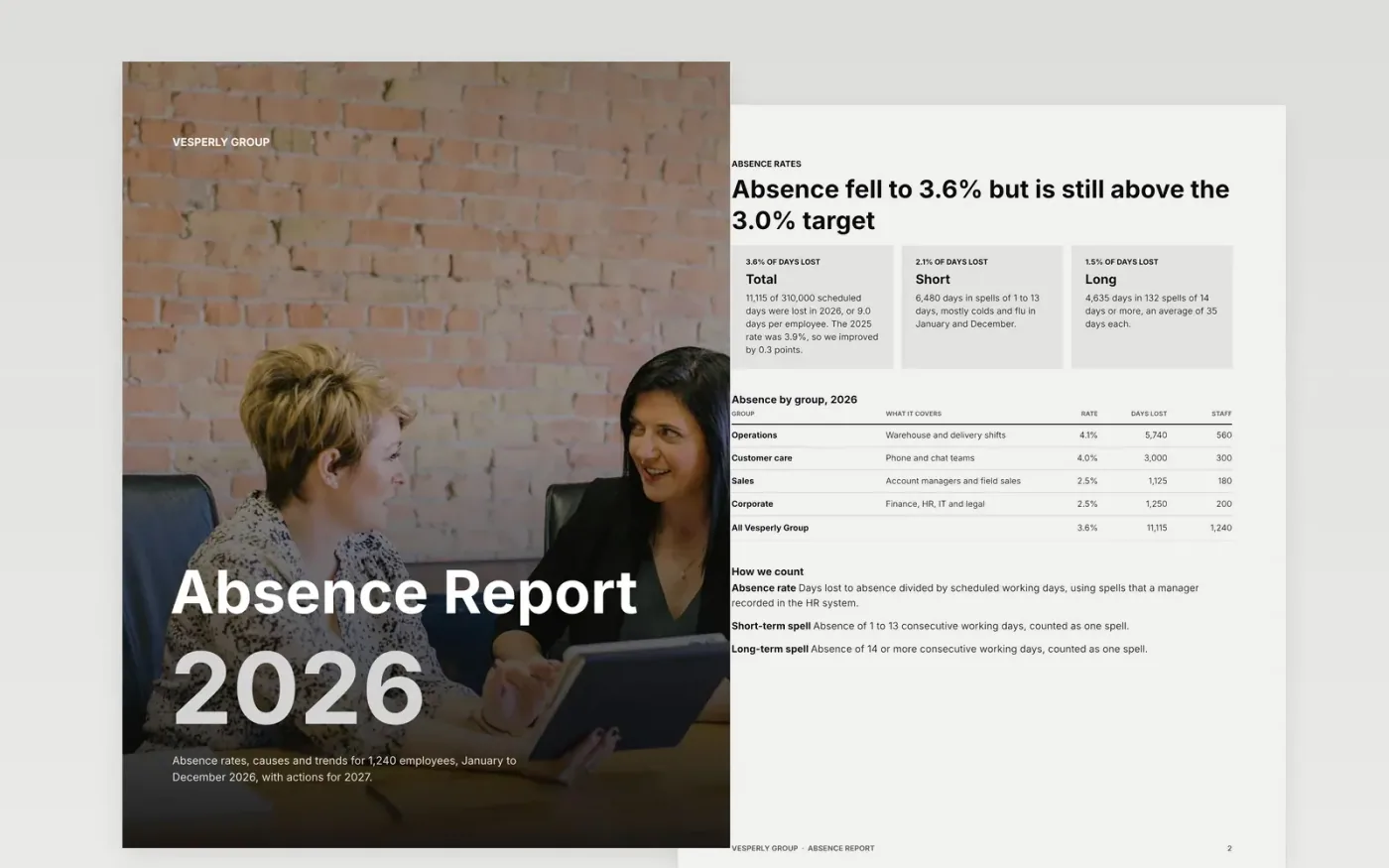
Leaders ask two questions about absence: how much, and what are we doing about it. This seven-page report answers both. It opens with the rate and cost, breaks down causes and teams, shows the year's trend on a scorecard, and ends with owned actions and a decision for the board.
The sample covers a fictional group of 1,240 employees with 11,115 days lost in 2026, a 3.6% rate against a 3.0% target, and a cost of $2.33M. Replace the figures with your last twelve months from your HR system, rate each metric, and write one decision for the board.
Click Make a copy in Google Docs, then confirm on the Google page. The copy is saved to your own Google Drive.
Replace the year, headcount and rates with your last twelve months from your HR system, and write down how you count a spell.
Update the cause shares, monthly timeline and group table, and check that shares add to 100% and days add to the total.
Set your own targets and status on the scorecard, then list actions with one owner and one date each.
Delete the guide page, then share the report with leaders or present it at the next board meeting.
No. Vesperly Group, its employees and every figure in the report are fictional sample data. Replace them with your own figures before sharing.
Days lost to absence divided by scheduled working days. The sample uses 11,115 days lost over 310,000 scheduled days, which gives 3.6%. State your own definition on the rates page.
Report only groups large enough that no person can be identified, and check your data-protection rules before naming causes for small teams.
Docs + Word8 pages
Free
Slides + PowerPoint12 slides
Free
Docs + Word7 pages
Free










