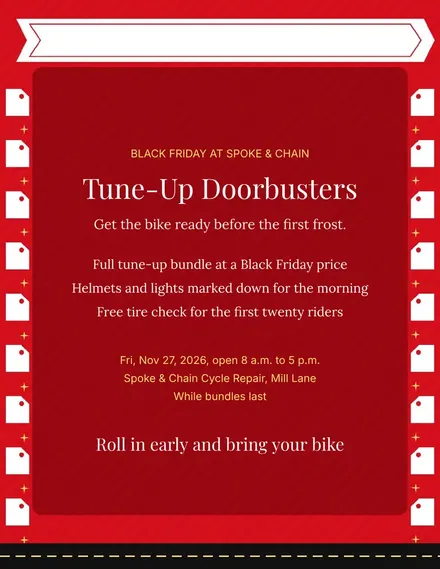
Spoke & Chain Cycle Doorbuster Flyer
Docs + Word1 page
Free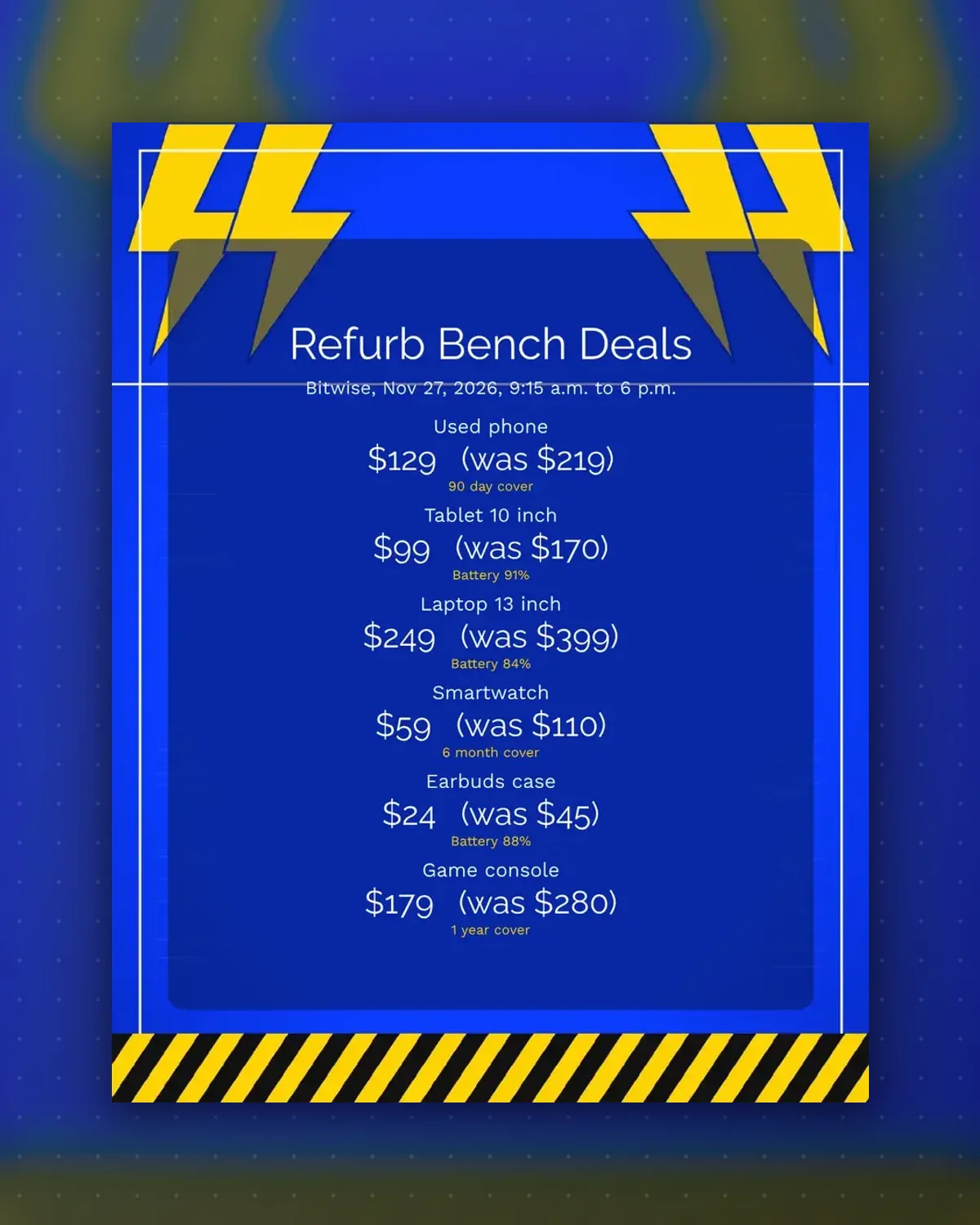
Buyers of used gear want proof it works. Each tag pairs a deal price with either a warranty length or a battery health figure from your bench test.
Enter the devices you actually have and the numbers from your tester. Print and fix a tag to each box or screen protector before opening.
Make a copy in Google Docs, or download the Word file.
Type over the sample text with your own details.
Delete the guide page when you are done.
Print it, or save it as a PDF.
Yes. Type the reading from your tester so the claim stays honest.
Add it to the note line if it fits, or write it by hand.
Name the bundle in the item line and give one price.
Docs + Word1 page
Free
Docs + Word1 page
Free
Docs + Word1 page
Free
Docs + Word1 page
Free
Docs + Word2 pages
Free
Docs + Word1 page
Free
Docs + Word1 page
Free
Docs + Word1 page
Free
Docs + Word1 page
Free
Docs + Word1 page
Free
Docs + Word1 page
Free
Docs + Word1 page
Free
Docs + Word1 page
Free
Docs + Word1 page
Free
Docs + Word2 pages
Free








