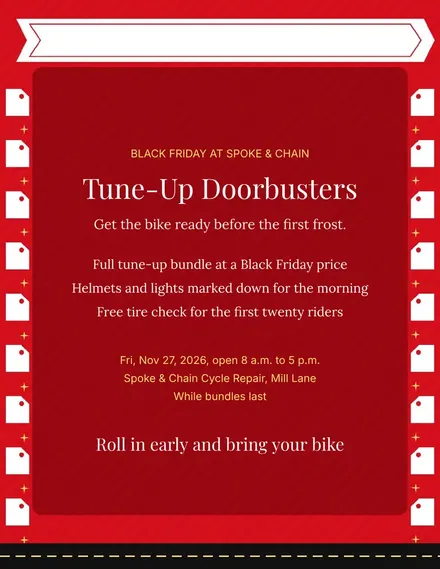
Spoke & Chain Cycle Doorbuster Flyer
Docs + Word1 page
Free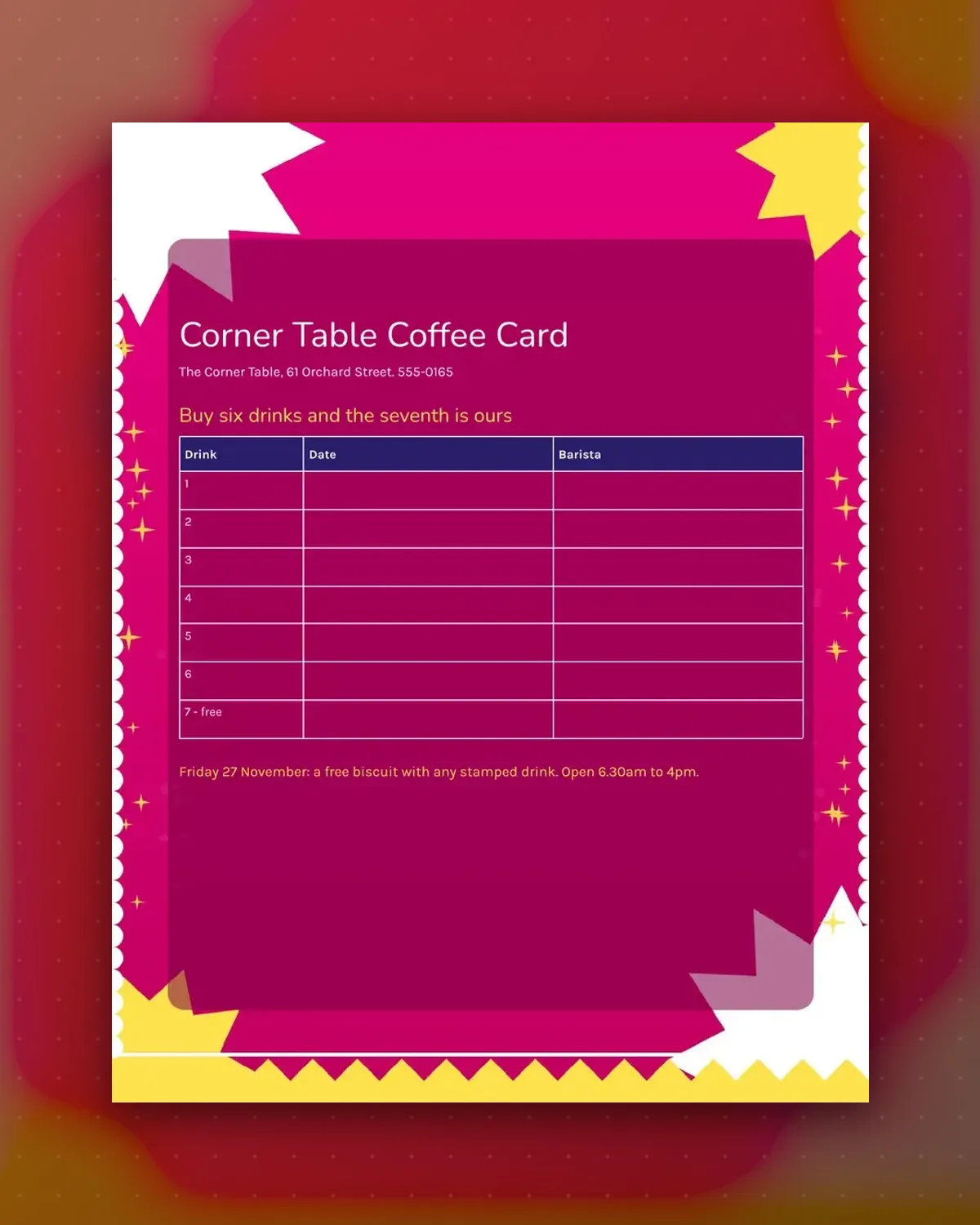
Baristas initial each row as drinks are bought, and the last row tells customers the reward is theirs.
Rename the columns or change the count of drinks. The footnote holds the day-only bonus and opening hours.
Make a copy in Google Docs, or download the Word file.
Type over the sample text with your own details.
Delete the guide page when you are done.
Print it, or save it as a PDF.
Delete a row and update the heading.
Whoever serves the drink, with a name or initial.
Place it above the title in the editor.
Docs + Word1 page
Free
Docs + Word1 page
Free
Docs + Word1 page
Free
Docs + Word1 page
Free
Docs + Word2 pages
Free
Docs + Word1 page
Free
Docs + Word1 page
Free
Docs + Word1 page
Free
Docs + Word1 page
Free
Docs + Word1 page
Free
Docs + Word1 page
Free
Docs + Word1 page
Free
Docs + Word1 page
Free
Docs + Word2 pages
Free
Docs + Word1 page
Free








