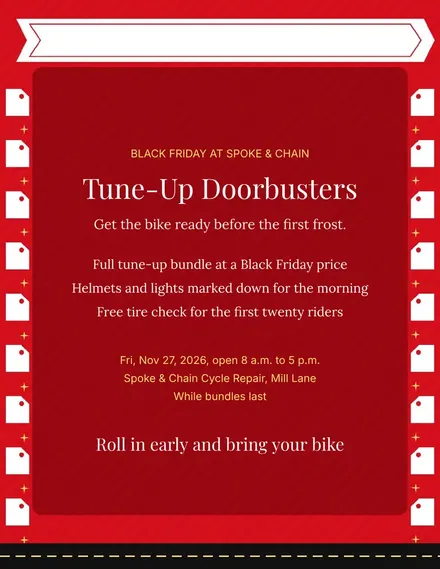
Spoke & Chain Cycle Doorbuster Flyer
Docs + Word1 page
Free
Customers see the ladder at a glance: spend fifty, a hundred or two hundred and the reward climbs with each step.
Thresholds, dollar amounts and codes can be changed in seconds, and the fine print covers one coupon per receipt.
Make a copy in Google Docs, or download the Word file.
Type over the sample text with your own details.
Delete the guide page when you are done.
Print it, or save it as a PDF.
Yes. A second page takes three more coupons.
No, delete the code line if staff apply the discount by hand.
In the fine print line at the bottom of the last page.
Docs + Word1 page
Free
Docs + Word1 page
Free
Docs + Word1 page
Free
Docs + Word1 page
Free
Docs + Word2 pages
Free
Docs + Word1 page
Free
Docs + Word1 page
Free
Docs + Word1 page
Free
Docs + Word1 page
Free
Docs + Word1 page
Free
Docs + Word1 page
Free
Docs + Word1 page
Free
Docs + Word1 page
Free
Docs + Word1 page
Free
Docs + Word2 pages
Free








