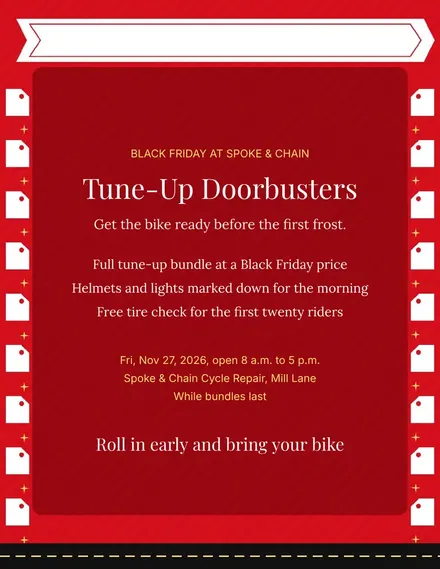
Spoke & Chain Cycle Doorbuster Flyer
Docs + Word1 page
Free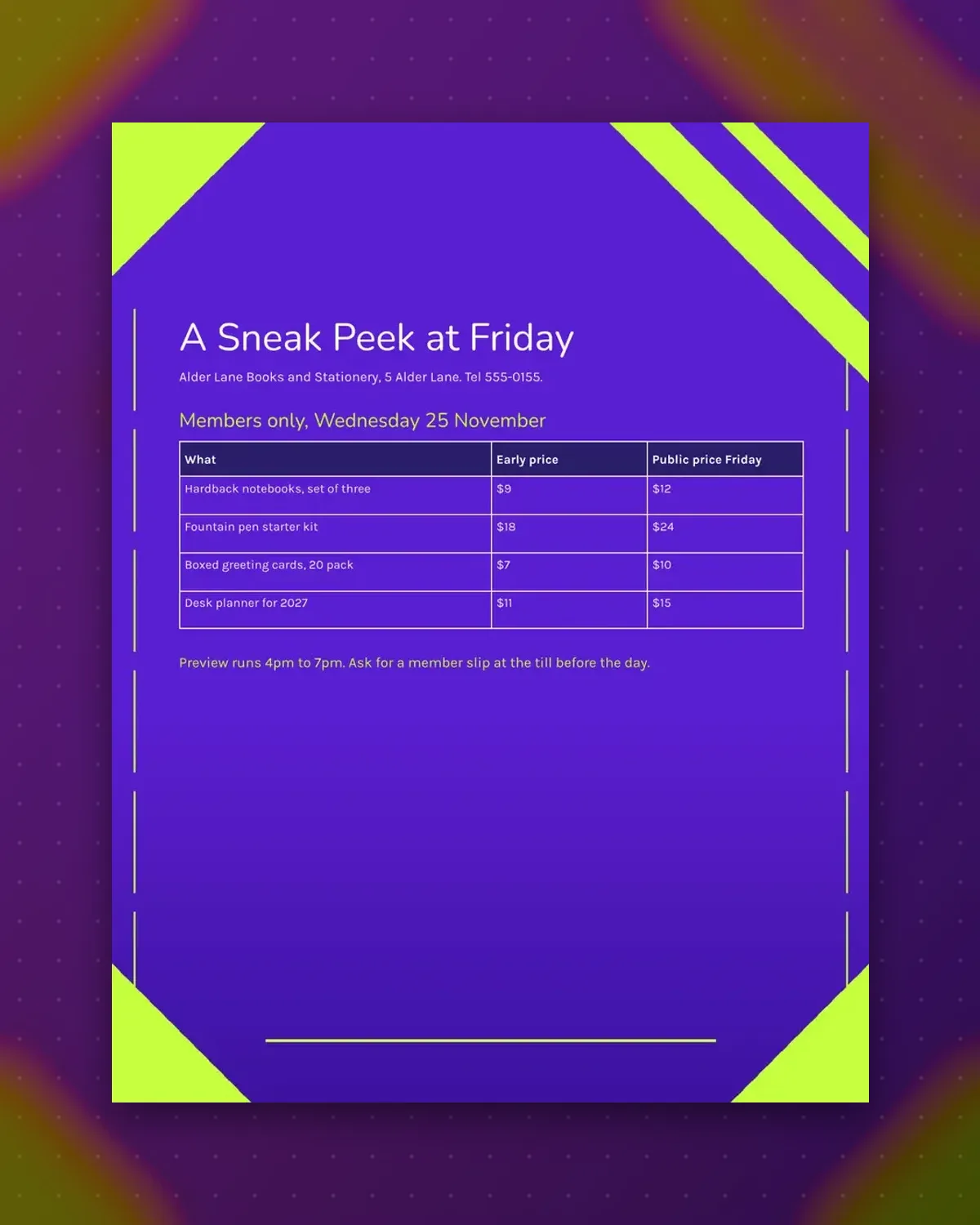
The table lists what is on offer at the members-only evening and the price on that night, set against the price on Friday, November 27, 2026.
Replace the stationery items with your own range. The footnote explains the preview hours and how to join.
Make a copy in Google Docs, or download the Word file.
Type over the sample text with your own details.
Delete the guide page when you are done.
Print it, or save it as a PDF.
No. Change the heading to say who can attend.
Add a short column, keeping to four columns at most.
Edit the heading and footnote dates.
Docs + Word1 page
Free
Docs + Word1 page
Free
Docs + Word1 page
Free
Docs + Word1 page
Free
Docs + Word2 pages
Free
Docs + Word1 page
Free
Docs + Word1 page
Free
Docs + Word1 page
Free
Docs + Word1 page
Free
Docs + Word1 page
Free
Docs + Word1 page
Free
Docs + Word1 page
Free
Docs + Word1 page
Free
Docs + Word1 page
Free
Docs + Word2 pages
Free








