
Engagement Survey Report
Docs + Word8 pages
Free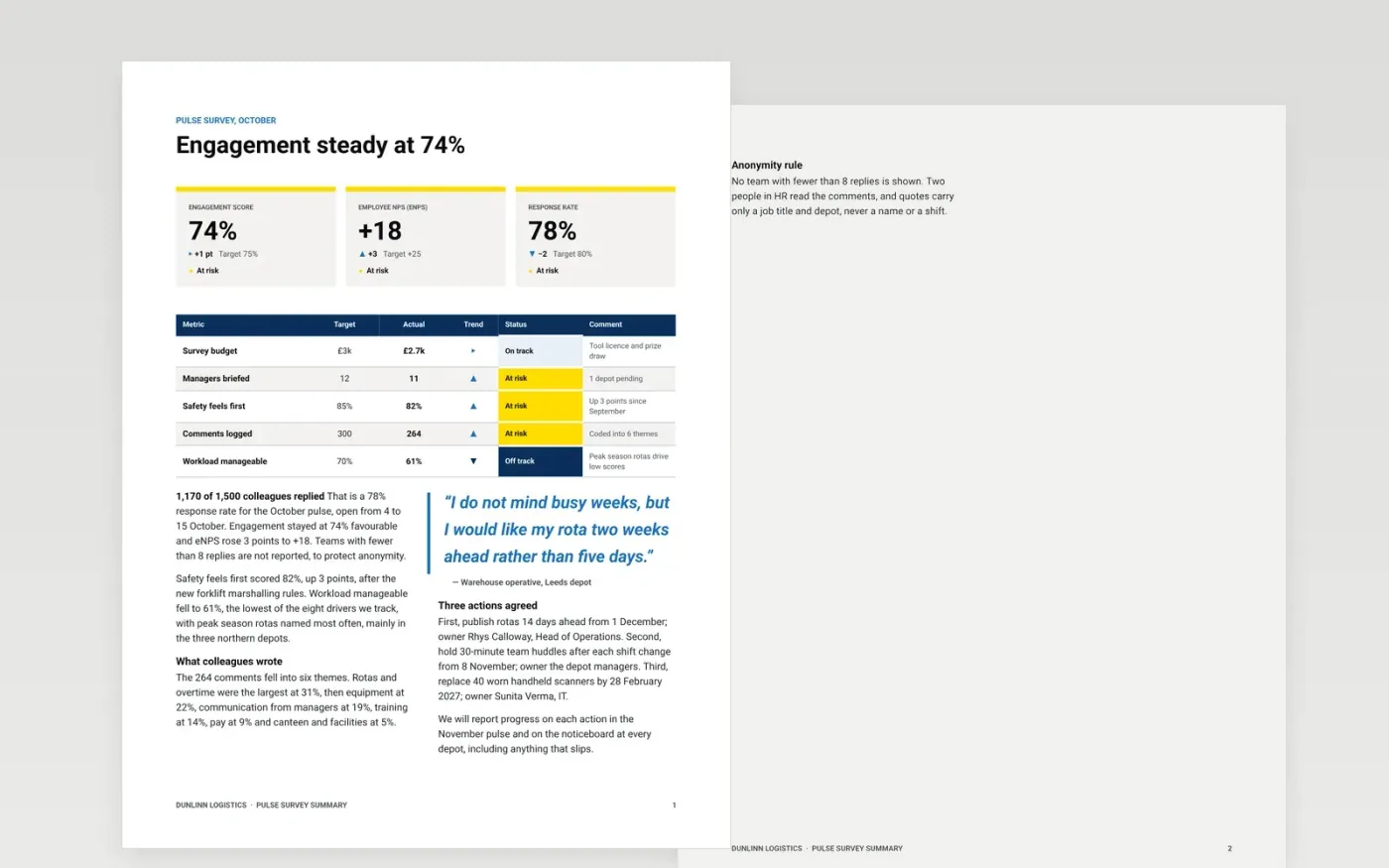
Fast-growing companies run short monthly surveys, but results often arrive as a spreadsheet nobody reads and nothing visibly changes. This summary fits on three pages: headline scores with status and trend first, then what people wrote, the actions you will take, and the rule that protects anonymity.
The sample follows Dunlinn Logistics, a fictional carrier with 1,500 staff in the October pulse. It shows a 78% response rate, 74% engagement, an eNPS of +18, six comment themes and three actions with named owners and dates. Replace the survey dates, scores, themes and actions with your own export.
Click Make a copy in Google Docs, then confirm on the Google page. The copy is saved to your own Google Drive.
Enter your survey dates, population and response rate, then overwrite the scores, targets and trends from your export.
Rewrite the comment themes from your coded responses and keep one short quote with a job title only.
Choose two or three actions, each with an owner and a date, and set your anonymity threshold.
Delete the guide page, then share the summary with managers and staff.
Two or three. A short list with an owner and a date each is more likely to happen than a long one, and staff can check progress in the next pulse.
No. Dunlinn Logistics, the named people, the email addresses and every score are fictional sample data. Replace them with your own results before sharing.
Combine it with a neighbouring team or leave it out. The sample uses a minimum of 8 replies, but check the threshold and data-protection rules that apply to you.
Docs + Word8 pages
Free
Docs + Word7 pages
Free
Docs + Word21 pages
Free









