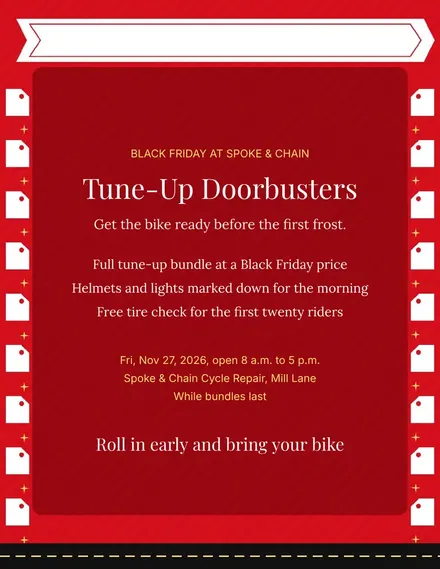
Spoke & Chain Cycle Doorbuster Flyer
Docs + Word1 page
Free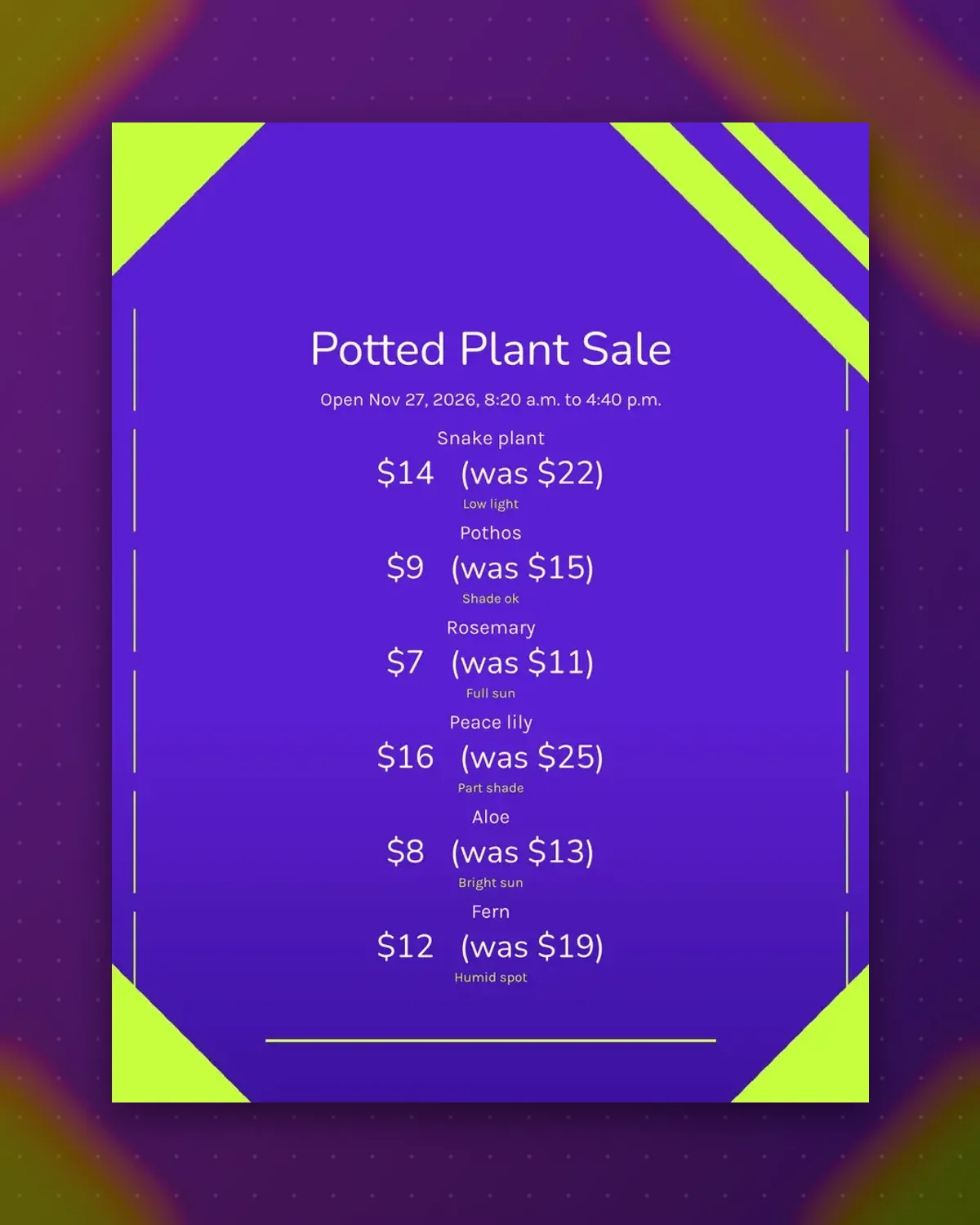
Plant buyers ask the same question first: will it live in my kitchen? Each tag answers with a light note beside the price, which saves staff a repeat chat.
Rename the plants, adjust the prices and keep the light notes. Print on stiff stock, cut into strips and push into the soil of each pot.
Make a copy in Google Docs, or download the Word file.
Type over the sample text with your own details.
Delete the guide page when you are done.
Print it, or save it as a PDF.
Yes. Put the pot size into the light note, such as 6 inch pot.
Laminate the strips or print on waterproof paper so the ink stays put.
Tape each tag to a wooden craft stick and push it into the soil.
Docs + Word1 page
Free
Docs + Word1 page
Free
Docs + Word1 page
Free
Docs + Word1 page
Free
Docs + Word2 pages
Free
Docs + Word1 page
Free
Docs + Word1 page
Free
Docs + Word1 page
Free
Docs + Word1 page
Free
Docs + Word1 page
Free
Docs + Word1 page
Free
Docs + Word1 page
Free
Docs + Word1 page
Free
Docs + Word1 page
Free
Docs + Word2 pages
Free








