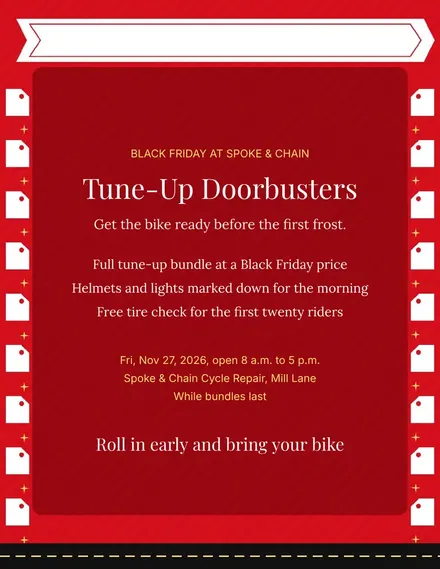
Spoke & Chain Cycle Doorbuster Flyer
Docs + Word1 page
Free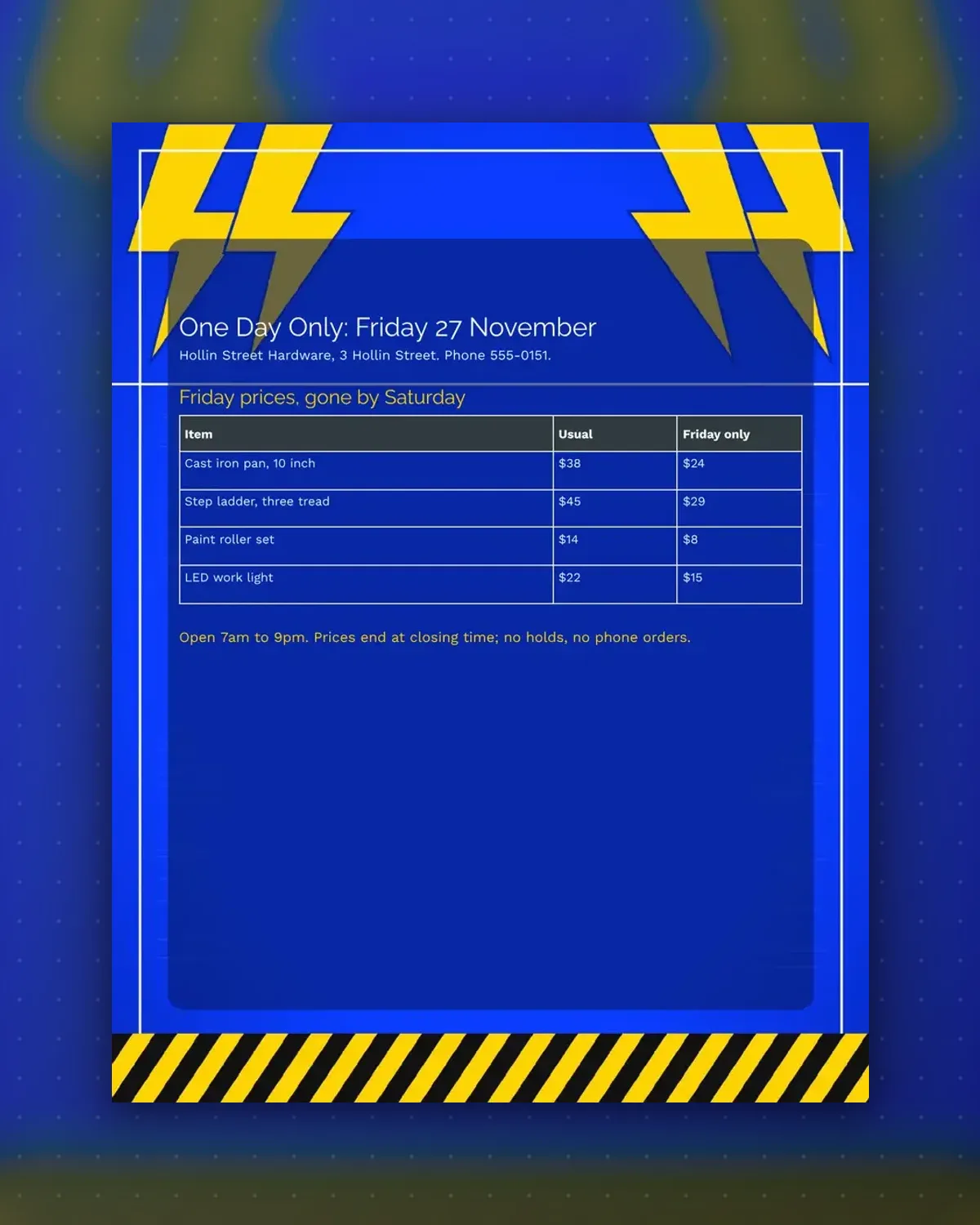
The table sets each item beside its usual price and its sale price, so shoppers see the saving at a glance without asking at the till.
Replace the sample hardware lines with your own stock. The footnote carries the hours and the rule that prices end at closing time.
Make a copy in Google Docs, or download the Word file.
Type over the sample text with your own details.
Delete the guide page when you are done.
Print it, or save it as a PDF.
Yes. Add rows to the table, keeping the three columns, until the page is full.
Delete that column and widen the others if you only want to show the sale price.
In the footnote under the table, which you can edit like any other line.
Docs + Word1 page
Free
Docs + Word1 page
Free
Docs + Word1 page
Free
Docs + Word1 page
Free
Docs + Word2 pages
Free
Docs + Word1 page
Free
Docs + Word1 page
Free
Docs + Word1 page
Free
Docs + Word1 page
Free
Docs + Word1 page
Free
Docs + Word1 page
Free
Docs + Word1 page
Free
Docs + Word1 page
Free
Docs + Word1 page
Free
Docs + Word2 pages
Free








