Risk Management Plan
Docs + Word7 pages
Free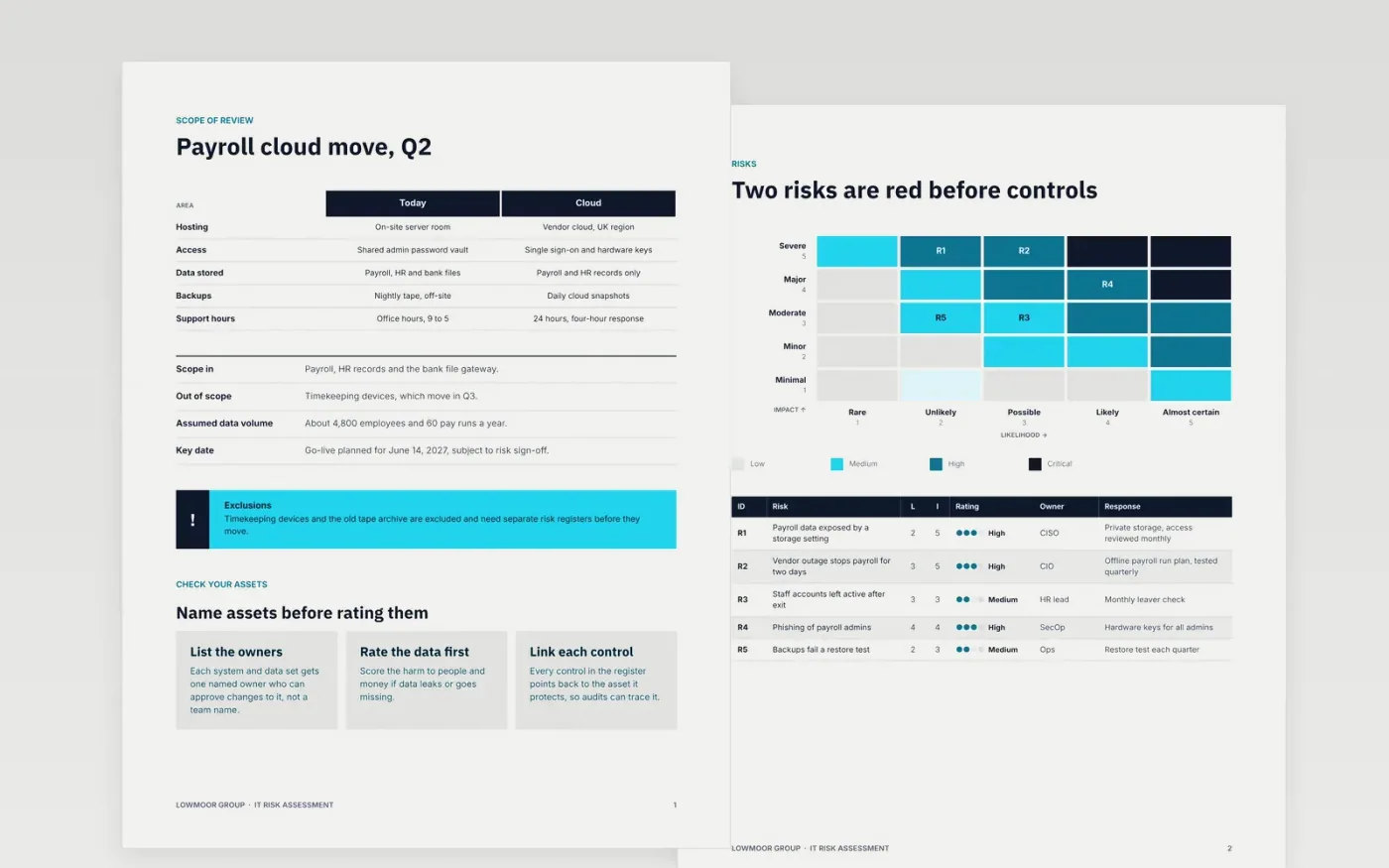
Project risks written as vague topics are hard to manage, and sponsors cannot tell which ones matter. This template sets out the method in order: the scope, the assets, the threats, the controls, the ratings and the treatment plan. Each risk is written as a cause, an event and an effect, scored on a five by five scale, and given an owner, a response and a review date.
The sample covers a move of Lowmoor Group's payroll system to a vendor cloud service. It shows five scored risks, two of them red before controls, a register with residual ratings, a status page against the 5% escalation line, and a treatment plan to June. Every name, figure and date is fictional. Replace the scope and risks with your own workshop results, and keep the scale the same across the project.
Click Make a copy in Google Docs, then confirm on the Google page. The copy is saved to your own Google Drive.
Set the impact thresholds for budget and schedule, then keep the scale unchanged for the whole project.
Replace the sample risks with your workshop results, each written as a cause, an event and an effect.
Name an owner and a response for every risk above amber, and set the review cycle to fortnightly.
Delete the guide page, then share the register with the sponsor and the risk owners.
Yes. Lowmoor Group, its people, the payroll system, the vendor and every risk score and figure in this sample are fictional. Replace them with your own project details before you share the register.
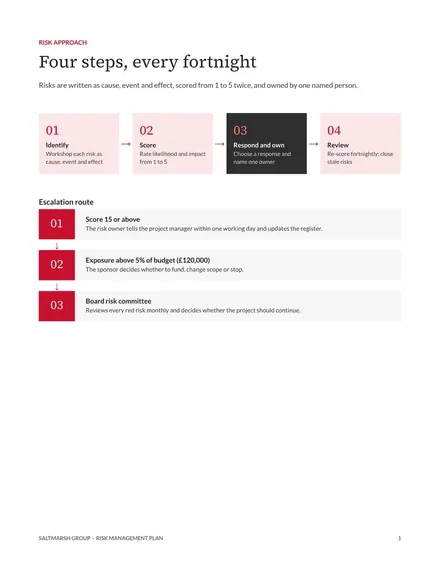
Escalate when the score reaches 15 or more, or when the exposure goes above 5% of the project budget. The sponsor then decides whether the project continues, changes scope or accepts the risk.
The inherent score rates a risk before any control. The residual score rates it after the controls are in place. A control that does not lower the score is not a real treatment, so re-score each risk at every review.
Docs + Word7 pages
Free
Docs + Word7 pages
Free
Docs + Word5 pages
Free










