Risk Management Plan
Docs + Word7 pages
Free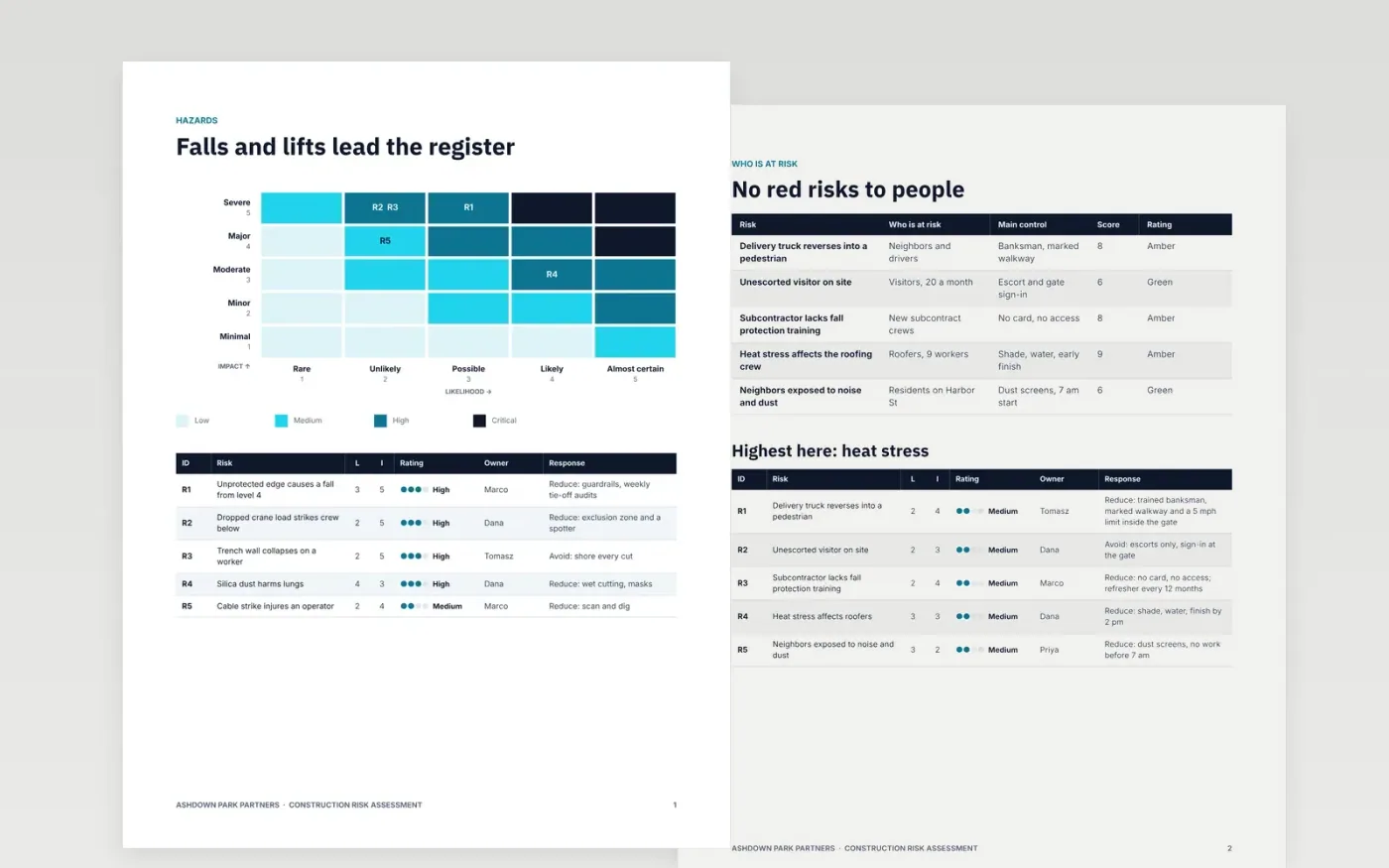
Site managers need a risk assessment that shows what could hurt someone, who is exposed, what controls are in place and what risk remains. This template walks through that order with a heat map and register, a who-is-at-risk table, a controls status page, a residual risk table and a sign-off page.
The sample covers a fictional six-level building project run by Ashdown Park Partners, scored on a likelihood by impact scale with green, amber and red bands and an escalation rule at a score of 15. Replace the hazards, owners, scores and dates with your own site, then delete the guide page before issuing.
Click Make a copy in Google Docs, then confirm on the Google page. The copy is saved to your own Google Drive.
Replace the project, hazards and owners with those from your own site walk and risk workshop, writing each as cause, event and effect.
Re-score each risk before and after controls, and check the colour bands and the escalation threshold match your policy.
Update the controls checklist, the dates and the signatories so every action has one named owner.
Delete the guide page, then share the assessment with your team or issue it for sign-off.
Yes. It is a free Google Docs template. Make a copy to your own Drive, edit each page and share it with your site team.
No. Ashdown Park Partners, the project, the people and every score and dollar figure are fictional sample content. Replace all of it with your own site details.
No. It is a structure for your own assessment. Check your local regulations and company safety rules, and have a competent person review the final version.
Docs + Word7 pages
Free
Docs + Word5 pages
Free
Slides + PowerPoint11 slides
Free









