
Annual Report
Docs + Word6 pages
FeaturedFree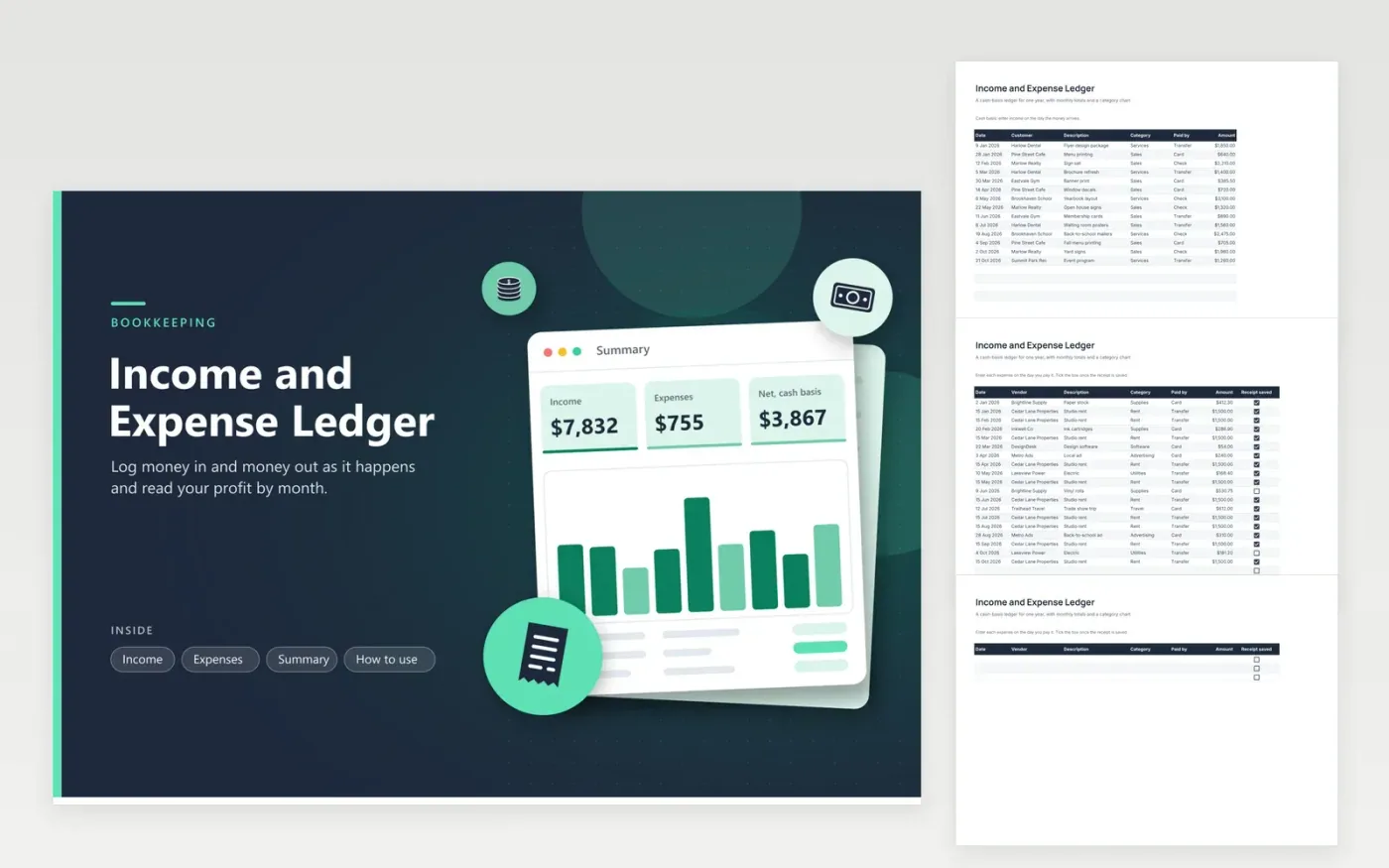
Sole proprietors often start with a bank statement and a shoebox of receipts. This ledger keeps the two sides apart. Income takes the date, customer, a category and the amount. Expenses adds a vendor, a payment method and a checkbox for saved receipts. The sample is a one-person print studio with 14 sales and 19 costs spread across ten months, so there is a trend to read before you change a single row.
The Summary tab adds both logs by calendar month and charts income against expenses. Net profit and margin sit above, and a pie shows which expense category takes the most. Because it works on a cash basis, a job counts in the month the payment is received. The month totals combine the same month of different years, so start a fresh copy for each year you track.
Click Make a copy in Google Sheets, then confirm on the Google page. The copy is saved to your own Google Drive.
Start on the Income tab: replace the sample rows with your own.
Keep the formula columns as they are; they fill in as you type.
Read the How to use tab for tips. For Excel, download the .xlsx file instead.
On a cash basis you record income when money arrives and expenses when you pay. Accrual records them when earned or billed. This ledger is cash basis.
Yes. Edit the Category dropdown and give the new name a row in the Expenses by category list on the Summary tab, otherwise it will not be counted.
Monthly totals combine matching months, so keep a separate file for each year. Duplicate it in January and clear the sample rows.
Docs + Word6 pages
FeaturedFree
Excel
FeaturedFree
Sheets + Excel5 tabs
Free
Sheets + Excel6 tabs
Free
Sheets + Excel5 tabs
Free
Sheets + Excel5 tabs
Free
Sheets + Excel5 tabs
Free
Sheets + Excel5 tabs
Free








