
Annual Report
Docs + Word6 pages
FeaturedFree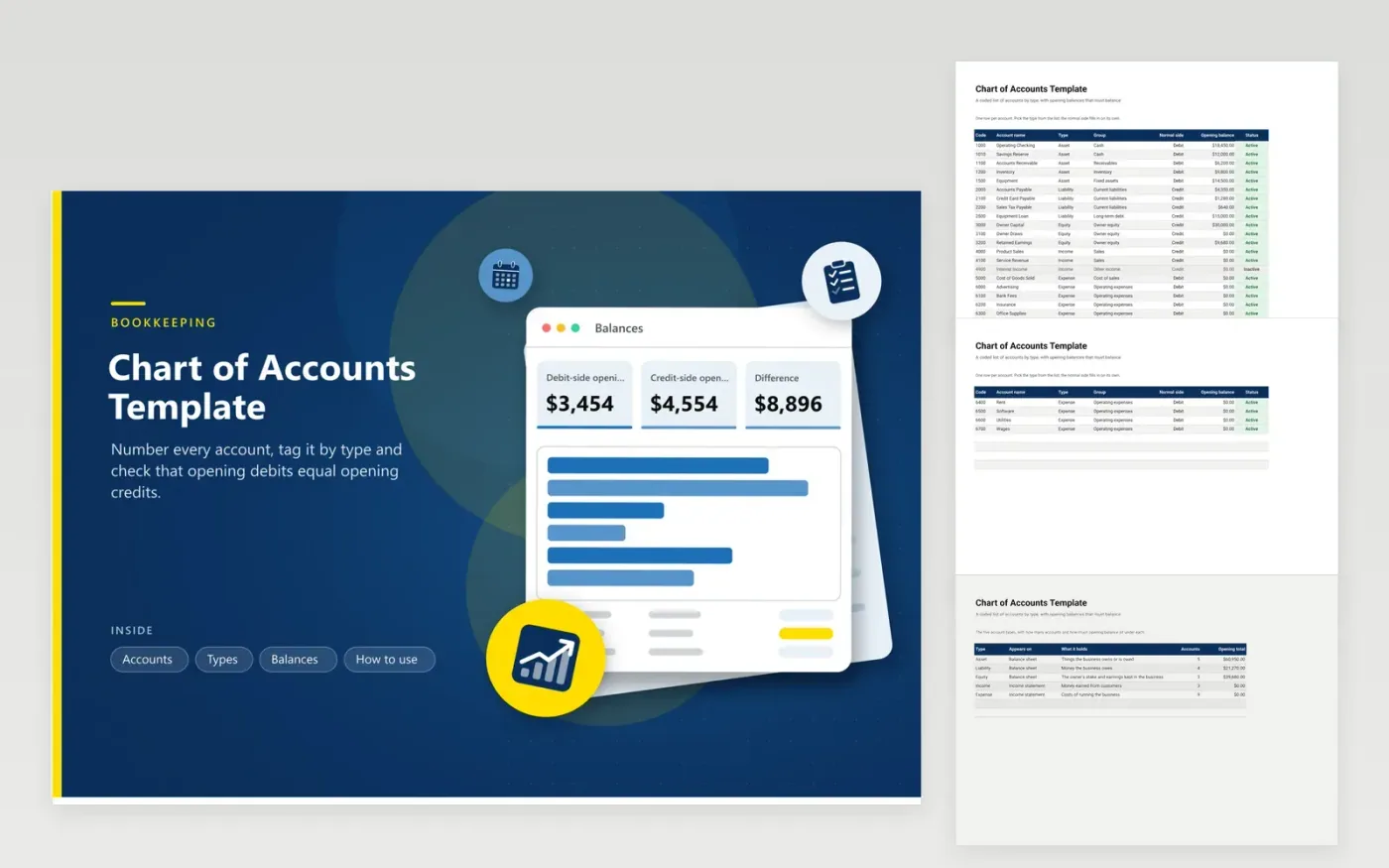
A new small business needs a list of accounts before the first sale is recorded. This chart of accounts holds 24 sample accounts across assets, liabilities, equity, income and expenses, each with a code, a group and an active or inactive flag. The normal side, debit or credit, fills in from the type you choose, and the opening balance column takes the figure from your bank or last year's books.
The Types tab counts accounts and adds opening balances for each of the five types. The Balances tab compares the debit side with the credit side and charts the result, so a mistake in an opening figure shows as a difference before you record anything. Rename the sample accounts, keep the code ranges that suit you and mark unused ones inactive.
Click Make a copy in Google Sheets, then confirm on the Google page. The copy is saved to your own Google Drive.
Start on the Accounts tab: replace the sample rows with your own.
Keep the formula columns as they are; they fill in as you type.
Read the How to use tab for tips. For Excel, download the .xlsx file instead.
It is the numbered list of every account a business uses to sort money: what it owns, owes and earns, and what it spends. Each transaction is posted to accounts from this list.
Most small businesses start with 20 to 40. The sample here has 24. Add an account only when you want to see that figure on its own in a report.
Debits must equal credits in double entry bookkeeping. The Balances tab shows the difference between the two sides, and it should read zero.
Docs + Word6 pages
FeaturedFree
Excel
FeaturedFree
Sheets + Excel5 tabs
Free
Sheets + Excel5 tabs
Free
Sheets + Excel6 tabs
Free
Sheets + Excel5 tabs
Free
Sheets + Excel5 tabs
Free
Sheets + Excel5 tabs
Free








