Incident Response Plan
Docs + Word8 pages
Free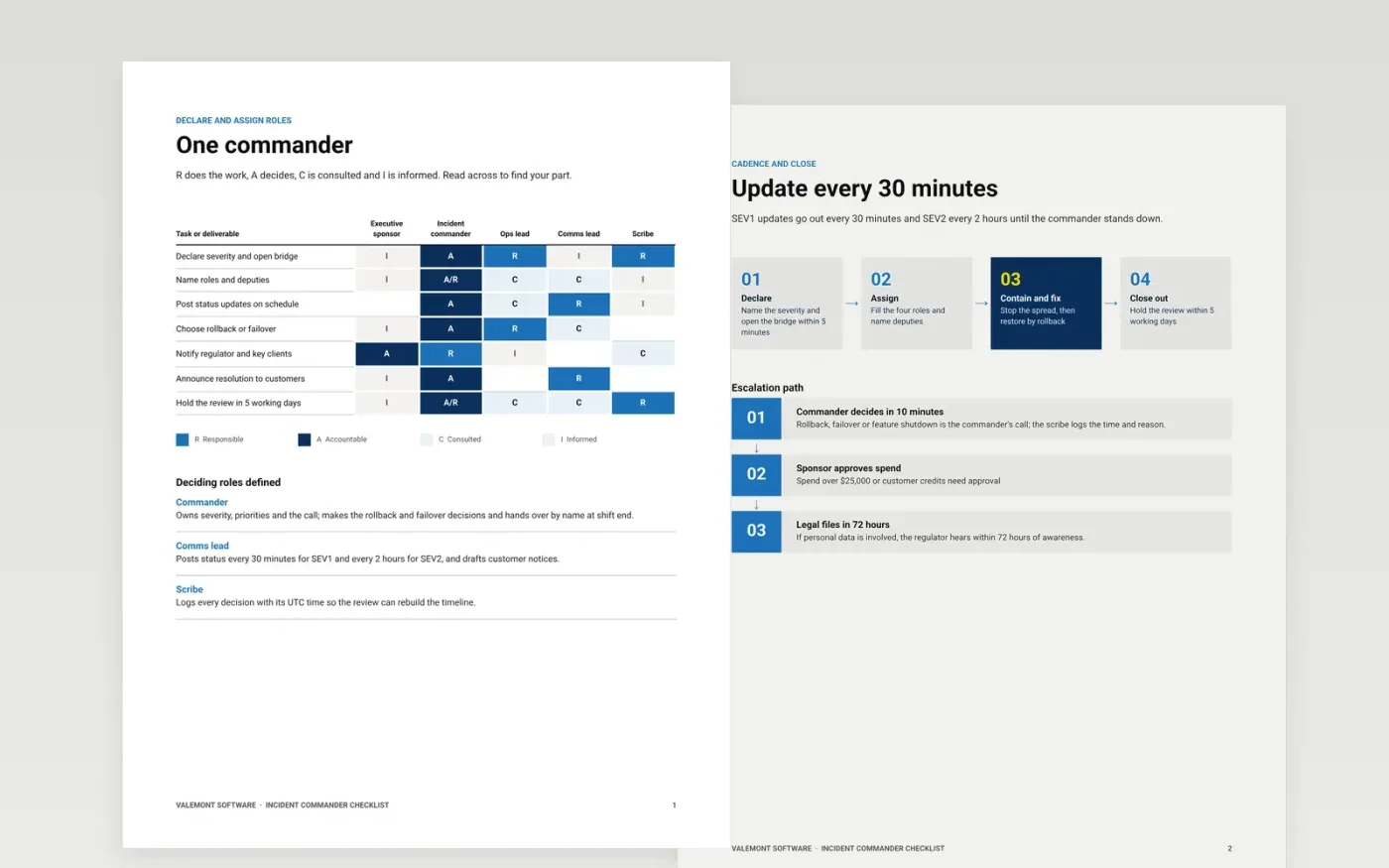
During a major incident the first fifteen minutes decide how calm the next three hours are. This three-page checklist gives an incident commander one place to confirm severity, name the four roles, set the update rhythm, record who decides what and close the call with a review date.
The sample shows Valemont Software running a SEV1 call: a RACI for seven tasks, a four-step flow from declaration to close-out and a three-step escalation path with a 72-hour regulator rule. Replace the roles, times and thresholds with your own, then print it or pin it to the bridge.
Click Make a copy in Google Docs, then confirm on the Google page. The copy is saved to your own Google Drive.
Replace the five roles in the RACI with your own role names, then adjust each R, A, C and I so every task has exactly one A.
Set your update cadence and response times in the flow, and write your own thresholds in the escalation steps.
Add the regulators and customers you must notify, with the deadline for each, and name a date for the next tabletop exercise.
Delete the guide page, then print the checklist or share the link with everyone on the on-call rota.
No. It assigns tasks to roles such as the incident commander and scribe, so the checklist works whoever is on call and handovers stay simple.
No. Valemont Software, its roles, thresholds and dollar amounts are fictional and only show what a finished checklist looks like. Use your own numbers.
Yes. The roles, cadence and escalation steps apply to both. Add the legal and regulator deadlines that apply to you, such as the 72-hour rule, on the escalation step.
More Google Docs templatesMore developer workflows templates
Docs + Word8 pages
Free
Docs + Word8 pages
Free
Slides + PowerPoint11 slides
Free









