
Hackathon Brief
Docs + Word8 pages
Free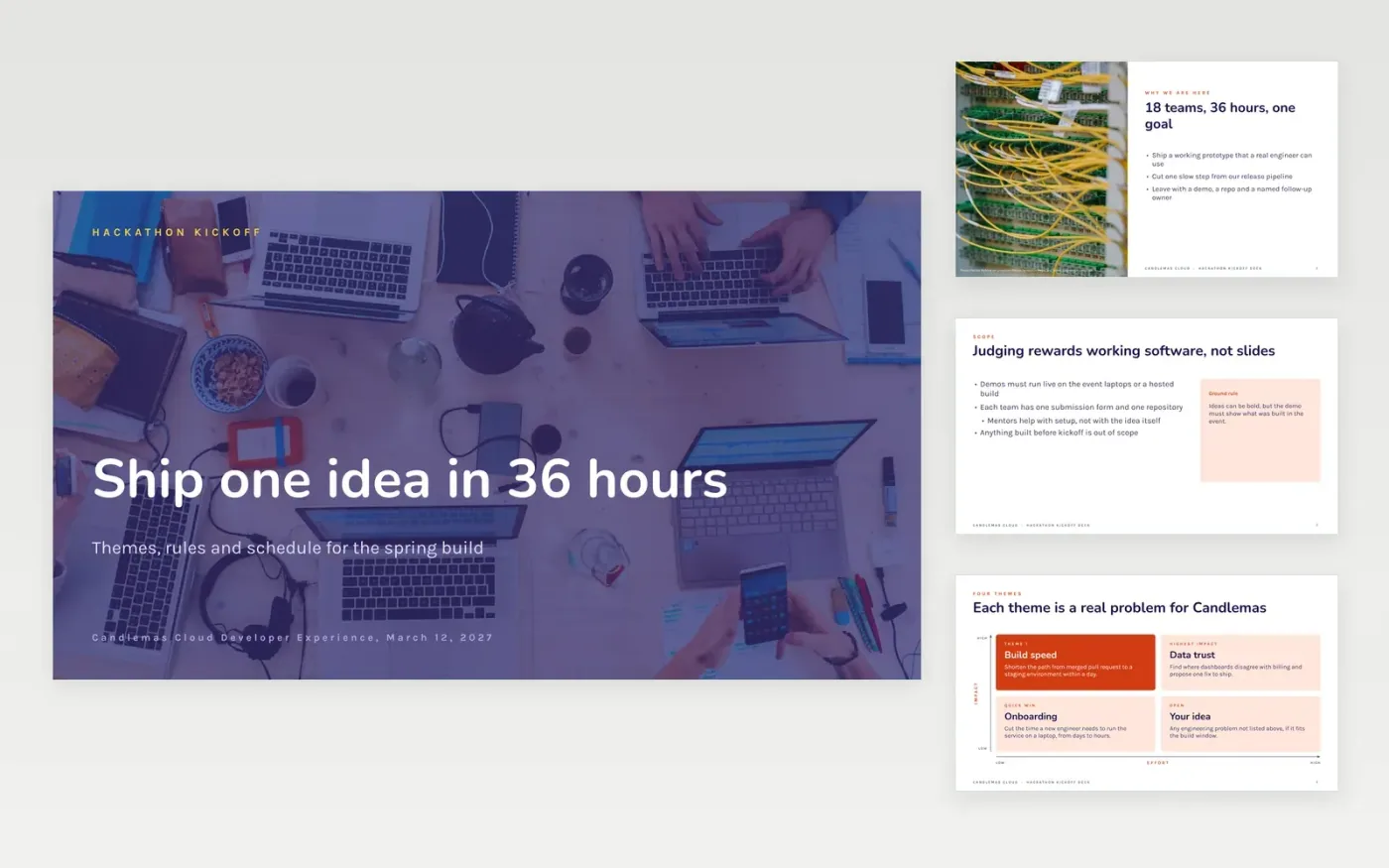
A hackathon works when teams know what to build, what counts as finished and how they will be judged. This ten-slide deck opens the event with a welcome, four themes, the rules, the schedule, the judging criteria and the logistics, so every participant hears the same answers at the same time. Each slide is built to be read in a few seconds from the back of a room.
The sample follows a fictional 36-hour event run by Candlemas Cloud, with 18 teams, four themes and judging weighted to impact, feasibility, technical quality and presentation. Replace the purpose, challenges, times and weights with your own, publish the scoring before kickoff, and name who decides which projects continue after the demos.
Click Make a copy in Google Slides, then confirm on the Google page. The copy is saved to your own Google Drive.
Replace the Candlemas Cloud name, the event date and the contacts on the cover and closing slides.
Rewrite the four themes and rules for your own challenges, then set the schedule and judging weights in your time zone.
Delete the guide slide, check the times and scores against your rules, then share or present the deck to teams.
Yes. Click Make a copy in Google Slides and the deck is saved to your own Google Drive, with no sign-up and no charge.
Yes. Remove any prize wording from the rules and keep the schedule, judging and follow-up slides, which work for any internal build day.
No. Candlemas Cloud, Maren Holt, the email address and every date and score are fictional sample data. Replace them before you share the deck.
More Google Slides templatesMore developer workflows templates
Docs + Word8 pages
Free
Slides + PowerPoint11 slides
Free
Docs + Word7 pages
Free









