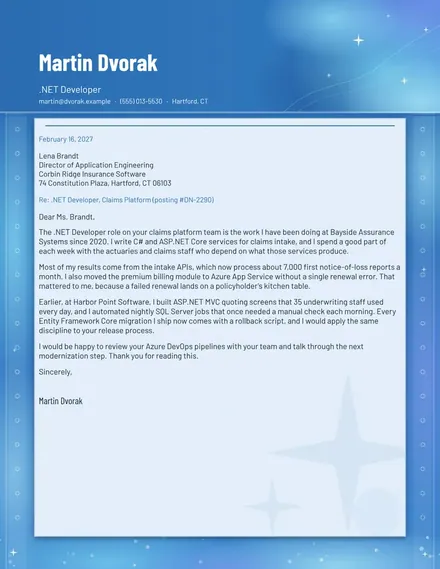
.NET Developer Cover Letter
Docs + Word2 pages
Free
The GPA Calculator suits high school and college students who want their grade point average without doing the sums by hand. The Term GPA tab covers each course along with its credit hours and letter grade, converts each grade into grade points and totals the quality points. The Goal GPA tab takes your credits so far, current GPA and target, then works out the average you need in the rest of the term.
Use the grade scale from your school, since the points for plus and minus grades vary between institutions. Start with your current GPA and total credits from your transcript, then try a few target GPAs to see which are realistic. Treat the results as planning figures, and check your school's rules on repeats and withdrawals with the registrar.
Click Make a copy in Google Sheets, then confirm on the Google page. The copy is saved to your own Google Drive.
Start on the Term GPA tab: replace the sample rows with your own.
Keep the formula columns as they are; they fill in as you type.
Read the How to use tab for tips. For Excel, download the .xlsx file instead.
Multiply each course's grade points by its credit hours, add those quality points together and divide by the total credit hours. On the usual scale a B is 3.0 points, so a 4-credit course with a B adds 12 quality points.
Each school sets its own points for plus and minus grades, so use the scale in your handbook rather than the sample one. Change the grade points in the formula column to match it, and the GPA will update for every course.
On the Goal GPA tab, enter your credits earned, current GPA, this term's credits and your target. The average needed shows the grade points per credit you need this term. If it is above 4.0, that target is not reachable on the usual scale.
Docs + Word2 pages
Free
Docs + Word2 pages
Free
Docs + Word1 page
Free
Sheets + Excel4 tabs
Free
Sheets + Excel5 tabs
Free
Sheets + Excel5 tabs
Free
Sheets + Excel5 tabs
Free
Sheets + Excel4 tabs
Free
Sheets + Excel5 tabs
Free
Sheets + Excel3 tabs
Free