Class Attendance Sheet
Sheets + Excel4 slides
Free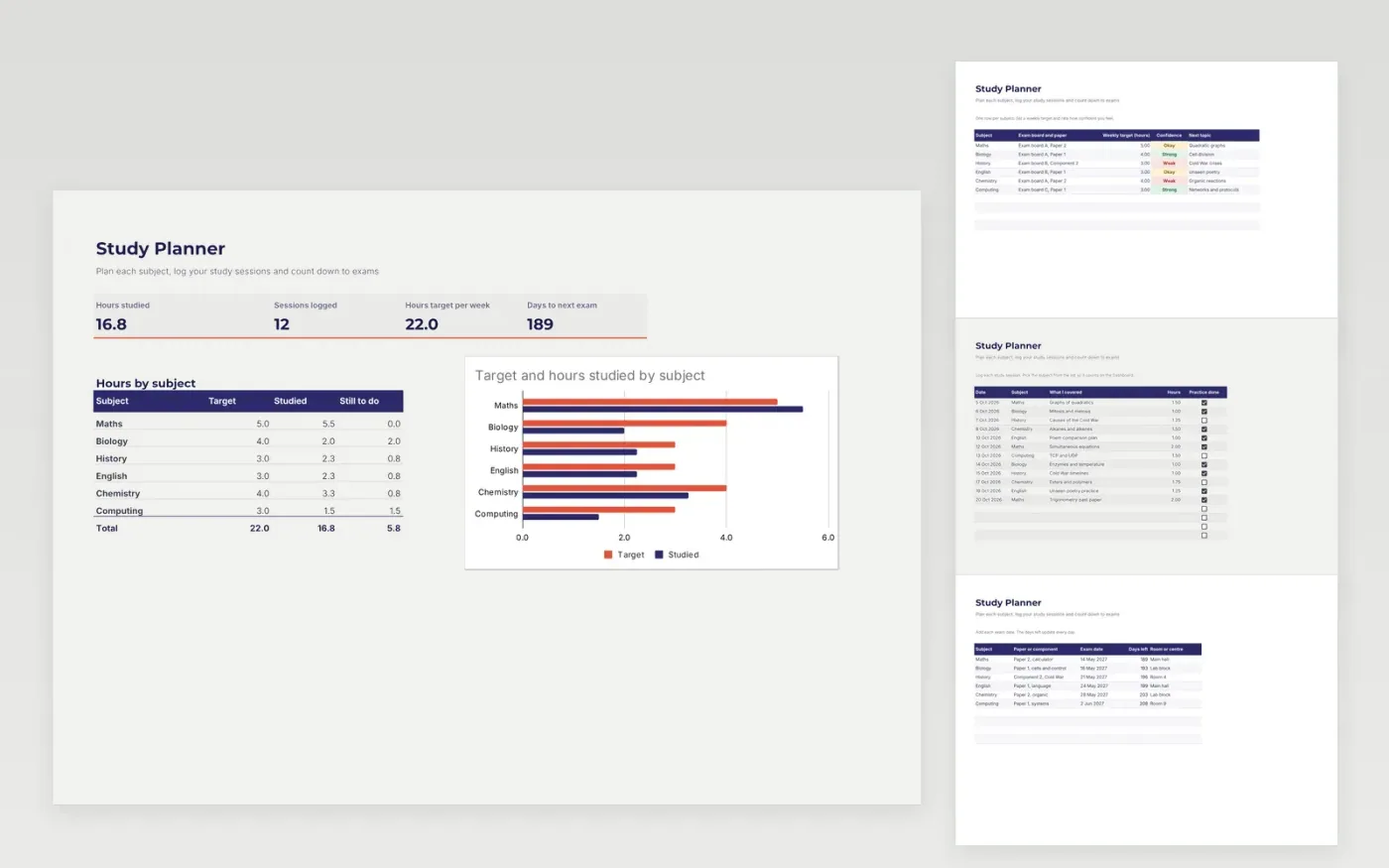
The Study Planner helps students plan revision across several subjects. The Subjects tab sets a weekly hour target and a confidence rating for each subject. The Sessions tab is a log of study sessions with the topic, hours and whether practice was done. The Exams tab counts the days left to each paper.
The Dashboard compares the target and the hours studied for each subject, with a chart. It comes with sample data for six subjects. Make a copy, replace the sample rows and add your own exam dates. Totals, dropdowns and the chart update on their own.
Click Make a copy in Google Sheets, then confirm on the Google page. The copy is saved to your own Google Drive.
Start on the Subjects tab: replace the sample rows with your own.
Keep the formula columns as they are; they fill in as you type.
Read the How to use tab for tips. For Excel, download the .xlsx file instead.
Yes. Download the template and use it at no cost. You do not need to sign up to open it.
Yes. Download the .xlsx file and open it in Microsoft Excel. The days-left counts and the chart work in both Excel and Google Sheets.
Yes. It uses today's date, so the number of days to each exam goes down as the date moves on.
Sheets + Excel4 slides
Free
Sheets + Excel4 slides
Free
Sheets + Excel4 slides
Free