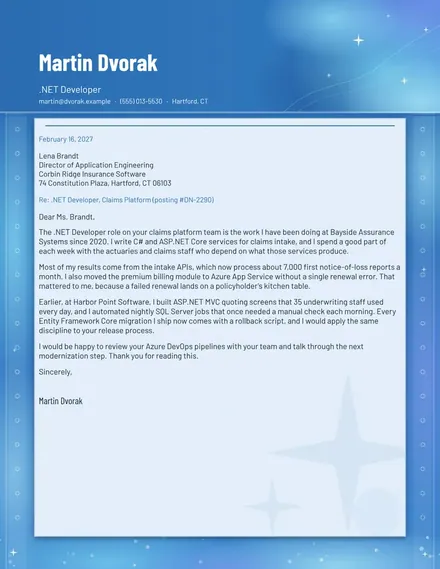
.NET Developer Cover Letter
Docs + Word2 pages
Free
The College Application Tracker suits students and parents managing several applications at once. The Schools tab records each college with its type (Reach, Target or Safety), application plan, deadline, decision date, fee and status. The Steps tab lists the tasks for each school, such as essays, letters, test scores and fees, each dated and marked To do or Done. The Dashboard shows how many schools are on the list, how many are still being drafted, how many are submitted and the total application fees.
Add every school as soon as you start researching it, even before you decide to apply, so the list stays complete. Check each school's portal for its own deadlines, since they can differ from the dates here. Early decision is binding, so mark that plan only for a school you would attend if admitted, and keep the rest of your list on regular or early action.
Click Make a copy in Google Sheets, then confirm on the Google page. The copy is saved to your own Google Drive.
Start on the Schools tab: replace the sample rows with your own.
Keep the formula columns as they are; they fill in as you type.
Read the How to use tab for tips. For Excel, download the .xlsx file instead.
Most advisers suggest a mix of reach, target and safety schools, and how many you can manage rests on budget, time and grades. Use the type column to check that your list has schools in each group, and track fees against your budget as you add them.
Early decision is binding: if you are admitted, you must attend and withdraw other applications. Early action is not binding, so you can compare offers. Both usually have earlier deadlines than regular decision, so check each school's rules.
Note the deadline, decision date, fee, essays, letters, test score reporting and any financial aid forms. Check the school's website for requirements, and confirm each submission in the portal before you mark it Submitted.
Docs + Word2 pages
Free
Docs + Word2 pages
Free
Docs + Word1 page
Free
Sheets + Excel4 tabs
Free
Sheets + Excel4 tabs
Free
Sheets + Excel5 tabs
Free
Sheets + Excel5 tabs
Free
Sheets + Excel4 tabs
Free
Sheets + Excel5 tabs
Free
Sheets + Excel3 tabs
Free