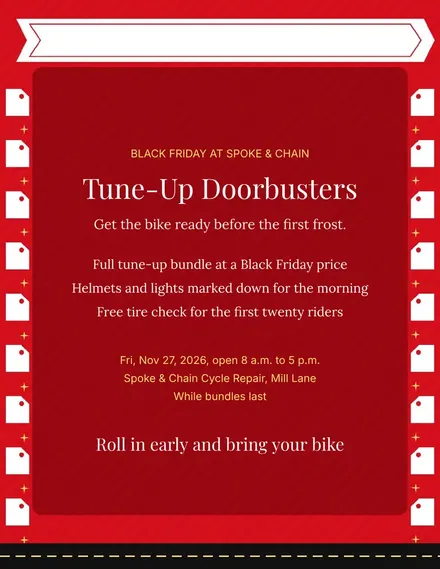
Spoke & Chain Cycle Doorbuster Flyer
Docs + Word1 page
Free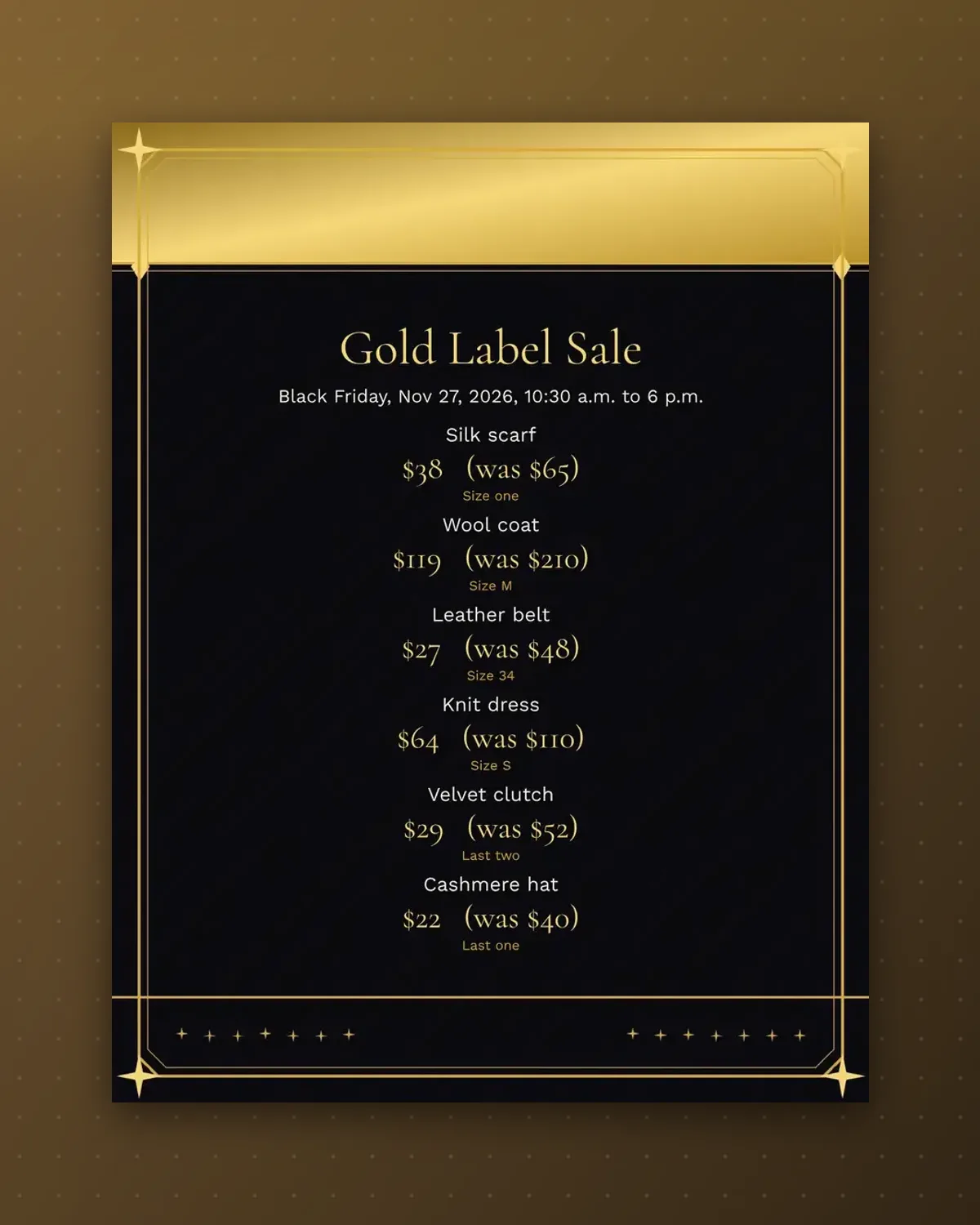
A boutique sells scarcity as much as price. Each tag shows the size and a stock note, so shoppers know a piece will not come back.
Replace the items, sizes and prices with your rail. Print on heavy stock and attach to hangers with a loop of ribbon.
Make a copy in Google Docs, or download the Word file.
Type over the sample text with your own details.
Delete the guide page when you are done.
Print it, or save it as a PDF.
Yes. Edit the note to read a range such as Sizes S to L.
The tags use the template palette, so change colors in the document.
Punch the top corner and thread ribbon through the hole.
Docs + Word1 page
Free
Docs + Word1 page
Free
Docs + Word1 page
Free
Docs + Word1 page
Free
Docs + Word2 pages
Free
Docs + Word1 page
Free
Docs + Word1 page
Free
Docs + Word1 page
Free
Docs + Word1 page
Free
Docs + Word1 page
Free
Docs + Word1 page
Free
Docs + Word1 page
Free
Docs + Word1 page
Free
Docs + Word1 page
Free
Docs + Word2 pages
Free








