Nonprofit Expense Policy
Docs + Word9 pages
Free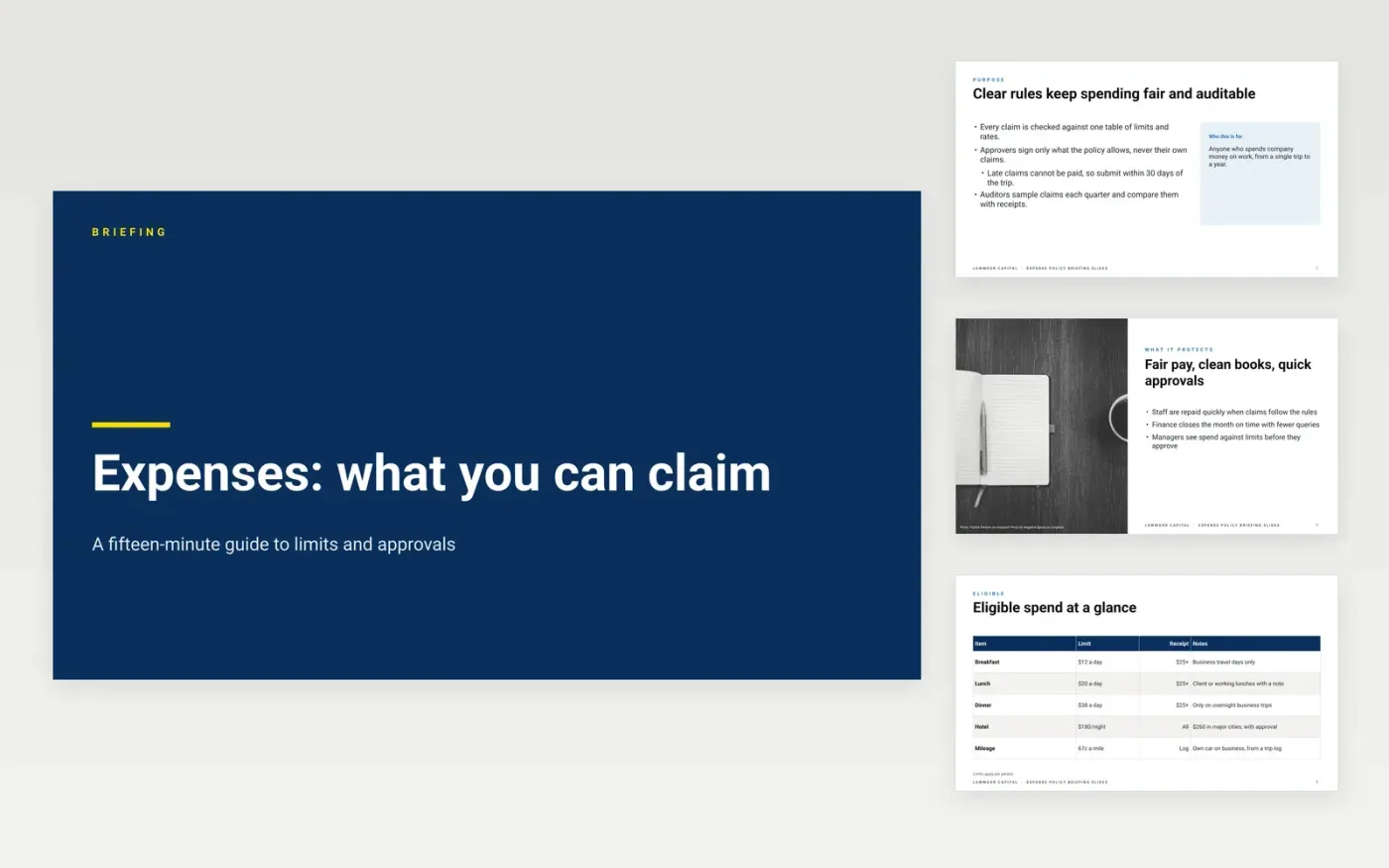
Most expense problems are not fraud. They come from staff who did not know the limit, the deadline or the approver. This deck is a short training session that covers those three things in order: why the rules exist, what can be claimed, the limits that apply, how to claim, and the mistakes that delay payment. Each slide carries one rule with its number beside it, so the audience can take the message away without reading the full policy.
The sample is a briefing from Lowmoor Capital, a fictional US investment firm, with meal caps of $12, $20 and $38 a day, a $180 hotel cap and a $500 limit for manager approval. Every name, limit and rate is sample data. Replace the policy owner, rates and approval levels with your own, and cut any slide your staff will never need, such as the card or per-diem section.
Click Make a copy in Google Slides, then confirm on the Google page. The copy is saved to your own Google Drive.
Replace the company name, policy owner and effective date on the cover slide.
Update every limit and rate in the tables to your own, and remove the rows you do not use.
Match the approval levels to your delegation of authority before you run the briefing.
Delete the guide slide, then share the deck with staff or present it from Google Slides.
No. Lowmoor Capital, its people, its contacts and every limit, rate and approval level in these slides are fictional sample data. Check them against your own expense policy before you use the deck to train anyone.
About fifteen minutes is enough for the core rules, with time for questions at the end. Keep the deck to the slides your staff need, and send the full policy as a reference afterwards rather than reading it aloud.
Run the briefing when people join and again each year, since limits change. A short refresher before a conference trip is often more useful than one long session a year.
Docs + Word9 pages
Free
Docs + Word9 pages
Free
Docs + Word8 pages
Free
Docs + Word7 pages
Free
Docs + Word7 pages
Free
Docs + Word6 pages
Free
Docs + Word6 pages
Free
Docs + Word8 pages
Free










