Nonprofit Expense Policy
Docs + Word9 pages
Free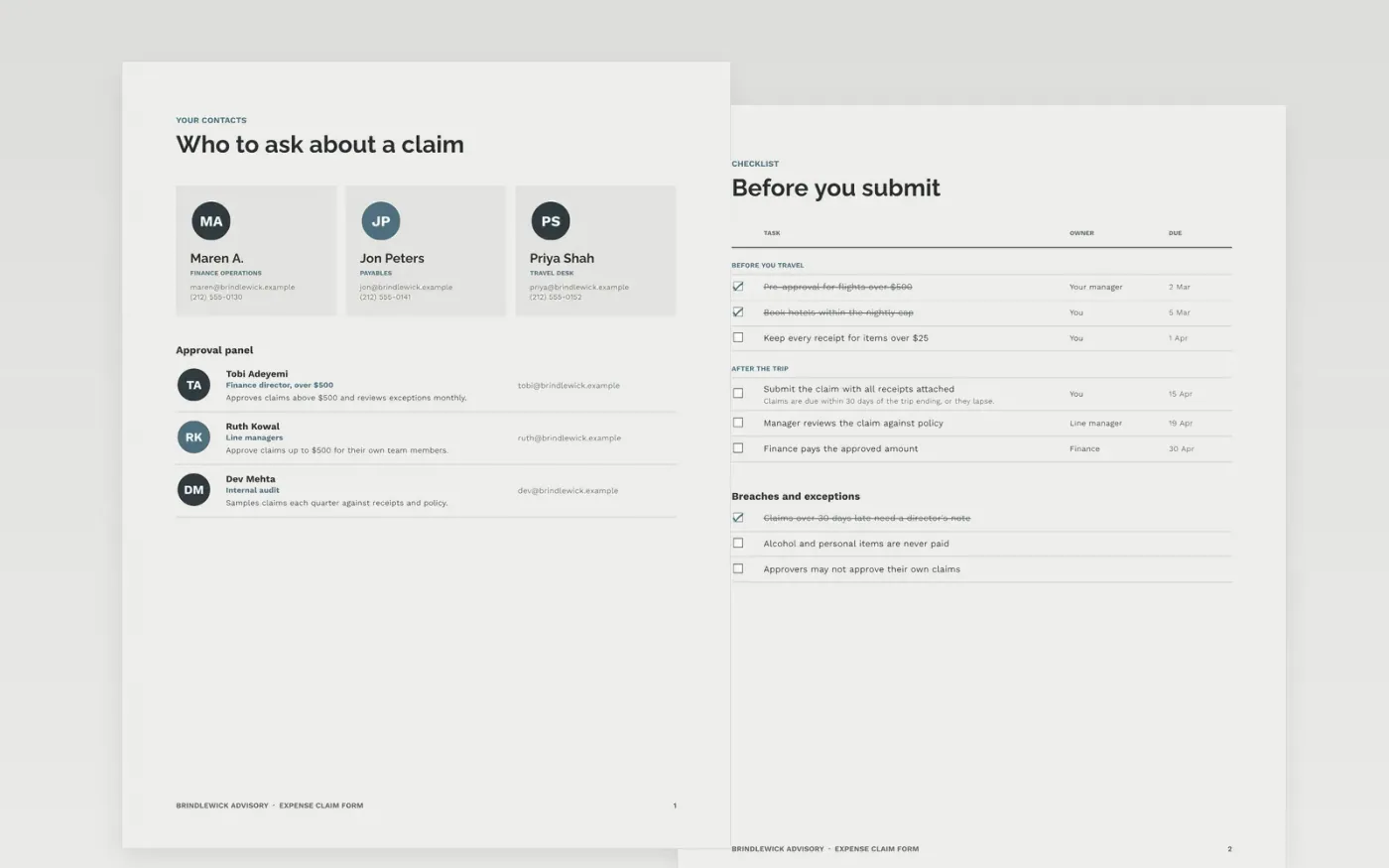
Expense rules fail when the limits sit in a dozen places and nobody knows who approves what. This template puts the claim, the policy limits and the approval levels in one document: an itemised claim table, a receipt checklist, a sign-off sheet and the clauses that set out reimbursement timing and breaches. A claimant can see what is allowed before they spend, and finance can check each line against the same table.
The sample is a claim from Priya Shah of Brindlewick Advisory, a fictional US advisory firm, for a three-day client visit to Denver. It totals $1,346.00 claimed and $1,324.00 approved, after a $22 excess on a dinner was declined. Names, limits, dates and amounts are sample data. Replace the company, limits and approval levels with your own policy, and remove any category your firm does not reimburse.
Click Make a copy in Google Docs, then confirm on the Google page. The copy is saved to your own Google Drive.
Replace the company name, policy owner and effective date in the document control block.
Update every limit and rate in the tables to your own, and remove any category you do not reimburse.
Rewrite the approval levels to match your delegation of authority, so that no one approves their own claim.
Delete the guide page, then share the form with staff or present it from Google Docs.
No. Brindlewick Advisory, its people, the Denver trip, the amounts and every limit in this form are fictional sample data. Replace them with your own policy figures before you publish the form to staff.
Thirty days from the end of the trip is a common limit. A firm deadline stops old receipts surfacing at year end, and it lets finance close the accounts on time. State the rule in the clauses and in the checklist.
Someone senior to the claimant who is not part of the claim itself. No one should approve their own claim, and a manager's claim should go to the next level up. Set the thresholds so that large claims reach a director.
Docs + Word9 pages
Free
Docs + Word9 pages
Free
Docs + Word8 pages
Free
Docs + Word7 pages
Free
Slides + PowerPoint11 slides
Free
Docs + Word6 pages
Free
Docs + Word6 pages
Free
Docs + Word8 pages
Free










