
Employee of the Month Certificate
Docs + Word4 pages
Free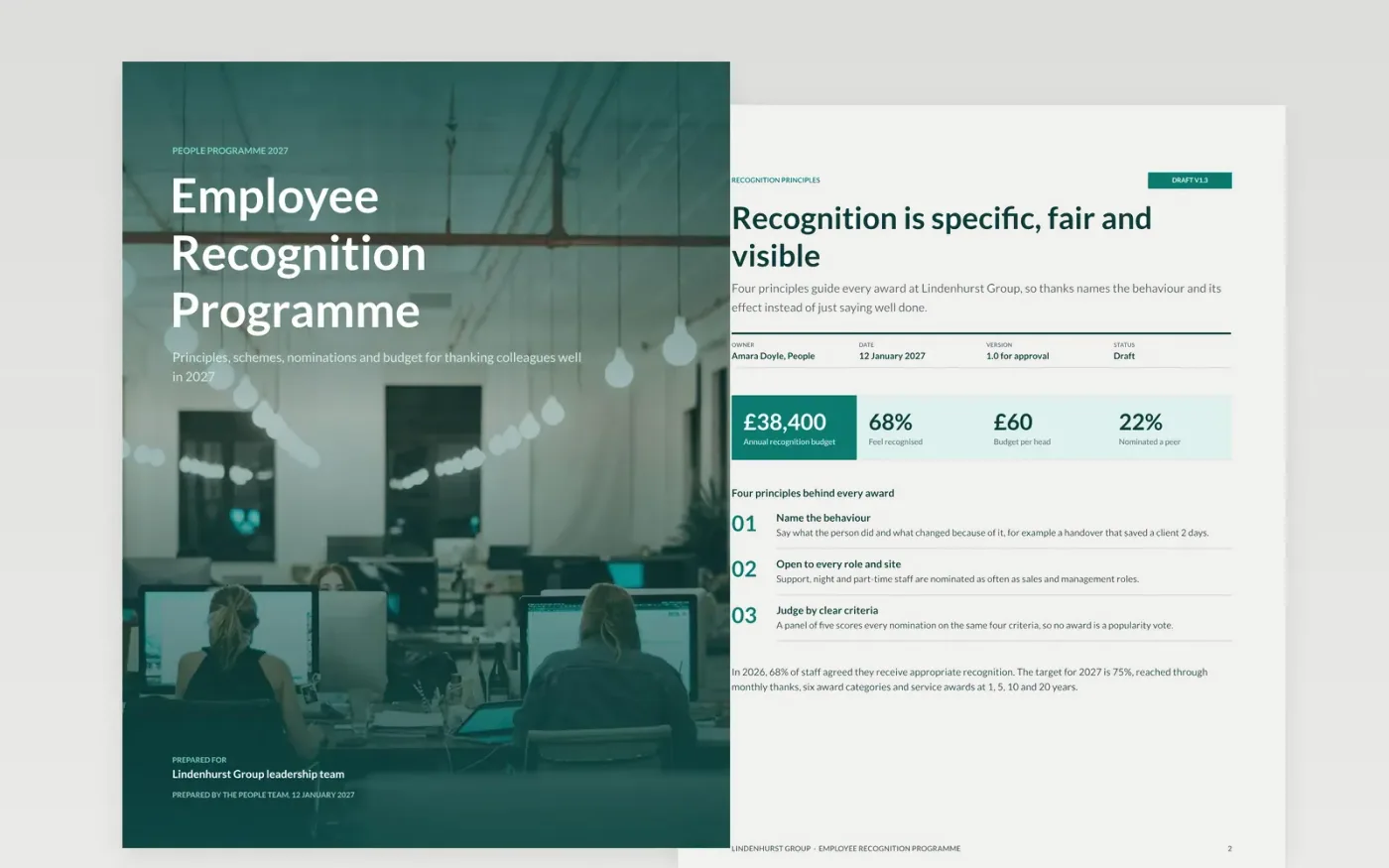
Thank-yous often depend on which manager notices, and awards drift towards the same visible people. This document sets out how an organisation recognises people fairly: the principles, the schemes from a peer note to a service award, who handles nominations, what it costs and how you will know it works.
The sample follows Lindenhurst Group, a fictional employer with 640 staff and a £38,400 budget, or £60 a head. It shows six award categories, a five-person panel, a quarterly spend chart and a scorecard against a 75% survey target. Replace the categories, criteria, panel, figures and tax checks with your own.
Click Make a copy in Google Docs, then confirm on the Google page. The copy is saved to your own Google Drive.
Replace Lindenhurst Group, the owner, the version and the date on the first page with your own details.
Change the schemes, criteria and panel to match your values, then set a nomination deadline.
Overwrite the budget table, chart and scorecard with your figures and check the tax treatment of gifts.
Delete the guide page, then share the programme with managers and the judging panel.
Yes. Keep the peer thank-you scheme and the principles, cut the annual awards and set the budget table to what you can afford, even £10 a head.
No. Lindenhurst Group, the named staff, the email addresses and all figures are fictional sample content. Replace them with your own before sharing.
Yes. Vouchers, cash and gifts can be taxable in some countries. The budget page includes a reserve and a prompt to confirm the rules with your adviser.
Docs + Word4 pages
Free
Docs + Word7 pages
Free
Docs + Word21 pages
Free









