
SaaS Product Sales Deck
Slides + PowerPoint10 slides
Free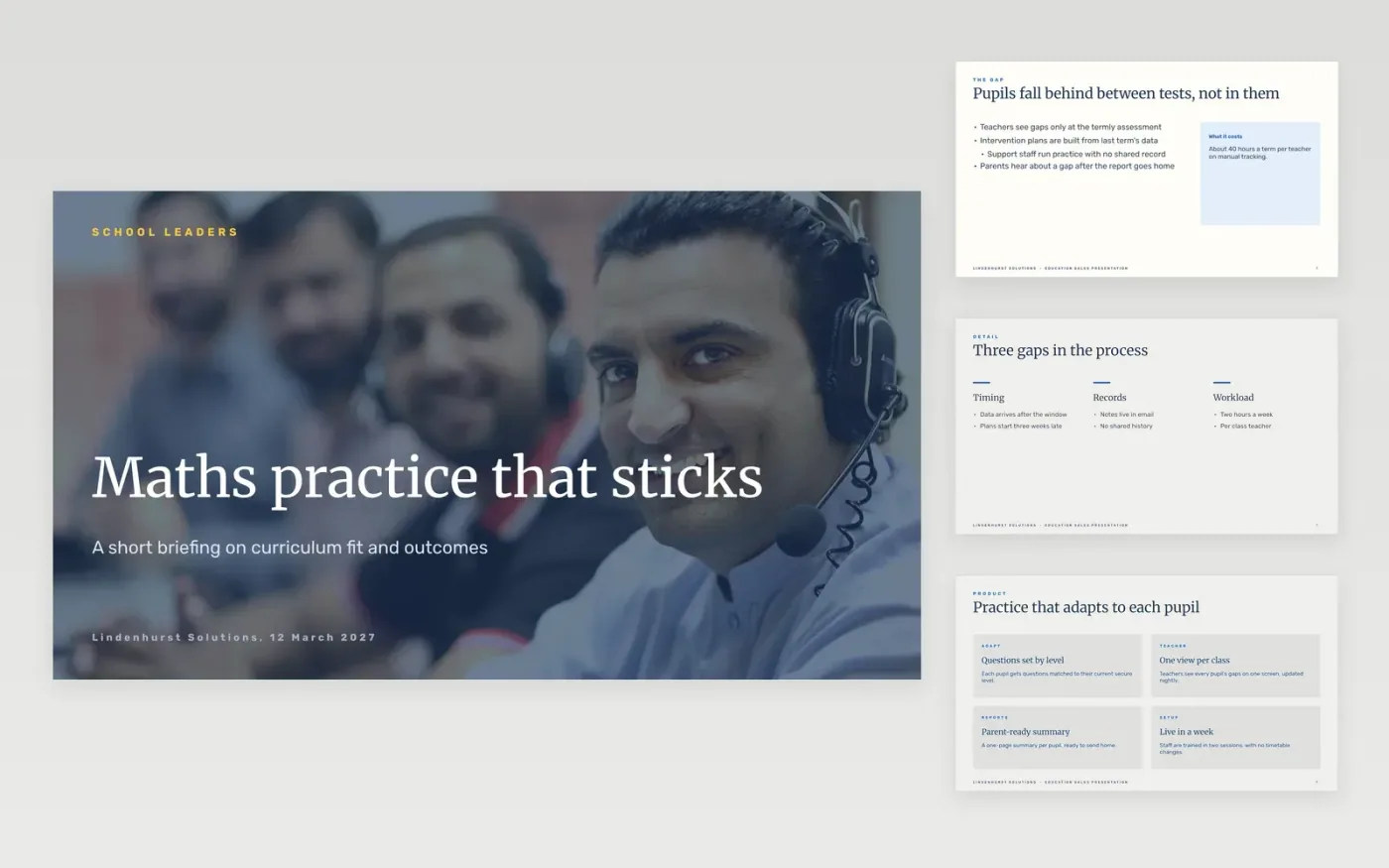
Education deals stall when the deck talks about the supplier rather than the problem in the classroom. Governors and heads ask about curriculum fit, pupil outcomes and data protection, and they want the answers on screen. This deck runs in that order: the challenge, the product, the curriculum, the outcomes, the safeguarding and the price, ending with a next step the school has agreed.
The sample is for Lindenhurst Solutions, a maths practice platform for secondary schools, and shows a pilot in 12 schools with an 11-point rise in secure scores, a saving of £14k per school each year and three price plans. Every name, school figure and price is fictional. Replace the statistics, outcomes and prices with your own approved results, and check each claim before the meeting.
Click Make a copy in Google Slides, then confirm on the Google page. The copy is saved to your own Google Drive.
Replace the challenge statistic with one you can source, and add its year on the slide.
Swap in your approved customer results, each with its baseline, on the outcomes slide.
Set the pricing to your real packages, or remove the pricing slide for a first call.
Delete the guide slide, then present the deck and end on a dated next step agreed with the school.
Yes. Lindenhurst Solutions, its pilot schools, the statistics, the outcomes and the prices are fictional. Replace them with your own approved figures and check each one before you present to a school.
Not on a first call. A pricing slide with no link to value can turn the meeting into a haggle, so show it once the school has agreed the problem and the outcome it wants.
A named next step with a date the school has already agreed, such as a 30-minute review with the head of maths. A meeting that ends on a general question is hard to follow up.
Slides + PowerPoint10 slides
Free
Slides + PowerPoint10 slides
Free
Slides + PowerPoint12 slides
Free










