
Annual Report
Docs + Word6 pages
Free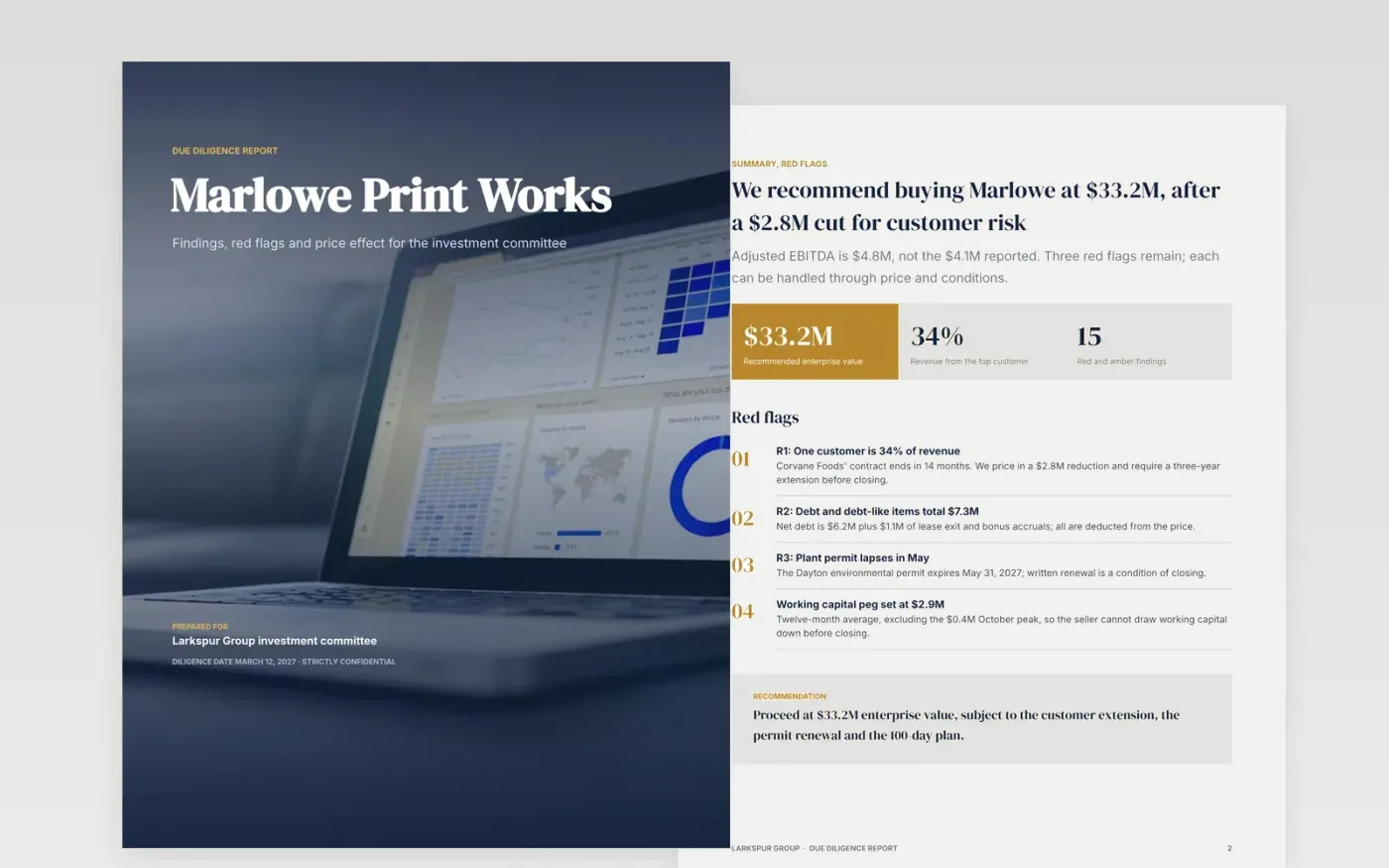
A buyer's committee needs to know which findings change the price, which become closing conditions and which are notes. This report is organized that way: summary and red flags first, then commercial, financial, legal and operations findings, a 100-day plan, and a decision page with a sign-off box and conditions list.
The sample is Larkspur Group's review of Marlowe Print Works: $24.0M revenue, $4.1M reported EBITDA adjusted to $4.8M, a 34% customer, $7.3M of debt and debt-like items, and a $2.8M price reduction. Replace the target, the quality-of-earnings bridge, the red flags, the sources and the conditions with your own.
Click Make a copy in Google Docs, then confirm on the Google page. The copy is saved to your own Google Drive.
Set the target, deal structure and diligence date on the cover, and name the scope exclusions on the legal page.
Replace the red flags with your top findings, each with source, dollar impact and recommendation, and enter your own reported-to-adjusted EBITDA bridge.
Update the customer table, debt breakdown, 100-day plan and conditions with owners and dates.
Delete the Make it yours page, then share the report with your committee or present it.
A red flag is a finding that changes price or could stop the deal. A condition is a step the seller must complete before closing. Not every red flag needs a condition; some are handled by price.
List each add-back by name, dollar amount and source, then show reported and adjusted EBITDA side by side. The sample shows $4.1M reported plus $0.7M of one-offs for $4.8M adjusted.
No. The organization, the target company, the people and every figure are fictional sample content, written to show what a good diligence report looks like. Replace all of it with your own.
Docs + Word6 pages
Free
Docs + Word17 pages
Free
Excel
Free
Slides + PowerPoint10 slides
Free
Docs + Word8 pages
Free








