Incident Postmortem
Docs + Word9 pages
Free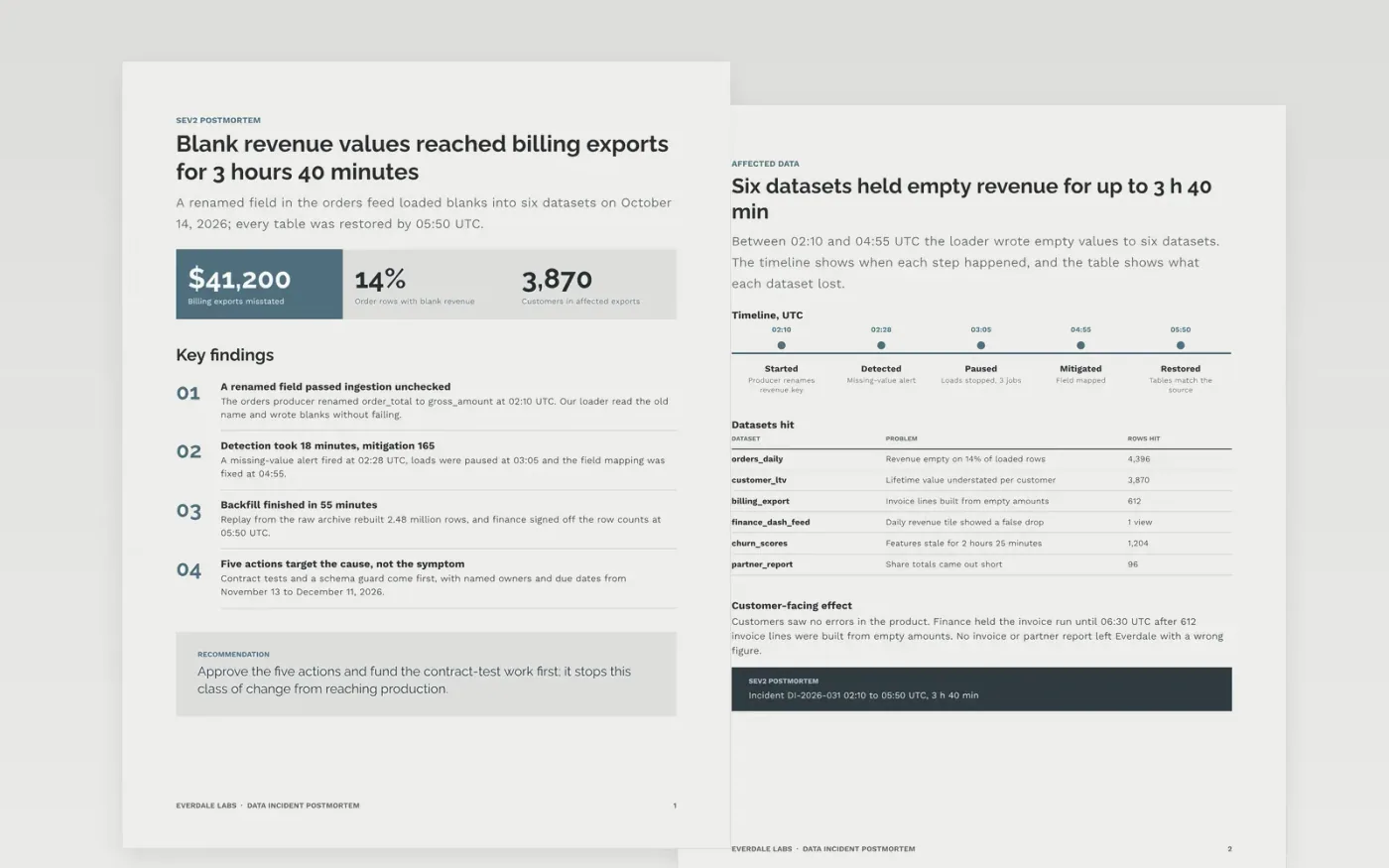
When a pipeline loads bad data, the damage spreads quietly into dashboards, invoices and models before anyone notices. This eight-page document gives a data platform team one place to record what broke, which datasets and consumers were hit, why the system allowed it, how the backfill ran and what will change.
The sample follows Everdale Labs through a renamed field that loaded empty revenue values for 3 hours 40 minutes. Replace the incident ID, UTC times and summary first, rebuild the timeline from your paging tool, then swap in your own causes and give every action item one owner and one due date.
Click Make a copy in Google Docs, then confirm on the Google page. The copy is saved to your own Google Drive.
Set the incident ID, severity and UTC start and end times, then replace the summary with two sentences a customer would understand.
Rebuild the timeline from your paging tool and chat export, then replace the root cause with your own chain of causes.
Give every action item one owner, one due date and a tracker link, and delete any action you will not fund.
Delete the guide page, then share the postmortem with your team or present it in the review meeting.
No. It describes systems and decisions, uses roles in the timeline and asks why a change could ship, which keeps the review blameless and the team honest.
No. Everdale Labs, the people, the datasets, the dollar figures and the dates are fictional and exist only to show what a finished postmortem looks like.
Yes. Rename the affected datasets as affected services and rewrite the backfill page as recovery. The timeline, scorecard, causes and action items work for any incident.
More Google Docs templatesMore developer workflows templates
Docs + Word9 pages
Free
Docs + Word2 pages
Free
Docs + Word6 pages
Free










