Incident Postmortem
Docs + Word9 pages
Free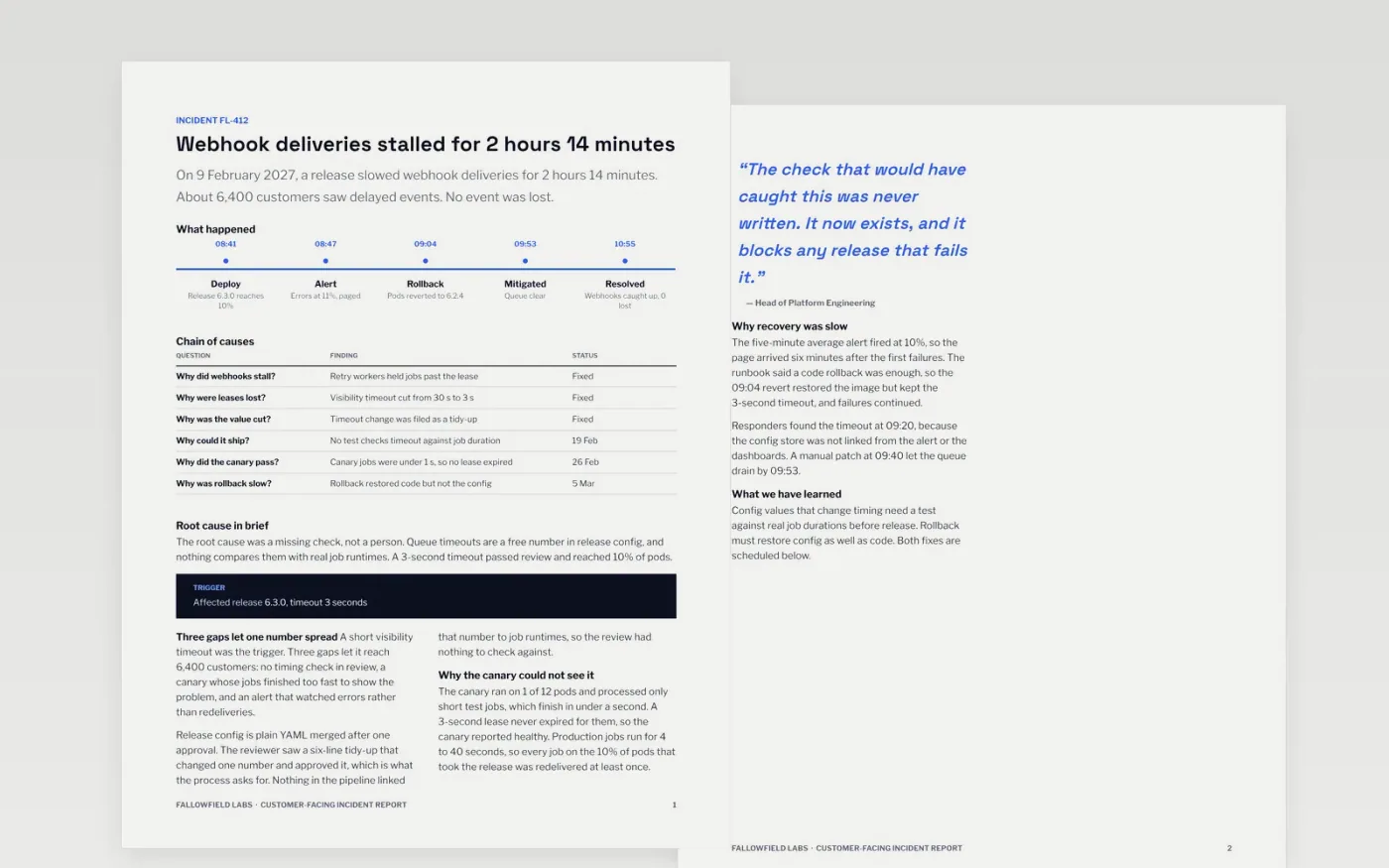
The incident postmortem template is a Google Docs document for SaaS support and status page teams who must explain an outage to customers and to their own leaders. It opens with what happened and the impact, then walks through the timeline, the chain of causes, what the team did and what will change. Each page has a fixed layout, so the team can fill it in quickly, and the root cause section asks why the system allowed the failure rather than who caused it.
The sample shows a fictional outage at Fallowfield Labs, where a release shortened a queue timeout and webhooks stalled for 2 hours 14 minutes. Replace the incident ID, severity, UTC times and timeline with your own paging and chat records, then rewrite the summary in words a customer understands. Keep only the causes and factors you can evidence, and give every action one owner and one date.
Click Make a copy in Google Docs, then confirm on the Google page. The copy is saved to your own Google Drive.
Set the incident ID, severity and UTC start and end times on the first page.
Rebuild the timeline from your paging tool and chat export, one line per event.
Give every action item one owner, one due date and a tracker link.
Delete the guide page at the end, then share the report or present it to your team.
Yes. Make a copy in Google Docs and it is yours to edit. There is no sign-up on this page and no cost for the document.
No. The template is blameless, so it describes systems, decisions and missing safeguards. Name roles only where a customer needs them.
No. Fallowfield Labs, its people, the incident, the figures and the timings are all fictional and written as an example. Replace them with your own before sharing.
More Google Docs templatesMore developer workflows templates
Docs + Word9 pages
Free
Docs + Word2 pages
Free
Docs + Word8 pages
Free










