
Personal Development Plan Slides
Slides + PowerPoint12 slides
Free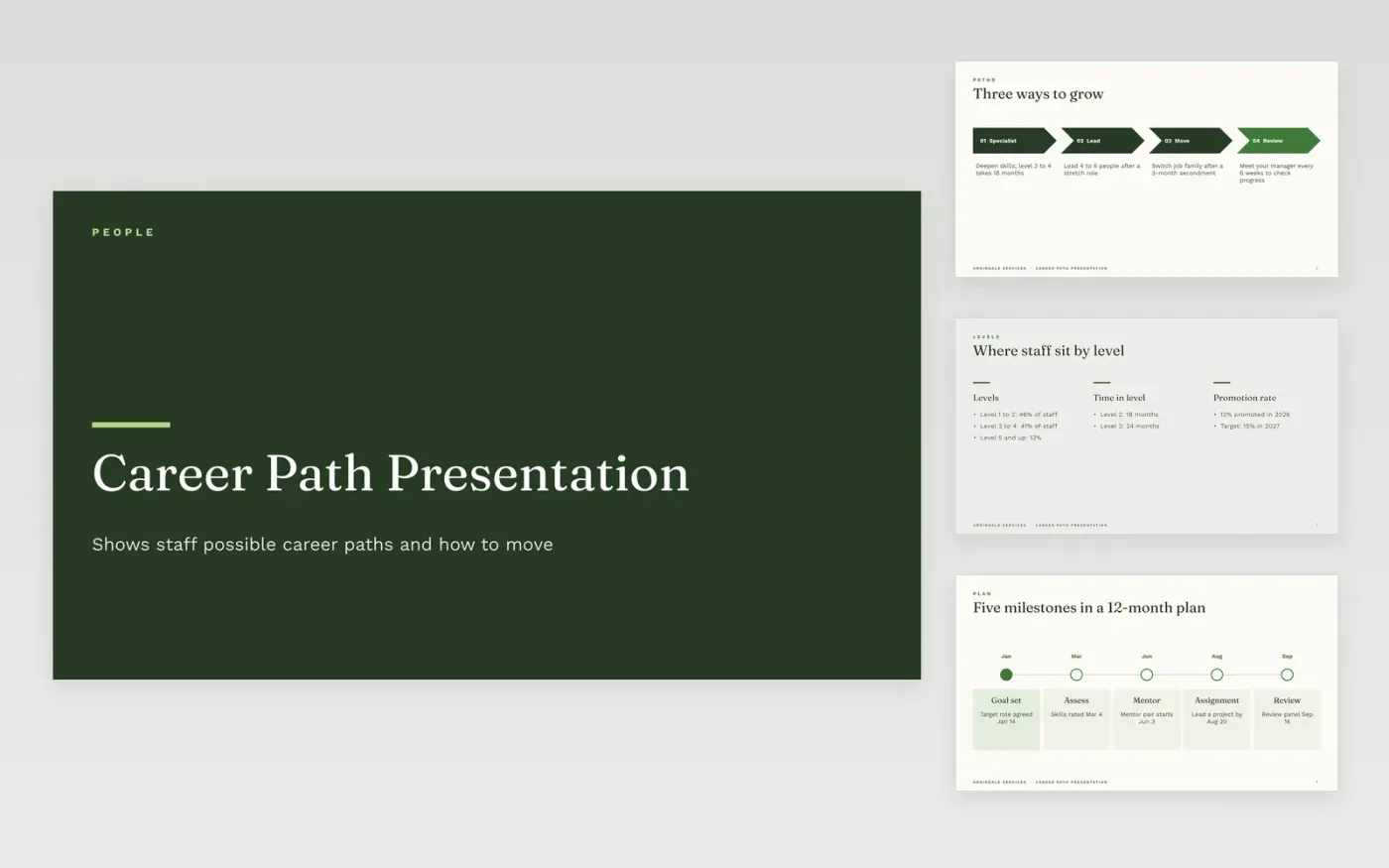
HR teams and people managers use a career path presentation to show staff where their role can lead and how to get there. The deck covers three ways to grow, including deepening skills, leading a small group and switching job family. It also shows where staff sit by level, the typical time spent in each level and the promotion rate, followed by a sample milestone plan across a 12-month cycle. Mentor pairings and a learning budget round out the story for each employee.
Swap in your own headcount, level bands and promotion data before sharing the deck, since the percentages describe only the example company. Keep each career path tied to roles that really exist, and name the skills a person must show at each step. Present the deck in a one-on-one or a review meeting, then send the slides as a PDF so each employee keeps a copy of their plan.
Click Make a copy in Google Slides, then confirm on the Google page. The copy is saved to your own Google Drive.
Start by entering your company name and the job family on the cover.
Edit the level descriptions first, then fill in your own moves, mentors and learning budget.
Remove career tracks you do not offer and add the skills each level needs.
Include the levels or job families your company uses, the skills each step needs, and the typical time spent in each level. Add a sample plan with dated milestones, such as a skills review or a stretch project. Mentoring and learning support help people act on the plan, so show how those are arranged. Mark the sample numbers clearly as examples.
There is no single answer, and the right figure depends on your industry and role. The sample deck uses about 18 months for early levels and 24 months for the next, which is only a starting point to test against your own promotion data. Review actual time in level each year and adjust the targets if people stall or move too quickly.
Describe paths as options rather than guarantees. Say what skills, projects and time are usually needed, and what the company can support, such as a mentor or a training budget. Put the decision criteria in writing, invite the employee to name the path they want to explore, and agree on next steps together.
Slides + PowerPoint12 slides
Free
Docs + Word7 pages
Free
Docs + Word6 pages
Free
Docs + Word7 pages
Free
Docs + Word6 pages
Free
Docs + Word4 pages
Free
Docs + Word8 pages
Free










