
Monthly Finance Review Deck
Slides + PowerPoint12 slides
Free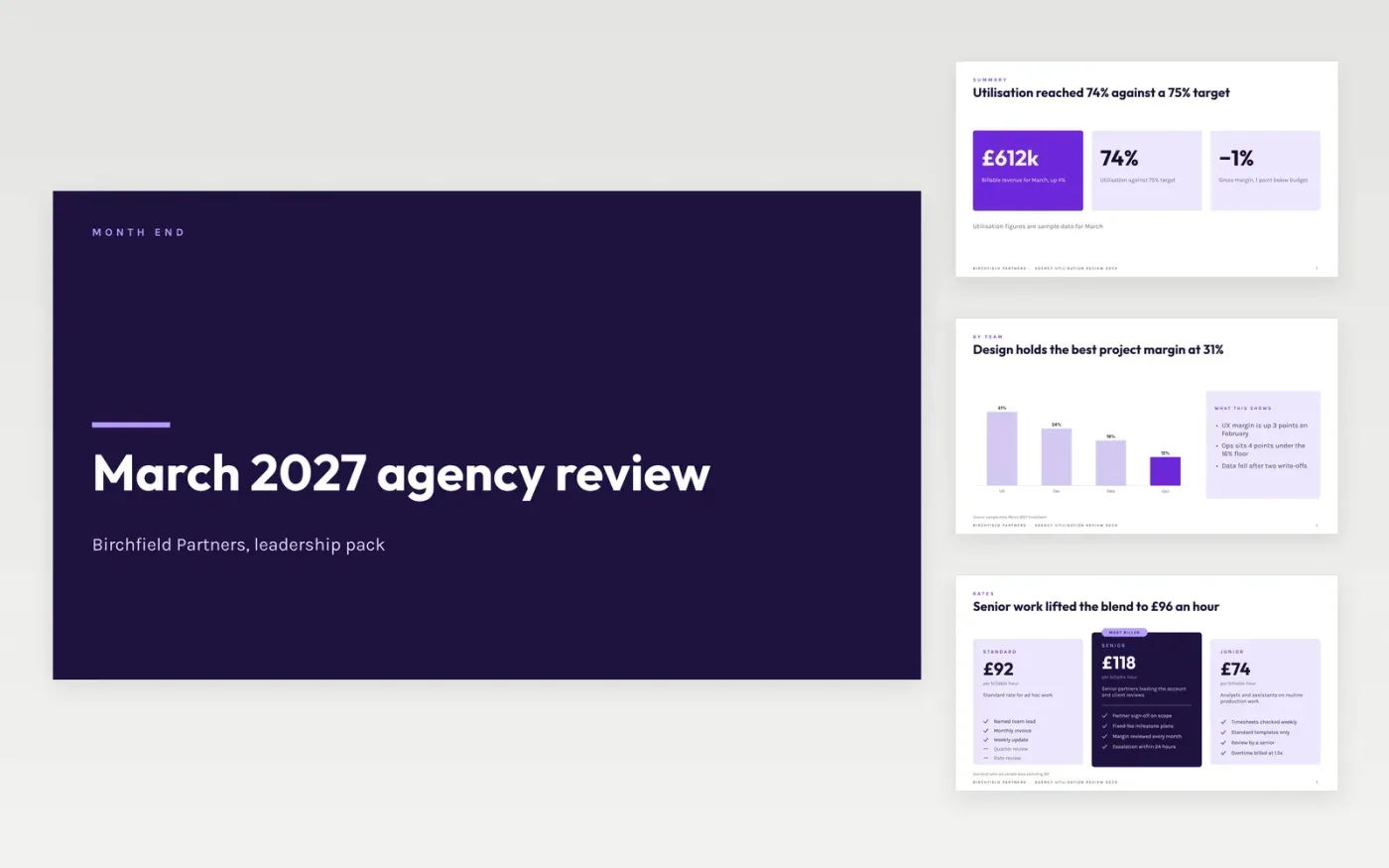
Agency leaders often see billable hours without seeing what each hour earns or where margin leaks away. This Google Slides deck moves from utilisation to realised rates, project margins and write-offs, then closes with the actions for next month. Each slide carries one question and one answer, so an operations lead can take the whole pack through in a single meeting.
The sample follows Birchfield Partners, a fictional agency whose utilisation reached 74% against a 75% target in March 2027. Its figures, team names and the Fieldhouse trust write-offs are invented, so replace them with your own month-end numbers first. Then set your own rate bands and agree the rule for signing off write-offs.
Click Make a copy in Google Slides, then confirm on the Google page. The copy is saved to your own Google Drive.
Replace the sample utilisation, rate and margin figures with your month-end numbers from the timesheet system.
Paste your project margin table and write commentary only for lines that breach the 5% or £5k threshold.
Set the write-off rule and the sign-off owner, then review the actions slide with the operations leads.
Delete the guide slide, then share the deck with the leadership team or present it in the monthly meeting.
No. The sample numbers are typed into the slides, so any month-end export from a spreadsheet or accounts package can be copied in. The deck does not connect to a live ledger.
No. Birchfield Partners, its staff, the Fieldhouse trust and Quay logistics projects, and every rate, margin and write-off are fictional sample data. Replace them before you present the deck.
A common starting point is 5% or £5k, whichever is lower. Comment only on lines that breach it, and give the cause, the effect and the action for each one.
Slides + PowerPoint12 slides
Free
Slides + PowerPoint11 slides
Free
Slides + PowerPoint11 slides
Free
Docs + Word7 pages
Free
Docs + Word7 pages
Free
Slides + PowerPoint10 slides
Free
Docs + Word8 pages
Free
Docs + Word9 pages
Free
Docs + Word9 pages
Free
Docs + Word9 pages
Free










