Monthly Management Accounts
Docs + Word8 pages
Free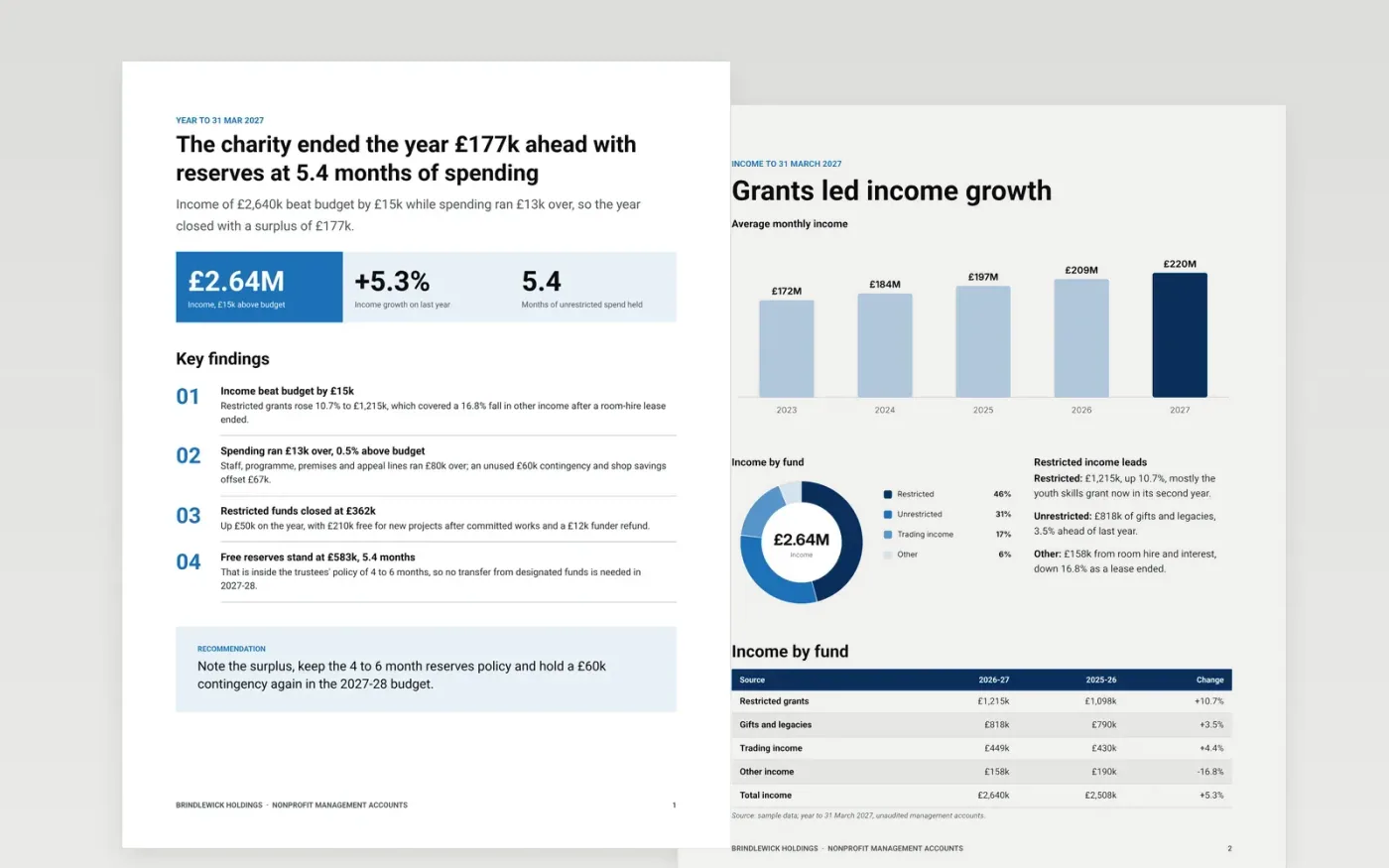
Trustees need to know which money can be spent on what, and how many months of running costs the charity could cover. This template answers that in order: a one-page summary, income by fund, spending against budget, restricted fund movements, reserves against policy, and cash.
The sample follows Brindlewick Holdings, a fictional charity, for the year to 31 March 2027: income of £2,640k, a surplus of £177k, restricted funds of £362k and free reserves of £583k, or 5.4 months of unrestricted spending. Replace the figures with your ledger totals and keep a cause for every line that breaches your threshold.
Click Make a copy in Google Docs, then confirm on the Google page. The copy is saved to your own Google Drive.
Change the year end and replace the summary figures with your own income, spending, surplus and months of reserves.
Copy fund totals from your ledger into the tables, keeping restricted and unrestricted funds apart, and check that totals add up.
Set your materiality threshold, then write a one-line cause for each line that breaches it and delete the rest.
Delete the Make it yours page, then share the pack with your trustees.
Yes. Make a copy in Google Docs and it is yours to edit, with no sign-up here and no cost.
Yes. Change the period headings and the figures. The layout works for any period, as long as you keep budget and prior-period columns for comparison.
No. Brindlewick Holdings, its people and every figure are fictional and made up for the example. Replace them with your own before you share it.
Docs + Word8 pages
Free
Docs + Word6 pages
Free
Excel
Free








