
Annual Report
Docs + Word6 pages
FeaturedFree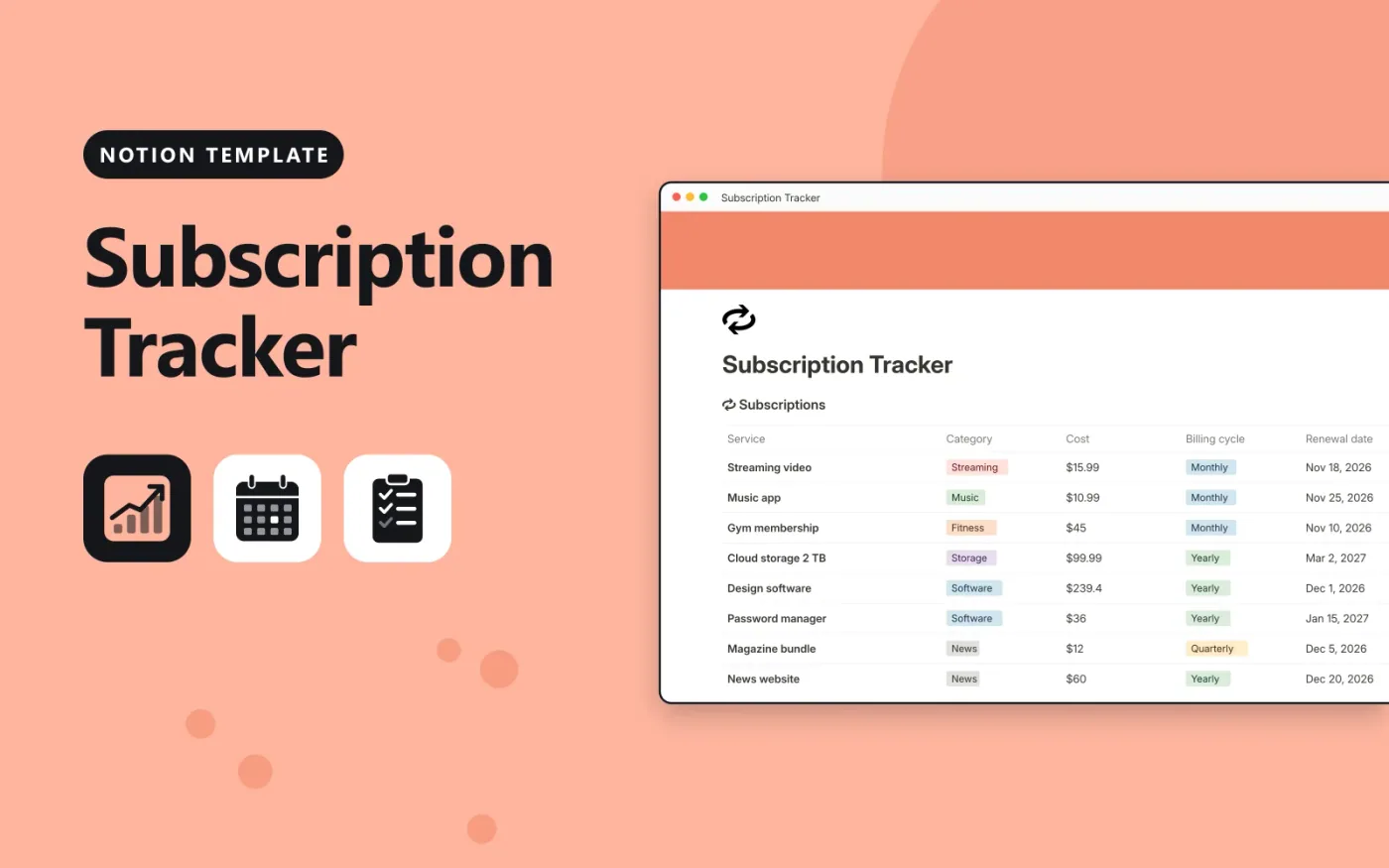
This Notion template holds each subscription in one database, with its category, cost, billing cycle, renewal date and a Keep, Review or Cancel decision. A Monthly cost formula converts yearly and quarterly prices into a monthly figure, so you can compare plans on the same basis.
A Days to renewal formula counts down to each renewal date. The template comes with sample subscriptions. Duplicate it, replace them with your own, and add a calendar view to see the renewals coming up.
Click Duplicate in Notion. The template page opens in Notion.
Click Duplicate at the top right and choose your workspace.
Read the Start here section, then replace the sample entries with your own.
Add a board or calendar view from the + next to the table name if you want one.
Yes. Duplicate it into your own Notion workspace at no cost. The free Notion plan is enough.
Monthly subscriptions keep their cost. Quarterly ones are divided by 3 and yearly ones by 12, so every row shows a monthly figure.
Enter the cost as a monthly amount, or multiply the weekly price by 4.33. Weekly is not one of the billing options, so the formula treats it as monthly.
Docs + Word6 pages
FeaturedFree
Excel
FeaturedFree
Sheets + Excel9 tabs
Free
Notion
Free
Notion
Free
Notion
Free
Notion
Free
Notion
Free
Notion
Free
Notion
Free
Notion
Free
Notion
Free
Notion
Free
Notion
Free








