
Portfolio Review Deck
Slides + PowerPoint11 slides
Free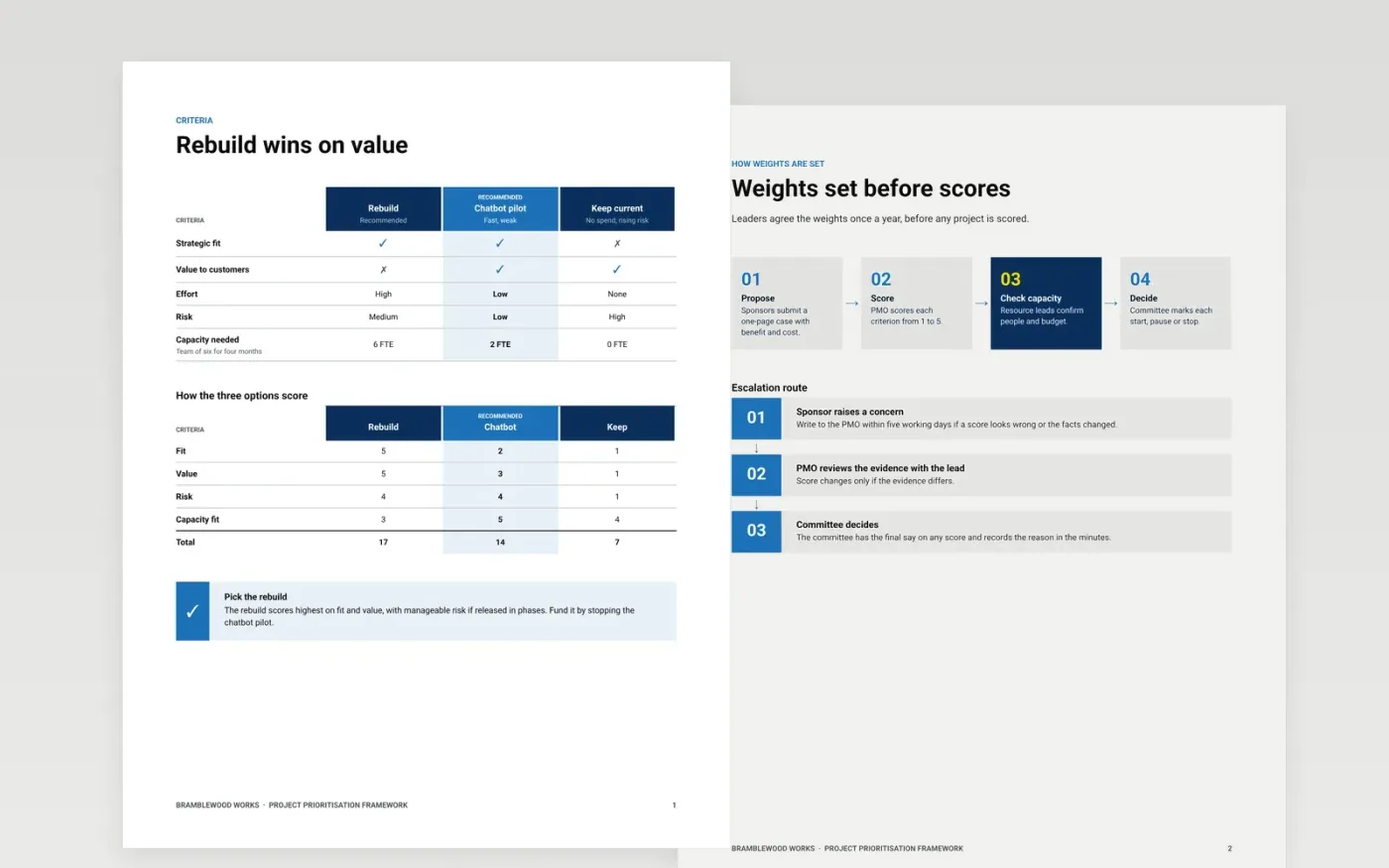
Most organisations run more projects than their teams can finish, and every sponsor believes theirs is the priority. This framework sets the criteria, weights and steps for comparing all proposed and running projects on the same basis. It runs in five sections: criteria, weighting, the scoring sheet, the process and governance, so leaders can decide what to start, continue, pause or stop.
The sample is for the fictional Bramblewood Works, with 38 projects scored on five weighted criteria, a portfolio budget of £8.4M, demand at 124% of capacity and £0.9M released by stopping or pausing work. Replace the criteria, projects, scores and budget with your own, agree the weights before any scoring begins, and list the trade-offs that leaders must decide.
Click Make a copy in Google Docs, then confirm on the Google page. The copy is saved to your own Google Drive.
Replace the Bramblewood Works name, the criteria and the weights with your own, and agree them before scoring.
Swap the sample projects and scores for your own, with a short evidence note beside each one.
Delete the guide page, mark each project start, continue, pause or stop, then share the pack with the committee.
Yes. Click Make a copy in Google Docs and the file is saved to your own Google Drive, with no sign-up and no charge.
No. The score is an input to a leadership decision, so the committee should record why it agreed with the ranking or overrode it.
No. Bramblewood Works, its people, email addresses, project names and every score and amount are fictional sample data. Replace them before use.
Slides + PowerPoint11 slides
Free
Docs + Word5 pages
Free
Slides + PowerPoint11 slides
Free









