Nonprofit Board Report
Docs + Word9 pages
Free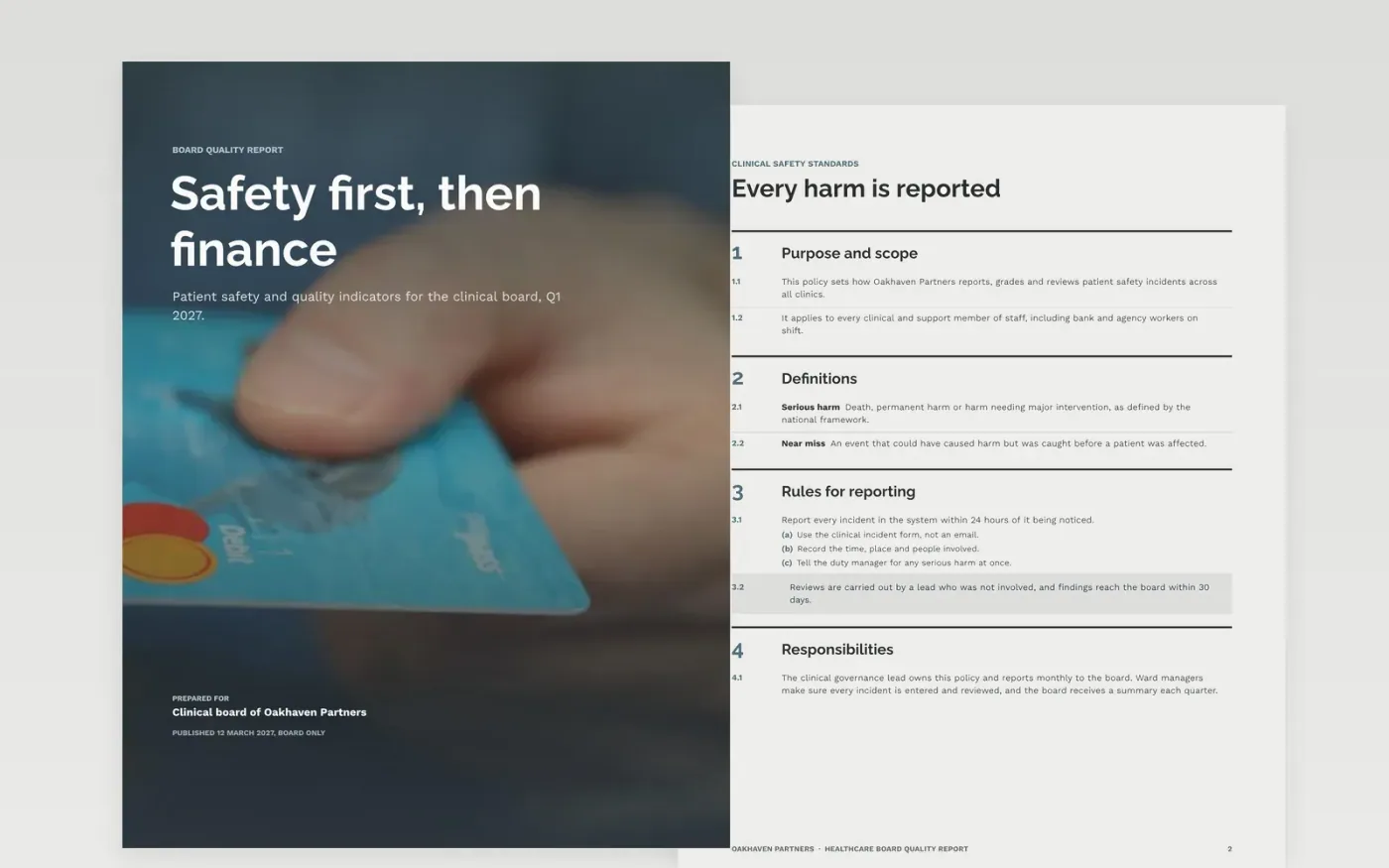
A clinical board needs to see patient safety and quality before it sees money, yet many board packs lead with finance and bury the rest. This template reverses that order: safety, quality indicators, complaints and risks come first, then workforce and finance, and a decision box closes the report. Each page states its conclusion first and gives targets, ratings and owners for every measure.
The sample is for Oakhaven Partners, a fictional healthcare organisation with invented clinics, staff and figures in pounds sterling. It shows two amber indicators and one red, a complaints response rate of 93.5%, and a recommendation to approve a night staffing plan. Replace the indicators, thresholds and names with your own, and keep the RAG rules written down before the meeting.
Click Make a copy in Google Docs, then confirm on the Google page. The copy is saved to your own Google Drive.
Set the reporting period, the clinical board chair and the organisation name in the title block.
Write your RAG thresholds into the key, then rate each indicator against them before you publish.
Replace the sample risks and complaints figures with your own register, keeping one owner per risk.
Delete the guide page, then share the report with board members or present it at the meeting.
No. Oakhaven Partners, its clinics, the named staff, the indicator results and every figure are fictional. Replace them with your own records before the report is shared with a board or a regulator.
For a clinical board, yes. Patient harm and quality are the reason the organisation exists, so they lead the pack. Finance still matters, and it follows with its own variances and a clear view of cash.
Check each red and amber rating at every meeting, and confirm that each green rating still meets its written threshold. A rating that has not been tested against its threshold for a quarter should be marked as unverified.
Docs + Word9 pages
Free
Docs + Word17 pages
Free
Docs + Word9 pages
Free
Docs + Word7 pages
Free
Slides + PowerPoint11 slides
Free
Slides + PowerPoint10 slides
Free
Slides + PowerPoint12 slides
Free
Docs + Word3 pages
Free
Docs + Word8 pages
Free
Slides + PowerPoint10 slides
Free
Docs + Word7 pages
Free
Slides + PowerPoint10 slides
Free
Slides + PowerPoint10 slides
Free
Docs + Word8 pages
Free
Slides + PowerPoint20 slides
Free