
Advisory Board Update Slides
Slides + PowerPoint10 slides
Free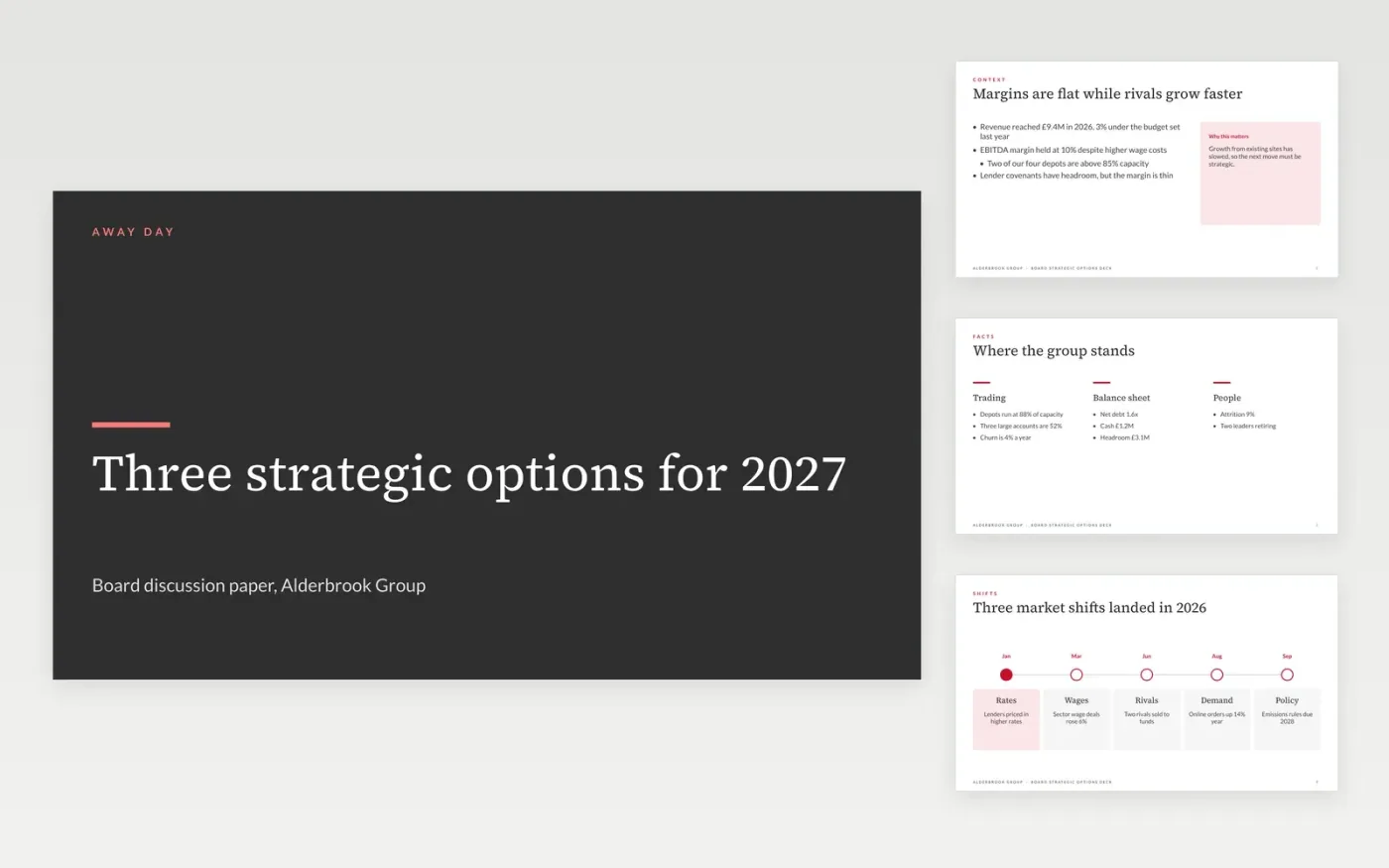
Away days often drift into a status update, and the board leaves without a decision. This Google Slides deck is built for discussion: it sets out the context, the market shifts, the options open to the group and the trade-offs of each, then ends with the questions directors must answer. Each slide is written to be read before the meeting, so the time in the room goes on the choice.
The sample follows Alderbrook Group, a fictional retail services business weighing a rival acquisition against holding its current depots. Its revenue, debt, online share and deal values are invented sample data. Replace them with your own figures, agree the options with the chair, and keep the questions short enough to decide in the room.
Click Make a copy in Google Slides, then confirm on the Google page. The copy is saved to your own Google Drive.
Set the meeting date, chair and quorum on the agenda, then list the papers in order.
Replace the sample figures with the board-approved budget and your own market data.
Rewrite each option and its trade-offs so the board can decide in one sitting.
Delete the guide slide, then circulate the deck or present it at the away day.
No. Keep each option to one slide of trade-offs and a clear trigger. Detail belongs in appendices that directors can read if they want to, not in the discussion itself.
No. Alderbrook Group, its people, the depot count, revenue, debt, online share and deal values are fictional sample data. Replace all of them with your own before the paper goes to the board.
Three or four is usually enough. Include the option of waiting, because doing nothing is a real choice with its own cost, and state the trigger that would make the board revisit it.
Slides + PowerPoint10 slides
Free
Slides + PowerPoint20 slides
Free
Slides + PowerPoint10 slides
Free
Docs + Word7 pages
Free
Slides + PowerPoint10 slides
Free
Docs + Word8 pages
Free
Slides + PowerPoint12 slides
Free
Docs + Word3 pages
Free
Docs + Word8 pages
Free
Slides + PowerPoint10 slides
Free
Docs + Word7 pages
Free
Docs + Word9 pages
Free
Docs + Word8 pages
Free
Docs + Word9 pages
Free
Docs + Word17 pages
Free