
Annual Report
Docs + Word6 pages
Free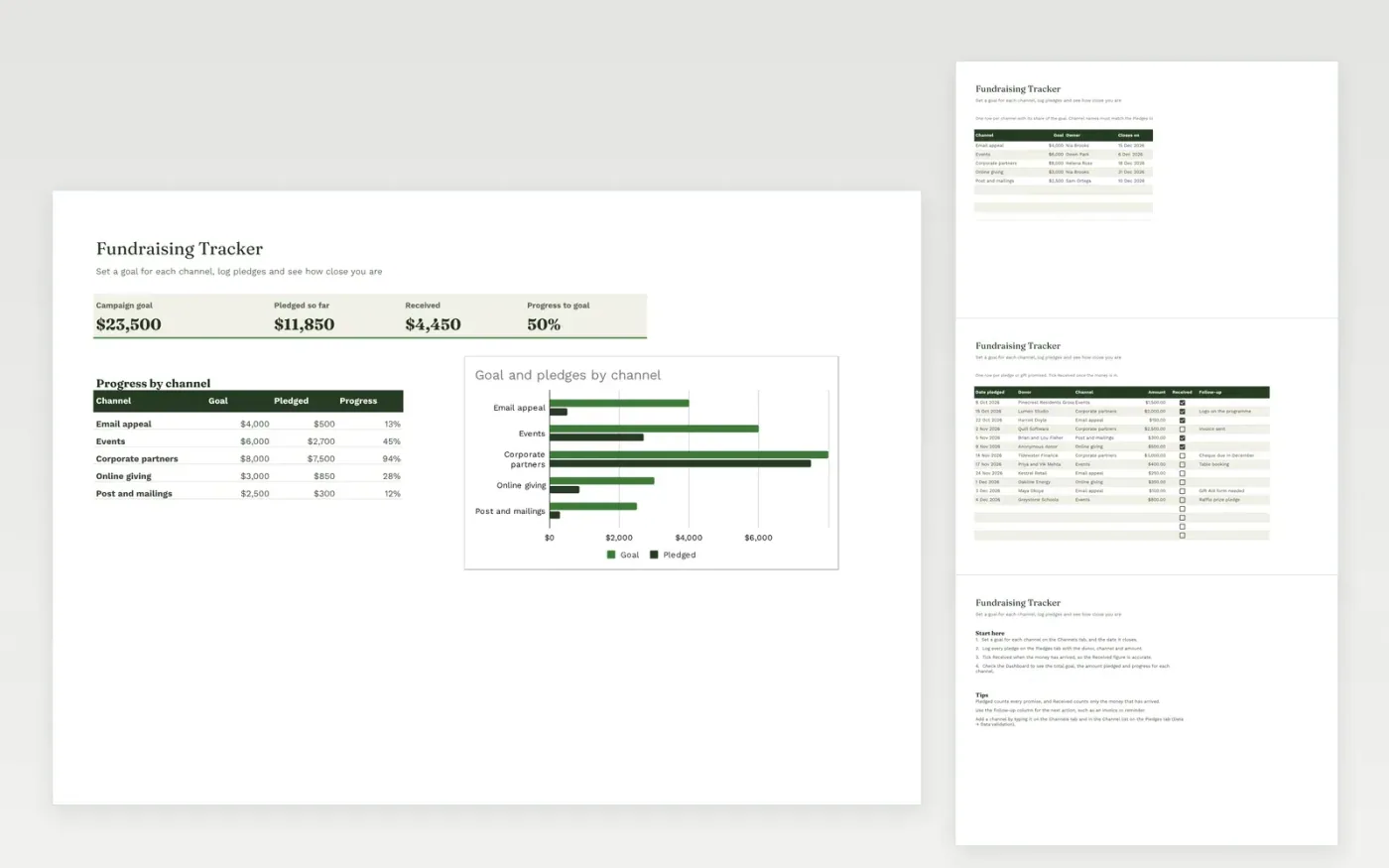
The Fundraising Tracker follows a campaign from its goal to the money in the bank. The Channels tab sets a goal, an owner and a closing date for each channel, such as an email appeal or events. The Pledges tab logs each pledge with the donor, channel and amount, and a Received tick box for money that has arrived.
The Dashboard shows the campaign goal, the amount pledged, the amount received and the progress to goal. A breakdown by channel and a chart compare each channel's goal with its pledges. It comes with sample data for five channels and twelve pledges. Make a copy, replace the sample rows and set your own goals. Totals and the chart update on their own.
Click Make a copy in Google Sheets, then confirm on the Google page. The copy is saved to your own Google Drive.
Start on the Channels tab: replace the sample rows with your own.
Keep the formula columns as they are; they fill in as you type.
Read the How to use tab for tips. For Excel, download the .xlsx file instead.
Yes. Download the template and use it at no cost. No sign-up is needed.
Yes. Download the .xlsx file and open it in Microsoft Excel. The progress figures and chart work there too.
Pledged counts every promise made. Received counts only the money that has arrived, which is the figure to compare with the bank account.
Docs + Word6 pages
Free
Excel
Free
Sheets + Excel4 slides
Free








