
Annual Report
Docs + Word6 pages
Free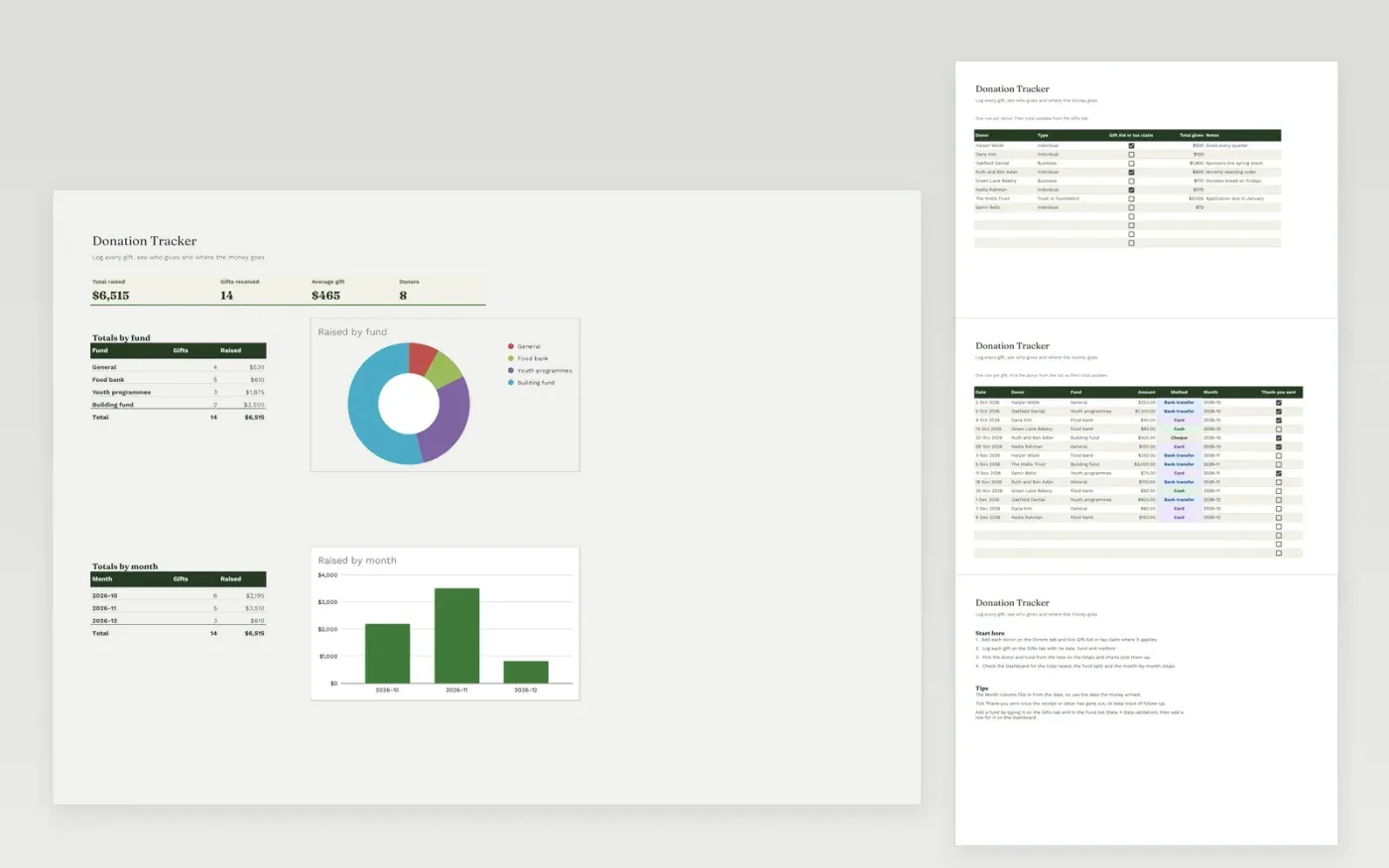
The Donation Tracker is for charities and community groups that receive gifts. The Donors tab keeps a list of supporters and adds up what each one has given. The Gifts tab logs each gift with its date, donor, fund, amount and payment method, and works out the month it arrived in.
The Dashboard shows the total raised, the number of gifts and the average gift, with breakdowns by fund and by month and their charts. It comes with sample data for eight donors and fourteen gifts. Make a copy, replace the sample rows and add your own. Totals, dropdowns and charts update on their own.
Click Make a copy in Google Sheets, then confirm on the Google page. The copy is saved to your own Google Drive.
Start on the Donors tab: replace the sample rows with your own.
Keep the formula columns as they are; they fill in as you type.
Read the How to use tab for tips. For Excel, download the .xlsx file instead.
Yes. Download the template and use it at no cost. There is nothing to sign up for.
Yes. Download the .xlsx file and open it in Microsoft Excel. The totals, dropdowns and charts work in Excel as well.
Yes. Type the new name on the Donors or Gifts tab, add it to the dropdown list through Data validation, and add a matching row to the Dashboard breakdown.
Docs + Word6 pages
Free
Excel
Free
Sheets + Excel4 slides
Free








