Data Migration Plan
Docs + Word8 pages
Free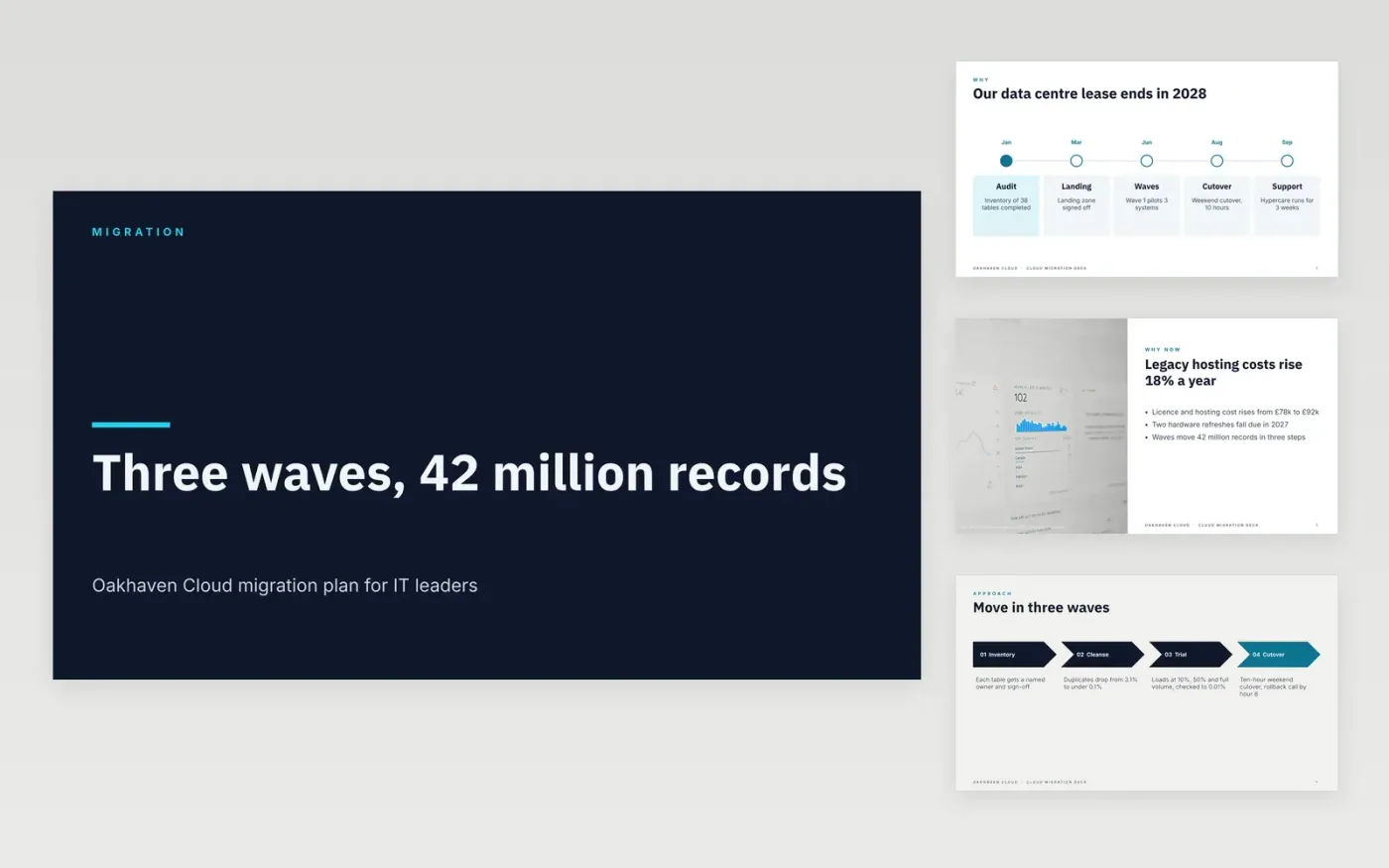
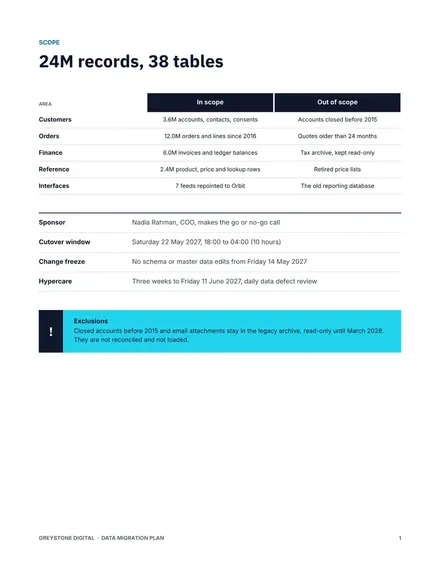
Moving systems to the cloud fails when nobody agrees what data moves, what each field means, or when the team is allowed to stop. This data migration plan template sets those decisions out in twelve slides: why the move is needed, the approach in four steps, the migration in three waves, costs, risks and a timeline with go or no-go gates. Each slide is written for IT leaders and their data owners, so the sponsor can see scope and criteria first.
The sample is for Oakhaven Cloud, a fictional company moving 42 million records across three waves over about four months. It shows duplicates falling from 3.1% to under 0.1% before any load, trial loads at 10%, 50% and full volume reconciled to 0.01%, and a budget of £140k. Replace the systems, field rules, thresholds and cutover hours with your own, and keep the gates that stop a move if a check fails.
Click Make a copy in Google Slides, then confirm on the Google page. The copy is saved to your own Google Drive.
Replace the source and target systems and list the objects and volumes in scope on the Why move and Approach slides.
Set the reconciliation thresholds your data owners will sign, and rewrite the Waves roadmap with your own dates.
Rewrite the Timeline slide with your freeze and cutover hours, and name the person who runs each task.
Delete the guide slide, then share the deck with the sponsor or present it from Google Slides.
No. Oakhaven Cloud, its people and every figure in this deck are fictional sample data. Replace them with your own systems, owners and reconciliation results before the deck goes to a sponsor.
Yes. Scale the record counts, waves and budget down, but keep trial loads at 10%, 50% and full volume and a go or no-go gate before every cutover.
Yes. The cutover step names a rollback call by hour 8, and the risk table asks for a full rollback rehearsal twice before cutover. Replace the timings with the ones your platform needs.
More Google Slides templatesMore developer workflows templates
Docs + Word8 pages
Free
Slides + PowerPoint11 slides
Free
Docs + Word7 pages
Free









