
Annual Report
Docs + Word6 pages
Free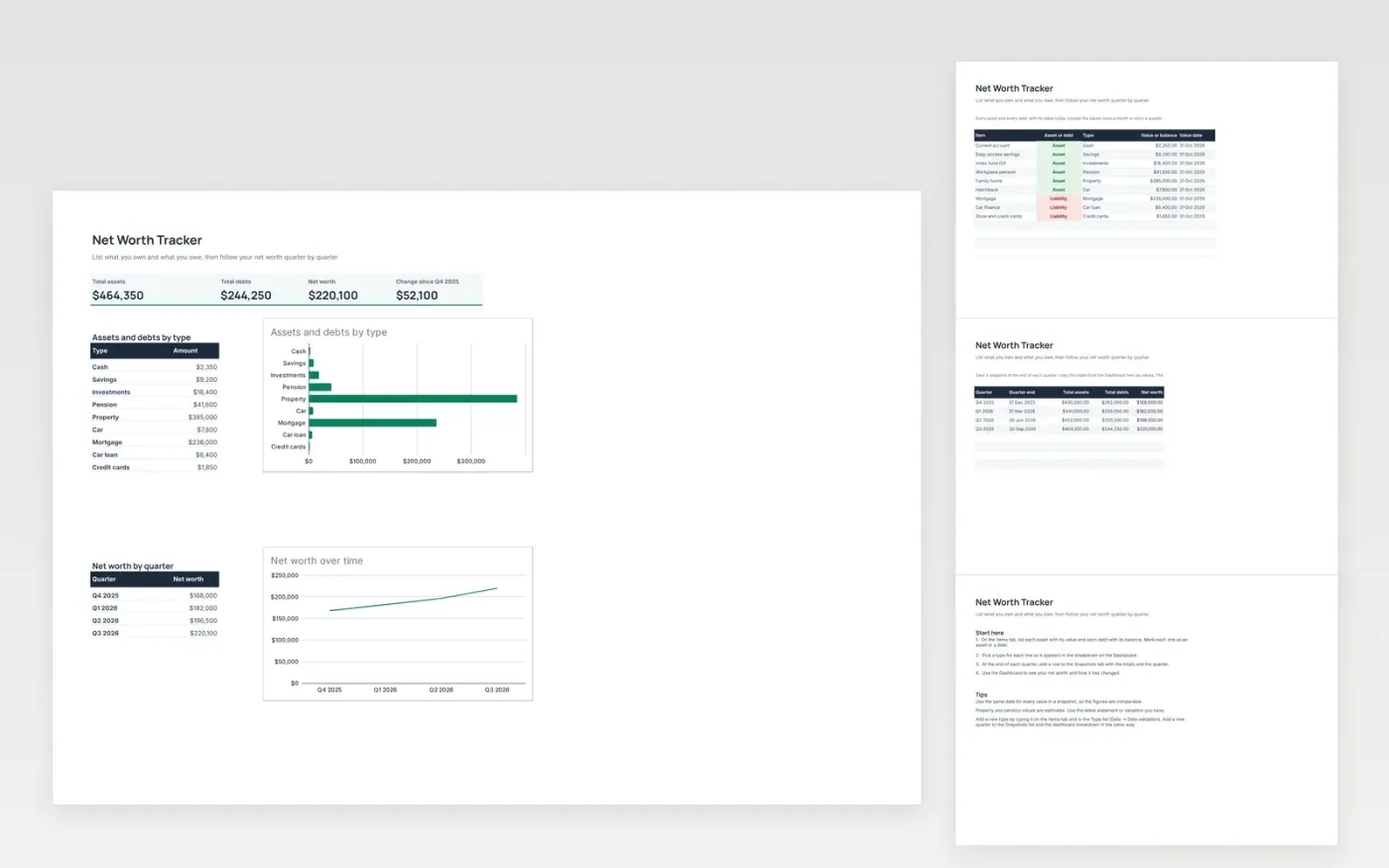
This template gives a clear picture of your finances. The Items tab lists every asset, such as cash, savings, investments, a pension or a home, and every debt, such as a mortgage, car finance or card balances, with its value today.
The Snapshots tab keeps a record of your totals at the end of each quarter, so you can see how net worth has changed over time. The Dashboard shows total assets, total debts and net worth, with charts by type and by quarter.
It comes with sample data. Make a copy, then replace the sample items and snapshots with your own. Formulas and charts update on their own.
Click Make a copy in Google Sheets, then confirm on the Google page. The copy is saved to your own Google Drive.
Start on the Items tab: replace the sample rows with your own.
Keep the formula columns as they are; they fill in as you type.
Read the How to use tab for tips. For Excel, download the .xlsx file instead.
Yes. Download the template and use it in Google Sheets or Excel at no cost.
Yes. Download the .xlsx file to open it in Excel. The formulas and charts work in both Excel and Google Sheets.
Once a quarter is usually enough. Update the Items tab, then save a snapshot. Monthly updates work too if you prefer to follow the changes more closely.
Docs + Word6 pages
Free
Excel
Free
Sheets + Excel4 slides
Free








