Teacher Planner
Docs + Word3 pages
Free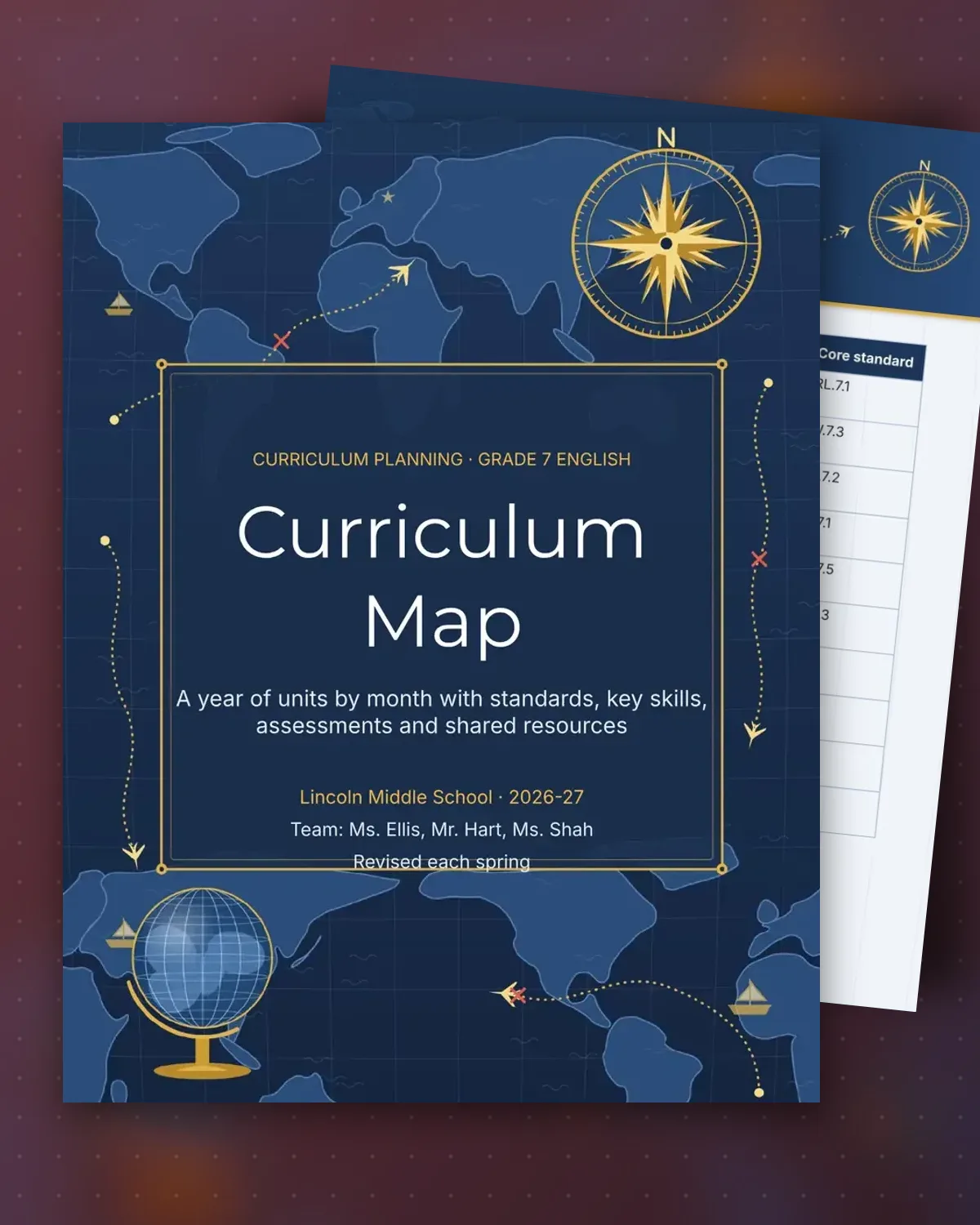
A curriculum map gives a team one common view of the year. Each month shows the unit, the main texts students read or write about, and the core standard it targets. Teachers can see gaps and overlaps before the year starts, and new staff can follow the sequence without a binder of old plans.
The second page links each unit to a checkpoint and the materials that support it, with the weight of each assessment in the final grade. This example is a seventh-grade English course, but the layout suits any subject. Review the map each spring, and mark what changed so next year's team starts from the notes.
Make a copy in Google Docs, or download the Word file.
Type over the sample text with your own details.
Delete the guide page when you are done.
Print it, or save it as a PDF.
Yes. Replace the texts and standards with the ones for your subject. Keep the month column and the assessment weights so the year stays easy to compare.
Link them from the resources table to the shared drive folder for each unit. The map is for the big picture, and the unit plans hold the daily detail.
Update the map after each unit when pacing changes, and do a full review in the spring with the whole grade team.
Docs + Word3 pages
Free
Docs + Word3 pages
Free
Docs + Word3 pages
Free
Docs + Word3 pages
Free
Docs + Word3 pages
Free
Docs + Word3 pages
Free
Docs + Word3 pages
Free
Docs + Word3 pages
Free
Docs + Word3 pages
Free
Docs + Word3 pages
Free
Docs + Word3 pages
Free
Docs + Word3 pages
Free
Docs + Word3 pages
Free
Docs + Word3 pages
Free
Docs + Word3 pages
Free