Simple CV
Docs + Word1 page
Free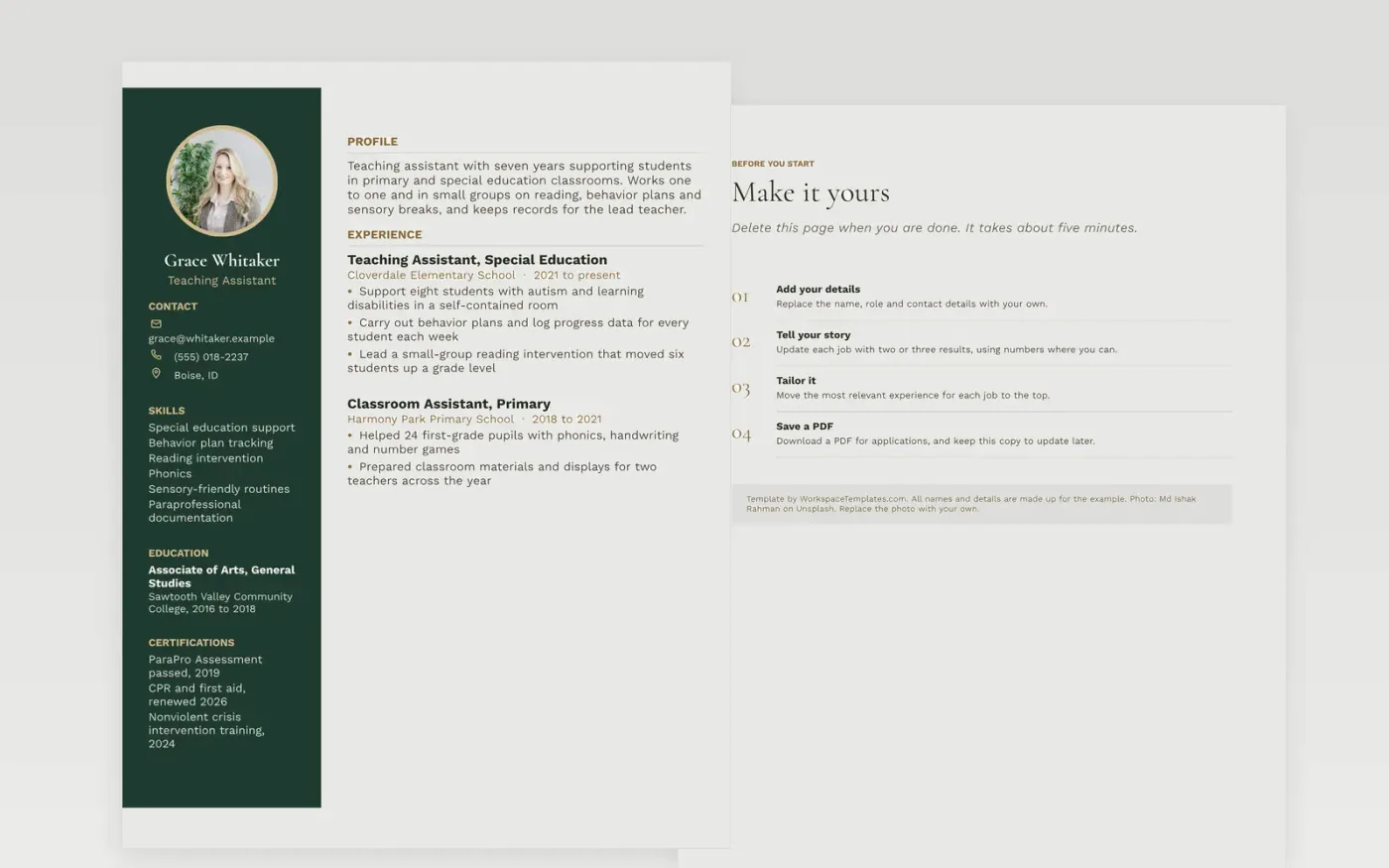
School leaders and special education coordinators reading a teaching assistant CV look for experience with the age group and needs in the post, training in behavior support and first aid, and a record of careful, accurate notes. They want to see whether the candidate can work one to one, lead a small group and carry out a plan written by a teacher. Background checks are routine in US districts, and UK schools ask about child protection training, so list any clearance you hold. The sidebar places certificates and needs-based experience where the reader looks first.
The sample assistant has seven years of work across a primary school and a special education room in Boise. Use your own school names, certificates and student numbers, and keep every student anonymous. For this role, name the needs you supported, such as autism or reading difficulty, along with the records you kept, since principals press on both at interview.
Make a copy in Google Docs, or download the Word file.
Type over the sample text with your own details.
Delete the guide page when you are done.
Print it, or save it as a PDF.
List the qualifications your district asks for, such as the ParaPro Assessment in the US, with the year you passed. Add first aid and CPR with the awarding body and renewal date. Include behavior support or crisis intervention training and any clearance check you have completed. List each certificate on a separate line so staff can check it fast.
State the age group, how many pupils you supported and their needs. Say whether you worked one to one, in small groups or across a whole class. Name the records you kept, such as behavior logs or progress sheets. Keep the wording factual and never identify a pupil.
Usually yes, if the candidate has under five years of experience. Two pages fit someone with several years of support work, specialist training or volunteer leadership. Lead with the latest role and training, then shorten earlier experience. Panels read large batches of applications, so keep the layout plain and easy to scan.
Docs + Word1 page
Free
Docs + Word1 page
Free
Docs + Word1 page
Free
Docs + Word1 page
Free
Docs + Word1 page
Free
Docs + Word1 page
Free
Docs + Word1 page
Free
Docs + Word1 page
Free
Docs + Word1 page
Free
Docs + Word1 page
Free
Docs + Word1 page
Free
Docs + Word1 page
Free
Docs + Word1 page
Free
Docs + Word1 page
Free
Docs + Word1 page
Free