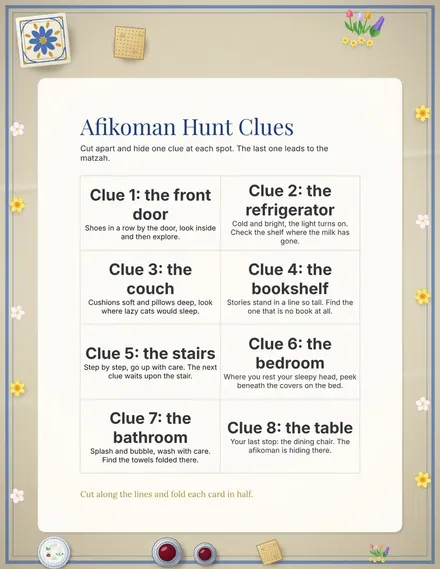
Afikomen Hunt Clue Cards
Docs + Word1 page
Free
A pick pool at a derby party needs a fast answer the moment the horses cross the line. Each guest chooses one horse to win, one to place and one to show, and the Entries tab keeps those three numbers in a single row. After the race you type the first three finishers on the Results tab, and every guest row looks up its own points.
The scoring sits in the Results table where anyone can read it: a winning pick pays the most, a placing pick pays less and a showing pick pays a little. Change the numbers to suit your group. The Leaderboard ranks everyone, shows how far each guest is behind the leader and breaks ties by order of entry. Points are the only prize, so the sheet never touches money. Check local rules before playing for money.
Click Make a copy in Google Sheets, then confirm on the Google page. The copy is saved to your own Google Drive.
Start on the Entries tab: replace the sample rows with your own.
Keep the formula columns as they are; they fill in as you type.
Read the How to use tab for tips. For Excel, download the .xlsx file instead.
Each guest picks one horse for each position. The sheet gives points when a pick finishes in the places listed on the Results tab.
Yes. The last three columns of the Results tab hold the points for each finish. Edit them and every entry recalculates.
No. It counts points only. Check local rules before playing for money.
Docs + Word1 page
Free
Docs + Word2 pages
Free
Docs + Word1 page
Free
Docs + Word1 page
Free
Sheets + Excel5 tabs
Free
Docs + Word1 page
Free
Sheets + Excel6 tabs
Free
Docs + Word1 page
Free
Docs + Word1 page
Free
Sheets + Excel5 tabs
Free
Docs + Word1 page
Free
Docs + Word1 page
Free
Docs + Word1 page
Free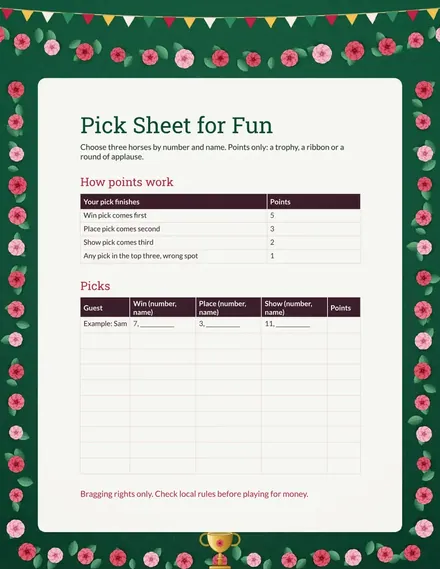
Docs + Word1 page
Free
Docs + Word1 page
Free