Afikomen Hunt Clue Cards
Docs + Word1 page
Free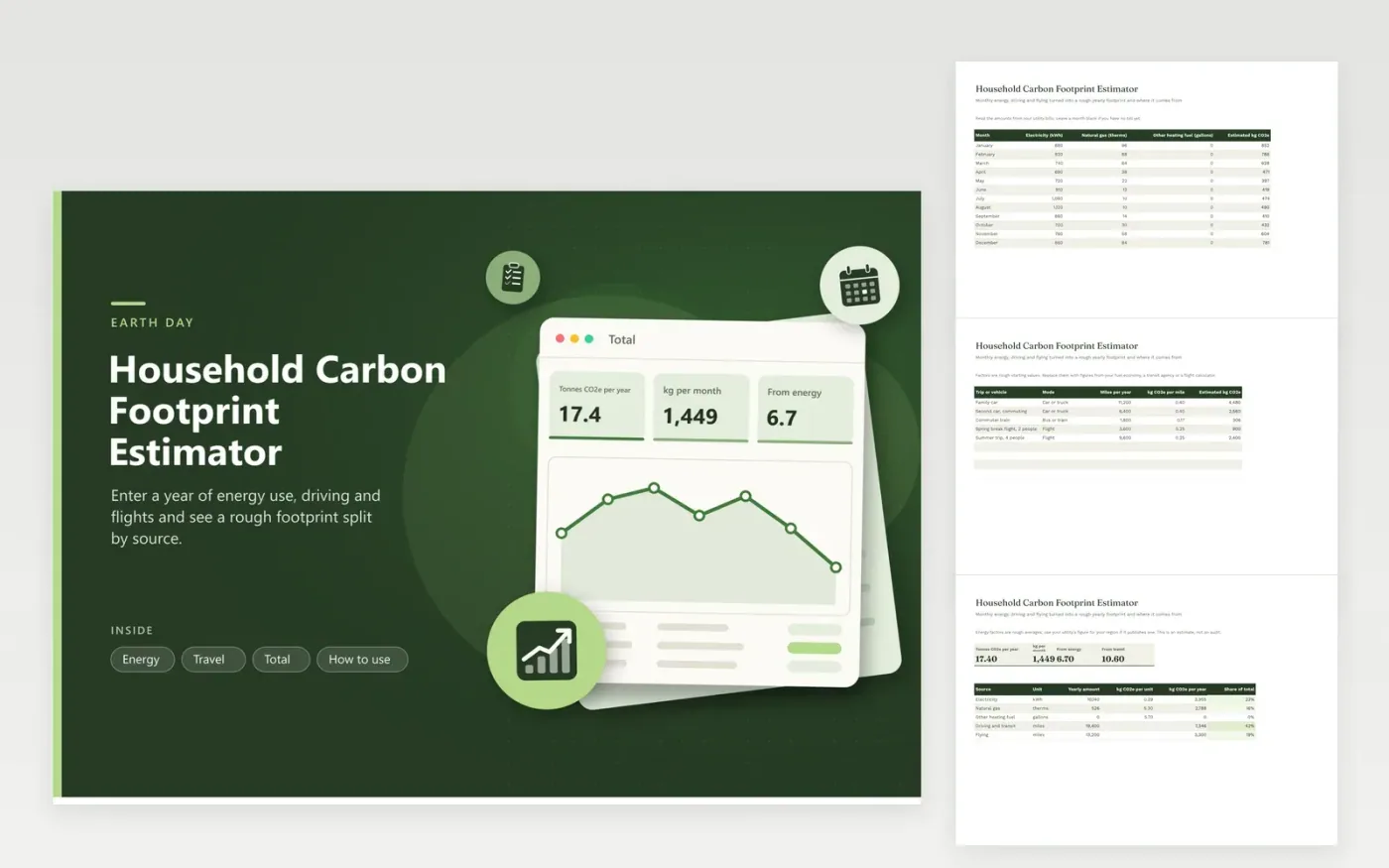
A household footprint is easier to understand when it comes from your own bills. On the Energy tab you enter electricity, natural gas and other heating fuel for each month, and the sheet estimates the emissions for each month from factors you can edit. The Travel tab lists vehicles, trains and flights with miles per year and a factor for each, so a spring break trip shows up on its own line.
The Total tab adds energy and travel into tonnes of CO2e per year, a monthly average and the share of each source. Electric grids, cars and fuels differ by region, so the factors are starting values, not official figures: swap in values published by your utility or a national agency. Use it to see which habit is the largest slice, then change one input to test a swap.
Click Make a copy in Google Sheets, then confirm on the Google page. The copy is saved to your own Google Drive.
Start on the Energy tab: replace the sample rows with your own.
Keep the formula columns as they are; they fill in as you type.
Read the How to use tab for tips. For Excel, download the .xlsx file instead.
It is a rough guide. The answer depends on the factors you use, so replace the sample values with ones for your region and fuel.
Your monthly utility statement lists kilowatt-hours for electricity and therms or cubic feet for gas. Enter the number from each bill on the matching month.
Save one file per year, keep the factors identical and compare the Total tabs next to each other.
Docs + Word1 page
Free
Docs + Word2 pages
Free
Docs + Word1 page
Free
Docs + Word1 page
Free
Docs + Word1 page
Free
Docs + Word1 page
Free
Docs + Word1 page
Free
Docs + Word1 page
Free
Docs + Word1 page
Free
Docs + Word1 page
Free
Sheets + Excel5 tabs
Free