Afikomen Hunt Clue Cards
Docs + Word1 page
Free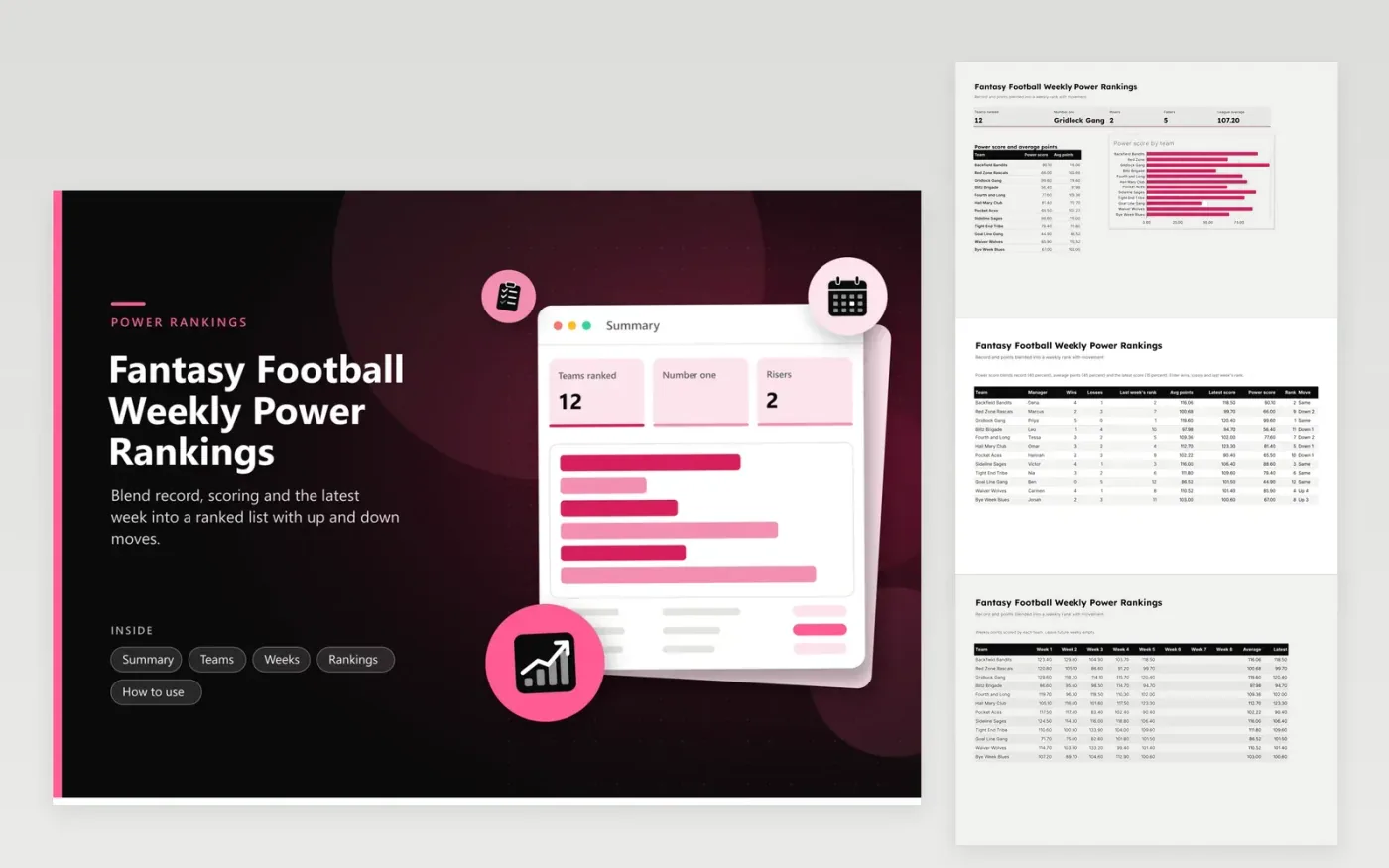
Power rankings are the part of the season where everyone claims to be underrated. This sheet gives them a basis. Weekly points go on the Weeks tab and wins and losses on the Teams tab. From those the sheet builds a power score out of three parts: record, average points and the latest week. A hot team gets credit for last week, and a lucky record gets balanced by scoring.
The Rankings tab orders every team best to worst and shows how far each one moved since last week, ready for a recap post. The weights are plain numbers in the formula, so you can make record count more or scoring count less. Summary charts the power score of every team to show the gap between the top and the bottom.
Click Make a copy in Google Sheets, then confirm on the Google page. The copy is saved to your own Google Drive.
Start on the Teams tab: replace the sample rows with your own.
Keep the formula columns as they are; they fill in as you type.
Read the How to use tab for tips. For Excel, download the .xlsx file instead.
Record counts 40 points, average points 45 points and the latest week's score 15 points. Each part is measured against the best team in the league.
Enter last week's rank on the Teams tab. The Move column compares it with the new rank and says Up, Down or Same with the number of places.
Yes. The weights are in the Power score formula on the Teams tab, so edit the 40, 45 and 15 to give record or scoring more weight.
Docs + Word1 page
Free
Docs + Word2 pages
Free
Docs + Word1 page
Free
Sheets + Excel17 tabs
Free
Sheets + Excel6 tabs
Free
Sheets + Excel7 tabs
Free
Docs + Word1 page
Free
Sheets + Excel8 tabs
Free
Docs + Word1 page
Free
Docs + Word1 page
Free
Docs + Word1 page
Free
Docs + Word1 page
Free
Sheets + Excel8 tabs
Free
Docs + Word1 page
Free
Sheets + Excel7 tabs
Free