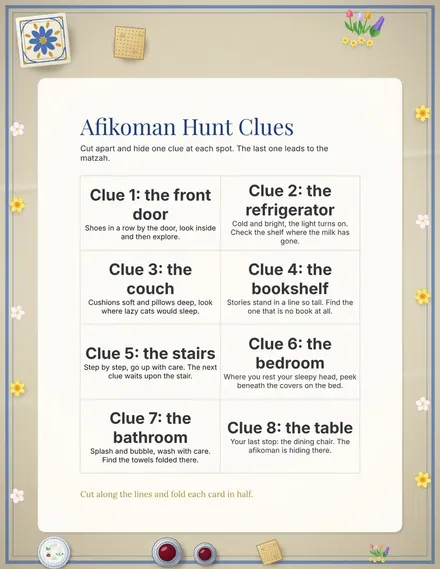
Afikomen Hunt Clue Cards
Docs + Word1 page
Free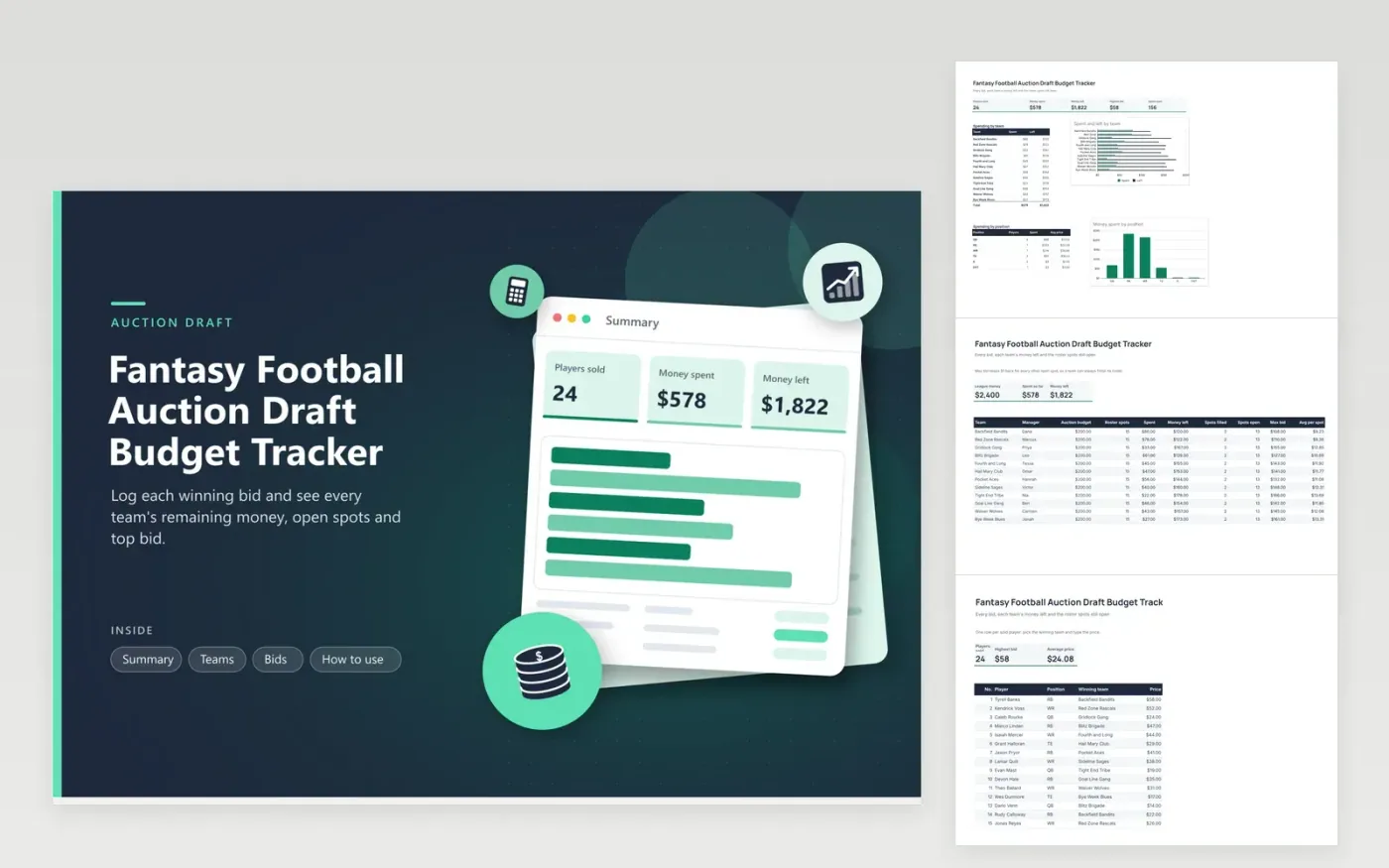
In an auction draft the mistake that stings is the team that spends its last dollars on a star and has to fill nine spots with minimum bids. This sheet watches for it. Every sold player goes on the Bids tab with the winning team and the price, and the Teams tab shows the money left, the spots filled and the maximum bid that still leaves $1 for every other open spot.
The Summary adds spending by team and by position, with the average price paid for each position, so the room can see when running backs are running hot. Rows turn amber when a team can bid only $5 or less and red when a team is over budget. Change the budget and roster size on the Teams tab to match your own league rules.
Click Make a copy in Google Sheets, then confirm on the Google page. The copy is saved to your own Google Drive.
Start on the Teams tab: replace the sample rows with your own.
Keep the formula columns as they are; they fill in as you type.
Read the How to use tab for tips. For Excel, download the .xlsx file instead.
It is the most a team can bid while still keeping $1 for each other open roster spot. The sheet works it out as money left minus the number of open spots less one.
Yes. Edit the Auction budget and Roster spots columns on the Teams tab. Every figure updates from those numbers.
It means the team's max bid is $5 or less, so it can no longer chase a top player. A red row means a team's spending has gone past its allowed total.
Docs + Word1 page
Free
Docs + Word2 pages
Free
Docs + Word1 page
Free
Sheets + Excel17 tabs
Free
Sheets + Excel7 tabs
Free
Docs + Word1 page
Free
Sheets + Excel8 tabs
Free
Docs + Word1 page
Free
Docs + Word1 page
Free
Docs + Word1 page
Free
Docs + Word1 page
Free
Sheets + Excel8 tabs
Free
Docs + Word1 page
Free
Sheets + Excel7 tabs
Free
Docs + Word1 page
Free