Afikomen Hunt Clue Cards
Docs + Word1 page
Free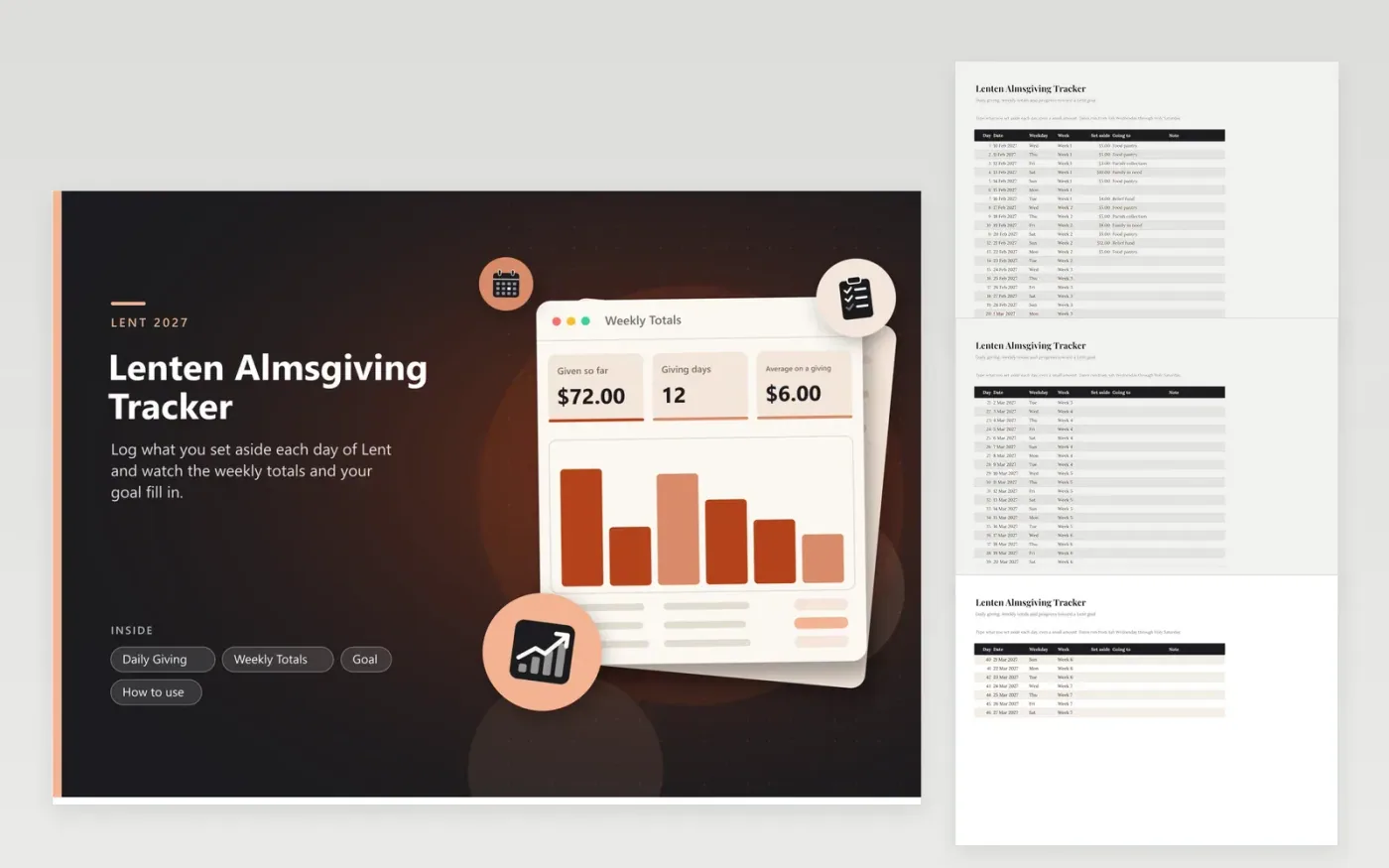
Almsgiving works best as a small habit. This tracker lists every day from Ash Wednesday through Holy Saturday, with dates that fill in from one starting cell. Type what you set aside, choose where it is headed and leave Sundays empty if your family does.
Weekly Totals adds up each of the seven weeks next to an even weekly target and splits the money by destination. The Goal tab shows how much is given, how much is left and what it would take per day to finish by Easter. The sample runs from Ash Wednesday, February 10, 2027, to Easter, March 28, and both dates can be changed.
Click Make a copy in Google Sheets, then confirm on the Google page. The copy is saved to your own Google Drive.
Start on the Daily Giving tab: replace the sample rows with your own.
Keep the formula columns as they are; they fill in as you type.
Read the How to use tab for tips. For Excel, download the .xlsx file instead.
The sample starts February 10, 2027 and ends with Easter Sunday on March 28, following the Western church calendar. Type other dates on the Goal tab if your church differs.
Type the amount you set aside each day on the Daily Giving tab. The sheet adds each week, shows the share by destination and compares your total with your goal.
Yes. Enter the combined amount for each day and use the note column for who gave. Weekly Totals and the goal progress work the same way.
Docs + Word1 page
Free
Docs + Word2 pages
Free
Docs + Word1 page
Free
Docs + Word1 page
Free
Docs + Word1 page
Free
Docs + Word1 page
Free
Docs + Word2 pages
Free
Docs + Word1 page
Free
Docs + Word1 page
Free
Docs + Word1 page
Free
Docs + Word1 page
Free
Docs + Word1 page
Free
Docs + Word1 page
Free
Docs + Word1 page
Free
Docs + Word2 pages
Free